EasyManua.ls Logo

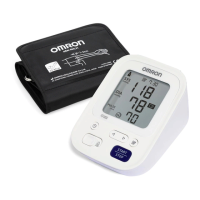
Omron HEM-7154-E - User Manual

Omron HEM-7154-E
19 pages
Print Icon
To Next Page IconTo Next Page
Loading...
Instruction Manual
1
Automatic Upper Arm Blood Pressure Monitor
M3 (HEM-7154-E)
Symboles/ Symbole/ Simboli/ Símbolos/
Symbolen/ Символы/ Semboller/
ίϣέϟ΍
Read Instruction manual and before use.
FR
Lire le mode d’emploi et avant l’utilisation.
DE
Lesen Sie vor der Verwendung die Gebrauchsanweisung und .
IT
Leggere il manuale di istruzioni e prima dell’uso.
ES
Lea el manual de instrucciones y antes del uso.
NL
Lees de gebruiksaanwijzing en voor gebruik.
RU
Прочтите руководство по эксплуатации и перед использованием.
TR
Kullanmadan önce, kullanım kılavuzu ve 'yi okuyun.
ϡ΍ΩΧΗγϻ΍ϝΑϗ
ϭ Ε΍ΩΎηέϹ΍ϝϳϟΩ΃έϗ΍
AR

Questions and Answers

  • A
    adamthompsonAug 3, 2025
    Why Omron Blood Pressure Monitor arm cuff does not inflate?
    • M
      Mallory ThompsonAug 3, 2025
      If the Omron Blood Pressure Monitor's arm cuff isn't inflating, here's what to check: * Ensure the air plug is fully inserted into the monitor. * Make sure you've applied the arm cuff correctly. * Avoid pressing the [START/STOP] button before applying the cuff. If you did, press it again to turn the monitor off, then apply the cuff and try again. * If air is leaking, the arm cuff may need replacing.
  • E
    Eric NavarroAug 7, 2025
    What to do if Omron HEM-7154-E Blood Pressure Monitor shows error or won't complete measurement after cuff inflates?
    • T
      Taylor GonzalezAug 8, 2025
      If your Omron Blood Pressure Monitor shows an error or fails to complete the measurement after the arm cuff inflates, it might be due to: * Movement or talking during measurement: Remain still and do not talk while the device is working. If 'E2' appears repeatedly, you may need to manually inflate the cuff higher than usual, consult section 11 of the manual. * Systolic pressure above 210 mmHg: Unfortunately, the manual does not provide a solution in this case.
  • J
    Joseph EdwardsAug 12, 2025
    Why are Omron Blood Pressure Monitor readings too high or low?
    • B
      Brian McmahonAug 12, 2025
      Inaccurate readings on your Omron Blood Pressure Monitor can occur because blood pressure varies constantly and is influenced by many factors, including stress, the time of day, and how the arm cuff is applied. Review section 2 of the instruction manual for guidance.
  • B
    Brandon WrightAug 18, 2025
    Why my Omron Blood Pressure Monitor turns off during measurement?
    • B
      Beth HendersonAug 18, 2025
      If your Omron Blood Pressure Monitor turns off unexpectedly or displays the symbol during measurement, it could be due to: * Depleted batteries: Replace all four batteries immediately with new ones. * Incorrect battery alignment: Check that the batteries are installed with the correct polarity.
  • C
    Christine BrooksAug 23, 2025
    Why is the battery symbol flashing on my Omron HEM-7154-E Blood Pressure Monitor?
    • J
      Jack SmithAug 23, 2025
      If the battery symbol is flashing on your Omron Blood Pressure Monitor, it indicates that the batteries are low. It's recommended to replace all four batteries with new ones. Refer to section 3 of the instruction manual.
  • A
    amandahudsonAug 28, 2025
    What to do if any other problem occurs with Omron HEM-7154-E Blood Pressure Monitor?
    • J
      Joshua StanleyAug 28, 2025
      If you encounter any other problem with your Omron Blood Pressure Monitor, turn the monitor off by pressing the [START/STOP] button, then press it again to take a measurement. If the problem continues, remove all batteries and wait 30 seconds before reinstalling them. If the issue persists, contact your OMRON retail outlet or distributor.

Summary

Introduction and Safety

Introduction

Overview of the OMRON Automatic Upper Arm Blood Pressure Monitor and its method.

Safety Instructions

Key safety guidelines and warnings for using the blood pressure monitor.

Intended Use

Specifies the device is for adult patients and detects irregular heartbeats.

Receiving and Inspection

Instructions for checking the monitor for damage upon receipt.

Important Safety Information

Warning

Potentially hazardous situations that could lead to death or serious injury if not avoided.

Caution

Potentially hazardous situations that could lead to minor injury or equipment damage.

General Precautions

General advice and precautions for safe and effective use of the monitor.

Error Messages and Troubleshooting

Limited Warranty

Maintenance and Specifications

Storage

Guidelines for storing the monitor and its components safely.

Cleaning

Instructions for cleaning the monitor and arm cuff using appropriate materials.

Calibration and Service

Information on the monitor's accuracy and recommended periodic inspection.

Specifications

Technical details including measurement ranges, power, and dimensions.

Disposal and Declarations

Correct Disposal of This Product

Guidance on environmentally safe disposal of the device and accessories.

Electromagnetic Compatibility (EMC)

Information regarding the product's compliance with EMC standards.

Guidance and Manufacturers Declaration

Information on design standards and manufacturer's quality system.

User Guide for Measurement

Package Contents

Lists all items included in the product packaging.

Installing Batteries

Step-by-step guide on how to insert batteries into the monitor.

Setting Date and Time

Instructions for setting the year, month, day, hour, and minute.

Applying the Cuff

Detailed instructions on how to correctly apply the arm cuff on the left arm.

Taking a Measurement

Procedure for performing a blood pressure measurement and saving results.

Omron HEM-7154-E Specifications

General IconGeneral
BrandOmron
ModelHEM-7154-E
CategoryBlood Pressure Monitor
LanguageEnglish

Related product manuals