EasyManua.ls Logo

Omron HV-F311 - User Manual

Omron HV-F311
44 pages
Print Icon
To Next Page IconTo Next Page
Loading...
5655010-5D
Issue Date: 2022-12-05
19F1534
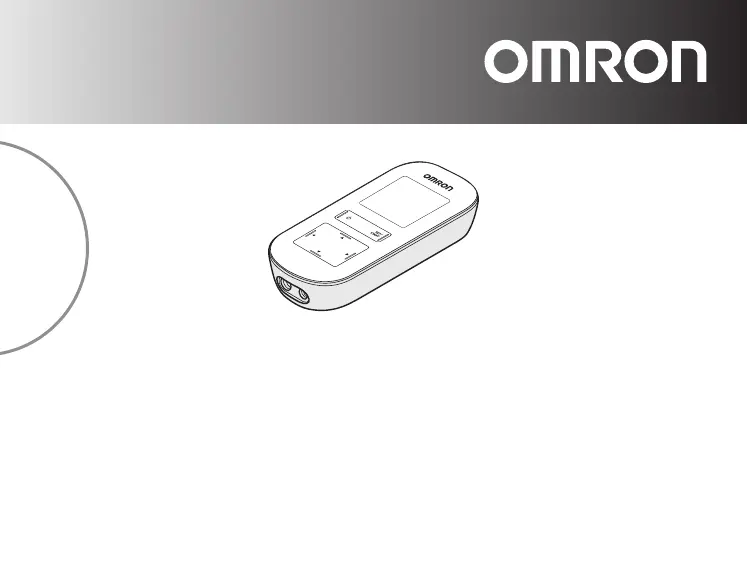
Electronic Nerve Stimulator
HV-F311
Instruction Manual
5655010-5D_HV-F311-AU_IM_M01_221205.pdf

Questions and Answers

  • R
    Robin FloresAug 19, 2025
    How to make Omron Fitness Equipment gel stick to skin?
    • S
      Susan GalvanAug 19, 2025
      If the gel on your Omron Fitness Equipment doesn't stick to the skin, peel off the plastic film. Air dry the gel or your skin if they are too wet. Wipe and dry your skin to remove any lotion, oil, sweat, or ointment. Replace the gel if it's damaged. Shave the area if there is too much hair. Replace the gels if they were stored improperly.
  • P
    Phillip WatersAug 21, 2025
    How to fix Omron Fitness Equipment when the intensity is too weak?
    • D
      Donald BrownAug 21, 2025
      If the intensity feels too weak or not at all on your Omron Fitness Equipment, make sure you are using both pads, with the plastic film removed from the gels. Ensure the pads aren't stacked or overlapping, and that the cord is properly connected to the device. Also, check that the intensity setting isn't too low and that the gels aren't damaged. If the battery is low, charge it fully.
  • M
    maldonadomatthewAug 23, 2025
    Why does the Omron Fitness Equipment battery icon show empty?
    • D
      Derrick LamAug 25, 2025
      If your Omron Fitness Equipment shows an empty battery icon, recharge the battery fully.
  • R
    Robert WilliamsAug 26, 2025
    What to do if Omron Fitness Equipment operation stops during use?
    • C
      Christopher MillerAug 26, 2025
      If your Omron Fitness Equipment stops during use, fully recharge the battery. Check the cord with pads for damage and replace if necessary. Also, ensure you are using both pads for therapy.
  • D
    Devin JohnsonAug 28, 2025
    Why does Omron Fitness Equipment make skin red or irritated?
    • J
      Jacob WillisAug 28, 2025
      If your skin turns red or feels irritated when using the Omron Fitness Equipment, replace the gel if it's dirty or worn out. Limit therapy sessions to less than 30 minutes. Ensure the two pads are attached correctly to the body.
  • M
    Michelle ChavezAug 30, 2025
    Why won't my Omron Fitness Equipment turn on?
    • J
      Jennifer JohnsonAug 30, 2025
      If the Omron Fitness Equipment won't turn on, recharge the battery fully. Also, the device does not work while charging, so disconnect the AC adapter.
  • M
    Margaret Mann DDSSep 1, 2025
    How to fix Omron Fitness Equipment when it cannot be charged?
    • K
      Keith CampbellSep 2, 2025
      If your Omron Fitness Equipment isn't charging, check to ensure the AC adapter is properly connected to the device and plugged into an electrical outlet.
  • R
    richard64Sep 4, 2025
    Why are the pads on my Omron Fitness Equipment not getting hot?
    • L
      linda46Sep 4, 2025
      If the pads on your Omron Fitness Equipment are not getting hot, ensure the cord is properly connected to the device. If the problem persists, the cord with pads may be broken, and you should replace it.
  • T
    triciagloverSep 6, 2025
    What to do if Omron Fitness Equipment is abnormally hot when charging?
    • E
      erik88Sep 6, 2025
      If the Omron Fitness Equipment or the AC Adapter is abnormally hot when charging, unplug the AC adapter from the electrical outlet and the cord plug from the device immediately.
  • V
    Victor RobertsSep 9, 2025
    Why are the pads on my Omron Fitness Equipment too hot?
    • M
      Megan KingSep 9, 2025
      If the pads on your Omron Fitness Equipment are too hot and there is a burning scent, stop using the device immediately, and replace the gels and/or the cord with pads, as the pad with gel may be broken or bent, or the cord may be short-circuited.

Summary

Introduction

How does TENS and HEAT work?

Explains how TENS and HEAT technology work together for pain relief and muscle relaxation.

Intended Use

Describes the medical purpose of the Electronic Nerve Stimulator for pain relief and numbness.

Intended User

Specifies that the device is for adults who can understand the manual and is intended for home use.

Important Safety Precautions and Warnings

Contraindications with Other Devices

Lists medical electronic devices and equipment that should not be used with the stimulator.

Contraindications for Individuals

Details specific individuals and conditions for whom the device should not be used.

Usage Restrictions

Outlines specific body areas and activities where the device should not be applied.

General Usage Warnings

Provides warnings regarding the device's operation, heat function, and general use.

Possible Adverse Reactions

Describes potential negative reactions or side effects from using the device.

Know Your Device

Package Contents

Lists all the items included in the product package for the user.

Buttons and Their Functions

Explains the purpose and operation of each button and display element on the device.

Inspect Device and Charge Battery

Battery Icon

Illustrates the different battery charge levels displayed on the device.

Assembly Steps

Prepare Pads

Guides on connecting the cord plug to the device and preparing the pads.

Place Gels onto the Pads

Details the process of applying gel to the electrode pads for proper function.

Get Started with Your Therapy

Attach the Pads to the Body

Instructs on how to correctly apply the electrode pads to the skin for therapy.

Pad Placement

Provides visual guides and instructions for placing pads on various body parts.

Pick your Preferred Therapy

Explains how to select one of the three available therapy modes (COMBO1, COMBO2, TENS).

Pick Heat Setting

Guides the user on selecting the desired heat intensity level (LOW or HI).

Pick 1 out of 9 TENS Modes

Details how to choose from nine different TENS stimulation modes for pain relief.

Select the Preferred Intensity Level

Explains how to adjust the stimulation intensity from 1 (low) to 20 (high).

How to Manage and Reduce Your Pain

When should I start therapy?

Advises on the optimal timing to begin therapy sessions for pain management.

Get to your pain early

Emphasizes the benefit of starting therapy promptly to prevent pain worsening.

How long should I use it?

Provides guidance on the duration and frequency of therapy sessions.

When to stop using the device?

Lists conditions and symptoms that indicate when to discontinue device use.

Maintenance

Maintenance

General guidance on maintaining the device to protect it from damage.

Wiping the Dirt

Instructions on how to clean the device and pads, noting gels cannot be washed.

Storage

Provides instructions and conditions for storing the device and its accessories properly.

Service

Directs users to consult authorized dealers or customer service for repair needs.

Troubleshooting

Error and Issue Resolution

Provides solutions for common problems like low intensity, skin irritation, and device not turning on.

Technical Data

Product Specifications

Details technical specifications including power, battery life, frequency, and dimensions.

Classifications and Symbols

Explains device classifications, IP ratings, and the meaning of various symbols used.

Guidance and Manufacturers Declaration

Electromagnetic Compatibility (EMC)

Information regarding the device's compliance with electromagnetic compatibility standards.

Correct Disposal of Product

Guidelines for environmentally responsible disposal of the electronic device.

Omron HV-F311 Specifications

General IconGeneral
Product NameOmron HV-F311
CategoryFitness Equipment
Output Channels2
Electrode Placement GuideYes
Auto Power OffYes
TechnologyTENS
Power SourceBattery
Modes6 different modes

Related product manuals