EasyManua.ls Logo

Omron HV-F013 - User Manual

Omron HV-F013
36 pages
Print Icon
To Next Page IconTo Next Page
Loading...
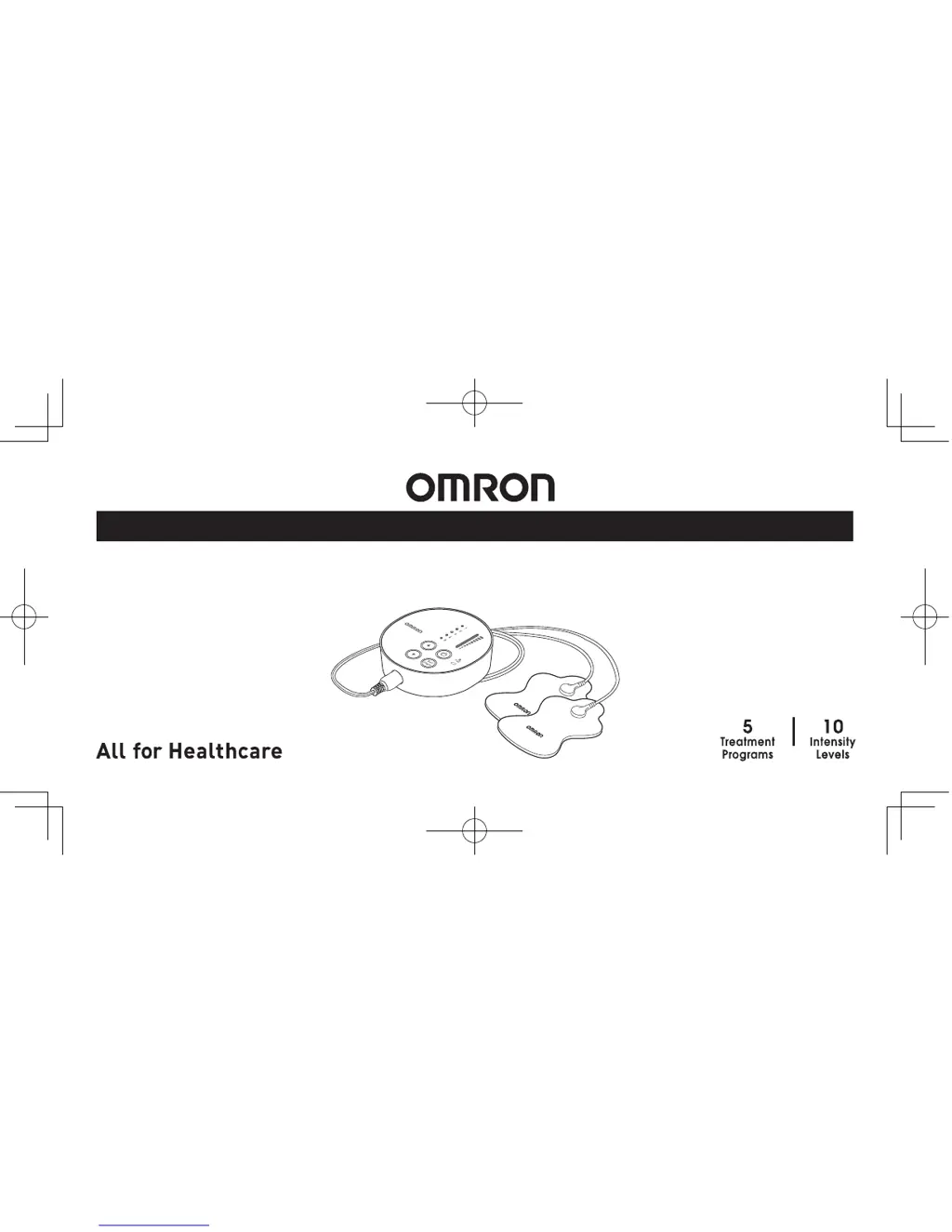
Electronic Nerve Stimulator
HV-F013
INSTRUCTION MANUAL

Questions and Answers

  • D
    Darryl CarrAug 2, 2025
    What to do if the Pad Light is blinking on my Omron HV-F013?
    • J
      James WalkerAug 2, 2025
      If the pad light is blinking on your Omron Medical Equipment, it could be due to several reasons: * Ensure that both pads are firmly attached to the body. Re-attach any dislocated pads onto the skin. * Verify that you have removed the transparent film from the pad. * Check that the cord is properly connected to the main unit by ensuring the cord plug is correctly inserted into the jack at the bottom of the main unit. * Make sure the adhesive surface of the pads is clean and not dry. If dirty or dry, wash the adhesive surface of the pads softly with your fingertips for about 3 seconds under slow running cold water.
  • D
    david85Aug 9, 2025
    How to make the pad gel stick to skin with Omron HV-F013?
    • G
      Gilbert LopezAug 9, 2025
      If the pad gel isn't sticking to your skin with your Omron Medical Equipment, consider the following: * Make sure you've removed the transparent film from the pad. * The pad or your skin might be too wet. Dry the pad and your skin. * The pad gel may be damaged, so replace the pad. * If there's too much hair on your skin, shave the immediate area for proper pad adhesion. * The adhesive surface of the pads might be dirty or dry. Wash the adhesive surface of pads softly with your fingertips for about 3 seconds under slow running cold water.
  • J
    jonesheatherAug 14, 2025
    Why does my skin turn red using Omron HV-F013?
    • S
      Samantha GreeneAug 14, 2025
      If your skin turns red or feels irritated when using the Omron Medical Equipment, consider the following: * The adhesive surface of the pads might be dirty or dry. Wash the adhesive surface of pads softly with your fingertips for about 3 seconds under slow running water. * Therapy time might be too long. Limit use to less than 15 minutes. * Ensure the two pads are attached properly to the body. Refer to the Pad Placement Guide and attach correctly. * The pad surface might be worn out; replace both pads at the same time. * Check the batteries for correct alignment or replace them if depleted. * The cord might be broken; replace the cord.
  • R
    Rebecca LawsonAug 20, 2025
    What does it mean when the Battery Light lights up on Omron Medical Equipment?
    • J
      Jesus BernardAug 20, 2025
      If the Battery Light lights up on your Omron Medical Equipment, it typically indicates that the batteries are weak. Replace both batteries at the same time.
  • X
    xsmithOct 26, 2025
    Why is the intensity not felt with my Omron HV-F013?
    • C
      Carlos ReyesOct 27, 2025
      If you are experiencing weak intensity levels with your Omron Medical Equipment, there could be several reasons: * The batteries might be weak, in which case you should replace both “AAA” batteries. * The intensity may be set to “1”; press the Up button to increase it. * If you're using only one pad, place the other pad on your skin, as both pads are required for the therapy to work. * Ensure you've removed the transparent film from the pad's adhesive surface. * Check that the pads aren't stacked or overlapping; refer to the Pad Placement Guide for correct placement. * Verify the cord is properly connected to the unit by ensuring the cord plug is correctly inserted into the jack at the bottom. * If the intensity setting is weakening, press the Up button. * The pad gel migh...

Summary

How the OMRON Electronic Nerve Stimulator Works

Important Safety Precautions and Warnings

Safety Symbols and General Danger Warnings

Explains the meaning of safety symbols and lists critical danger warnings for using the device.

Conditions and Individuals for Non-Use

Details specific conditions, individuals, and children for whom the unit should not be used.

Forbidden Body Areas and Activities

Lists body areas to avoid and activities during which the unit should not be used.

Pain Management, Unit Alteration & Pad Warnings

Covers warnings on unit alteration, pad usage, pain management consultation, and potential skin reactions.

Pad Precautions and Best Practices

Provides essential advice for pad usage, including sharing, bending, and placement guidelines.

Cautions for Unit, Battery, Cord & Adverse Reactions

Offers cautions for the main unit, batteries, cord, and lists potential adverse reactions.

General Precautions and Potential Adverse Effects

Covers general advice on TENS therapy and potential adverse effects like skin irritation or headaches.

Know Your Unit: Features and Components

Assembly Steps for the Nerve Stimulator

Get Started with Your Therapy Sessions

Step 1: Optimal Pad Placement Guidelines

Offers advice on optimal pad placement for effective therapy, emphasizing spacing and positioning.

How to Control and Reduce Your Pain

Cleaning and Storage of the Device

Troubleshooting Common Issues

Intensity Not Felt or Weak, Skin Irritation

Addresses issues with intensity, skin irritation, power, and battery status with solutions.

Pad Gel Adhesion and Pad Light Problems

Provides solutions for problems where the pad gel does not stick or the pad light blinks.

Further Troubleshooting for Pad Issues

Offers additional solutions for pad gel adhesion problems and blinking pad lights.

Device Specifications

Omron HV-F013 Specifications

General IconGeneral
BrandOmron
ModelHV-F013
CategoryMedical Equipment
LanguageEnglish

Related product manuals