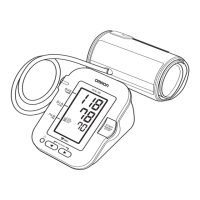
3.2 Taking a Measurement automatically while Sleeping
(Nocturnal Measurement)
1. With the power turned off, press the [NIGHT] button for more than
2 seconds.
Nocturnal measurement mode is set. “ON” appears on the display.
If “-:--” appears on the display, refer to section 6.
• If date and time are not set, the year will flash when the [NIGHT] button is
pressed for more than 2 seconds. Refer to section 2.3 to set date and time.
2. Go to bed.
When you go to sleep try to maintain a position which does not compromise the
blood circulation in the arm/wrist of measuring. This will allow your monitor to
make the appropriate measurements while you are asleep.
Measurement will automatically start at 2 o’clock, 4 o’clock and 4 hours later
after setting nocturnal measurement.
• Measurement will not start when the date and time is not set.
• Once nocturnal mode is set, normal measurement can not be used. For
appropriate measurement, check if the wrist cuff is applied correctly and the
battery symbol does not flash or appear in advance.
• Nocturnal measurement mode will be automatically cancelled in the following
cases.
- When “E1” is displayed more than twice in a row when during a
measurement. Refer to section 6.
- When “Er” is displayed. Refer to section 6.
• If the [NIGHT] button is pressed while nocturnal measurement mode is set,
the indicator of the [NIGHT] button will light up for 10 seconds.
• If the setting time is duplicated, only 1 measurement will be taken at that time.
• When nocturnal mode is set, the built-in heart zone function does not work.
• If the measurement is failed during nocturnal measurement because of the
error such as “movement error”, your monitor will try to take a measurement
once more a minute later. (It tries only once.)
• Nocturnal measurement mode will be cancelled automatically after the
measurement is completed at the set time.
• To manually cancel nocturnal measurement mode, perform the following
operation.
1. With the power turned off, press the [NIGHT] button once.
2. After checking that the indicator of the [NIGHT] button is lit, hold down the
[NIGHT] button for more than 3 seconds. The indicator of the [NIGHT]
button will flash 5 times, and nocturnal measurement mode will be
cancelled. “OFF” appears on the display.
Transferring Data Automatically/Manually
Refer to section 3.1.5.
Your monitor automatically stores up to 350 readings.
4.1 Viewing the Readings Stored in Memory
1. Press the [Memory] button.
The Memory number appears for one second before the pulse rate is
displayed. The most recent reading set is numbered “1”.
• If there are no readings stored in the memory, the screen
to the right is displayed.
• If the memory is full, the monitor will delete the oldest
readings.
• When “ ”, “ ”, or “ ” were displayed during a
measurement, they also appear while the measurement
record is being displayed.
• The result of built-in heart zone function is also stored in
memory. The positioning indicator lights in blue or orange
while measurement record is being displayed.
• When the nocturnal measurement record is displayed, the [NIGHT] button
lights up.
• An error message (e.g. “E1”) that is displayed during measurement is also
stored in memory. Refer to section 6 about error messages.
2. Press the [Memory] button repeatedly to scroll through the previous
readings stored in the memory.
3. Press the [START/STOP] button to turn off your monitor.
• Your monitor will automatically turn off after 2 minutes.
NIGHT
The indicator of the [NIGHT]
button lights up for 10 seconds,
and then goes off.
Alternating
date/time
display
5.1 Deleting All Readings Stored in Memory
1. Press the [Memory] button, then the latest reading will appear.
2. While holding the [Memory] button down, press and hold the
[START/STOP] button for more than 2 seconds.
• All readings will be deleted. You cannot partially delete the readings stored in
the memory.
• This action will delete pairing information with your smart device.
3. Press the [START/STOP] button to turn your monitor off.
• Your monitor will automatically turn off after 2 minutes.
5.2 Disabling/Enabling Bluetooth
• This product emits radio frequencies (RF) in the 2.4 GHz band. DO NOT use this
product in locations where RF is restricted, such as on an aircraft or in hospitals.
Turn off the Bluetooth feature in this monitor and remove batteries when in RF
restricted areas.
Bluetooth is enabled as default.
1. When your monitor is off, press and hold the [Connection] button for
more than 10 seconds.
“oFF” appears on the display.
2. Press the [START/STOP] button to turn your monitor off.
• Your monitor will automatically turn off after 2 minutes.
• To enable the Bluetooth, press and hold the [Connection] button for more
than 2 seconds. “on” appears on the display.
• If the Bluetooth is disabled, the following display is shown when pressing the
[Connection] button with the power turned off.
5.3 Disabling/Enabling Positioning Indicator
The positioning indicator is enabled as default.
1. When your monitor is off, press and hold the [Date/Time setting] button
for more than 5 seconds while holding the [Memory] button down.
“oFF” appears on the display and the positioning indicator
flashes 5 times.
2. Press the [START/STOP] button to turn your monitor off.
• Your monitor will automatically turn off after 2 minutes.
• To enable the positioning indicator, repeat the steps above. “on” appears on
the display and the positioning indicator flashes 5 times.
5. Other Settings
Your monitor will
automatically turn
off after "OFF"
flashes 3 times.
If any of the below problems occur during measurement, check to make sure that no
other electrical device is within 30 cm. If the problem persists, please refer to the
table below.
6. Error Messages and Troubleshooting
Display/
Problem
Possible Cause Solution
appears or the
wrist cuff does
not inflate.
The wrist cuff is not
applied correctly.
Apply the wrist cuff correctly, then take
another measurement. Refer to section
2.5.
Air is leaking from the
wrist cuff.
Contact your OMRON retail outlet or
distributor.
appears
The wrist cuff is
overinflated exceeding
300 mmHg.
Do not touch the wrist cuff while taking a
measurement.
appears
You move or talk during
a measurement.
Vibrations disrupt a
measurement.
Remain still and do not talk during a
measurement.
appears
The pulse rate is not
detected correctly.
Apply the wrist cuff correctly, then take
another measurement. Refer to section
2.5.
Remain still and sit correctly during a
measurement.
If the “ ” symbol continues to
appear, we recommend you to consult
with your physician.
/
appears
appears
appears
Your wrist is moved up
and down during a
measurement.
Do not move your wrist, then take
another measurement.
Refer to section 3.
appears
The monitor is
malfunctioned.
Press the [START/STOP] button again.
If “Er” still appears, contact your
OMRON retail outlet or distributor.
appears
The monitor cannot
connect to a smart
device or transmit data
correctly.
Follow the instructions shown in the
“OMRON connect” app. If the “Err”
symbol still appears after checking the
app, contact your OMRON retail outlet
or distributor.
appears
Date and time is not set.
Pair your monitor with a smart device or
set date and time manually. Refer to
section 2.
flashes
The [Connection] button
is pressed and held to
pair with a smart device.
Flashes when pairing to the smart
device. Visit the “Help” section in the
“OMRON connect” app for pairing.
flashes
The [Connection] button
is pressed to transfer
your readings.
Flashes when transferring your
readings to the “OMRON connect” app.
flashes
Many readings are not
transferred. The stored
memory is almost full.
Pair or transfer your readings to the
“OMRON connect” app so you can keep
them in memory in the app, and this
error symbol disappears.
appears
350 readings are not
transferred.
flashes or
appears
Batteries are low or
depleted.
Replace all batteries with 2 new alkaline
batteries. Refer to section 2.1.
No power.
Nothing
appears on the
display of the
monitor.
Batteries are completely
depleted.
Battery polarities are not
properly aligned.
Check the battery installation for proper
placement. Refer to section 2.1.
Readings
appear too high
or too low.
B
l
ood pressure varies constantly. Many factors including stress,
time of day, and/or how you apply the wrist cuff, may affect your
blood pressure. Review sections 2.4 - 2.5 and section 3.
Any other
communication
issue occurs.
Follow the instructions shown in the smart device, or visit the
“Help” section in the “OMRON connect” app for further help.
If the problem still persists, contact your OMRON retail outlet or
distributor.
Any other
problems occur.
Press the [START/STOP] button to turn the monitor off, then press
it again to take a measurement. If the problem continues, remove
all batteries and wait for 30 seconds. Then re-install batteries.
If the problem still persists, contact your OMRON retail outlet or
distributor.
7.1 Maintenance
To protect your monitor from damage, please follow the directions below:
• Changes or modifications not approved by the manufacturer will void the user
warranty.
• DO NOT disassemble or attempt to repair this monitor or other components. This
may cause an inaccurate reading.
• Before using this product, visually inspect the product to ensure that it is not dirty,
wet, or deformed due to being dropped or damaged.
7.2 Storage
Keep your monitor in the storage case when not in use.
• Store your monitor in a clean, safe location.
Do not store your monitor:
• If your monitor is wet.
• If sweat or cosmetics are adhering to your monitor.
• In locations exposed to extreme temperatures, humidity,
direct sunlight, dust or corrosive vapors such as bleach.
• In locations exposed to vibrations or shocks.
7.3 Cleaning
• Do not use any abrasive or volatile cleaners.
• Use a soft dry cloth or a soft cloth moistened with neutral soap to clean your
monitor and wrist cuff, and then wipe them with a dry cloth.
• Do not wash or immerse your monitor and wrist cuff in water.
• Do not use gasoline, thinners or similar solvents to clean your monitor and wrist
cuff.
7.4 Calibration and Service
• The accuracy of this blood pressure monitor has been carefully tested and is
designed for a long service life.
• It is generally recommended to have the unit inspected every two years to ensure
correct functioning and accuracy. Please consult your authorised OMRON dealer
or the OMRON Customer Service at the address given on the packaging or
attached literature.
Note
• These specifications are subject to change without notice.
• This monitor is clinically investigated according to the requirements of
ISO 81060-2:2013. In the clinical validation study, K5 was used on 85 subjects for
determination of diastolic blood pressure.
• This monitor has not been validated for use on pregnant patients.
• IP classification is degrees of protection provided by enclosures in accordance
with IEC 60529. This monitor is protected against solid foreign objects of 12.5 mm
diameter and greater such as a finger, and against oblique falling water drops
which may cause issues during a normal operation.
• Operating mode is classification in accordance with IEC 60601-1.
7. Maintenance
8. Specifications
Product category Electronic Sphygmomanometers
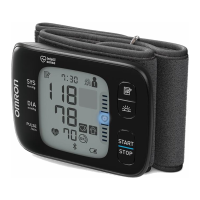
Product description Automatic Wrist Blood Pressure Monitor
Model (code) NightView (HEM-9601T-E3)
Display LCD digital display
Cuff pressure range 0 to 299 mmHg
Blood pressure
measurement range
SYS: 60 to 260 mmHg
DIA: 40 to 215 mmHg
Pulse measurement
range
40 to 180 beats / min.
Accuracy
Pressure: ±3 mmHg
Pulse: ±5% of display reading
Inflation Automatic by electric pump
Deflation Automatic rapid deflation
Measurement method Oscillometric method
Transmission method
Bluetooth
®
Low Energy
Wireless communication
Frequency range: 2.4 GHz (2400 - 2483.5 MHz)
Modulation: GFSK
Effective radiated power: < 20 dBm
Operation mode Continuous operation
IP classification IP 22
Rating DC3 V 3.0 W
Power source 2 “AAA” alkaline batteries 1.5 V
Battery life
Approximately 150 measurements (using new alkaline
batteries)
Durable period
(Service life)
3years
Operating conditions
+10 to +40°C / 15 to 90% RH (non-condensing) /
800 to 1060 hPa
Storage / Transport
conditions
-20 to +60°C / 10 to 90% RH (non-condensing)
Weight Approximately 110 g not including batteries
Dimensions
Approximately 55 (w) × 101 (h) × 17 (l) mm (not including
the wrist cuff)
Measurable wrist
circumference
135 to 215 mm
Memory Stores up to 350 readings
Contents
Monitor, storage case, 2 “AAA” alkaline batteries,
instruction manual, blood pressure pass
Protection against
electric shock
Internally powered ME equipment
Applied part Type BF (wrist cuff)
Maximum temperature
of the applied part
Lower than +43°C
About a wireless communication interference
This product operates in an unlicensed ISM band at 2.4 GHz. In the event this
product is used near other wireless devices such as microwave and wireless LAN,
which operate on the same frequency band as this product, there is a possibility
that interference may occur.
If interference occurs, stop the operation of the other devices or relocate this
product away from other wireless devices before attempting to use it.
Wireless communication has risks that any third party may intercept the radio
waves willfully or accidentally, for any unexpected purpose.
Thank you for buying an OMRON product. This product is constructed of high quality
materials and great care has been taken in its manufacturing. It is designed to give
you every satisfaction, provided that it is properly operated and maintained as
described in the instruction manual.
This product is warranted by OMRON for a period of 3 years after the date of
purchase. The proper construction, workmanship and materials of this product is
warranted by OMRON. During this period of warranty OMRON will, without charge
for labour or parts, repair or replace the defect product or any defective parts.
The warranty does not cover any of the following:
A. Transport costs and risks of transport.
B. Costs for repairs and / or defects resulting from repairs done by unauthorised
persons.
C. Periodic check-ups and maintenance.
D. Failure or wear of optional parts or other attachments other than the main device
itself, unless explicitly warranted above.
E. Costs arising due to non-acceptance of a claim (those will be charged for).
F. Damages of any kind including personal caused accidentally or from misuse.
G. Calibration service is not included within the warranty.
Should warranty service be required please apply to the dealer whom the product
was purchased from or an authorised OMRON distributor. For the address refer to
the product packaging / literature or to your specialised retailer. If you have
difficulties in finding OMRON customer services, contact us for information.
www.omron-healthcare.com
Repair or replacement under the warranty does not give rise to any extension or
renewal of the warranty period.
The warranty will be granted only if the complete product is returned together with
the original invoice / cash ticket issued to the consumer by the retailer.
• This blood pressure monitor is designed according to the European Standard
EN1060, Non-invasive sphygmomanometers Part 1: General Requirements and
Part 3: Supplementary requirements for electromechanical blood pressure
measuring systems.
• Hereby, OMRON HEALTHCARE Co., Ltd., declares that the radio equipment type
HEM-9601T-E3 is in compliance with Directive 2014/53/EU.
• The full text of the EU declaration of conformity is available at the following internet
address: www.omron-healthcare.com
• This OMRON product is produced under the strict quality system of
OMRON HEALTHCARE Co., Ltd., Japan.
• Please report to the manufacturer and the competent authority of the Member
State in which you are established about any serious incident that has occurred in
relation to this device.
Important information regarding Electromagnetic Compatibility (EMC)
9. Limited Warranty
10. Guidance and Manufacturer’s Declaration
Symbols description
Applied part - Type BF
Degree of protection against electric shock
(leakage current)
Ingress protection degree provided by IEC 60529
CE Marking
Serial number
LOT number
Medical Device
Temperature limitation
Humidity limitation
Atmospheric pressure limitation
OMRON’s trademarked technology for blood pressure
measurement
Need for the user to consult this instruction manual.
Direct current
To indicate generally elevated, potentially hazardous,
levels of non-ionizing radiation, or to indicate equipment
or systems e.g. in the medical electrical area that include
RF transmitters or that intentionally apply RF
electromagnetic energy for diagnosis or treatment.
Date of manufacture
Indicates the correct positioning for the monitor on the
wrist
Measurable wrist circumference
HEM-9601T-E3 conforms to EN60601-1-2:2015 Electromagnetic Compatibility (EMC) standard.
Further documentation in accordance with this EMC standard is available at
www.omron-healthcare.com. Refer to the EMC information for HEM-9601T-E3 on the website.
Correct Disposal of This Product (Waste Electrical & Electronic Equipment)
This marking shown on the product or its literature, indicates that it
should not be disposed of, with other household wastes at the end of its
working life.
To prevent possible harm to the environment or human health from
uncontrolled waste disposal, please separate this product from other
types of wastes and recycle it responsibly to promote the sustainable
reuse of material resources.
Household users should contact either the retailer where they purchased this
product, or their local government office, for details of where and how they can
return this item for environmentally safe recycling.
Business users should contact their supplier and check the terms and conditions of
the purchase contract. This product should not be mixed with other commercial
waste for disposal.
Issue Date: 2020-02-03
Made in Japan
The Bluetooth
®
word mark and logos are registered trademarks owned by the
Bluetooth SIG, Inc. and any use of such marks by OMRON HEALTHCARE Co., Ltd.
is under license. Other trademarks and trade names are those of their respective
owners.
App Store and App Store logo are service marks of Apple Inc., registered in the U.S
and other countries.
Google Play and the Google Play logo are trademarks of Google LLC.
Manufacturer OMRON HEALTHCARE Co., Ltd.
53, Kunotsubo, Terado-cho, Muko, KYOTO,
617-0002 JAPAN
EU-representative OMRON HEALTHCARE EUROPE B.V.
Scorpius 33, 2132 LR Hoofddorp,
THE NETHERLANDS
www.omron-healthcare.com
Importer in EU
Production facility OMRON HEALTHCARE Co., Ltd.
Matsusaka Factory
1855-370, Kubo-cho, Matsusaka-shi,
Mie, 515-8503 Japan
Subsidiaries OMRON HEALTHCARE UK LTD.
Opal Drive, Fox Milne, Milton Keynes, MK15 0DG, UK
www.omron-healthcare.com
OMRON MEDIZINTECHNIK HANDELSGESELLSCHAFT mbH
Konrad-Zuse-Ring 28, 68163 Mannheim, GERMANY
www.omron-healthcare.com
OMRON SANTÉ FRANCE SAS
3, Parvis de la Gare, 94130 Nogent-sur-Marne, FRANCE
www.omron-healthcare.com
3288985-3A_IM-HEM-9601T-E3-01-12-2019 EN.fm Page 2 Friday, February 7, 2020 7:59 AM



 To Next Page
 Loading...