EasyManua.ls Logo

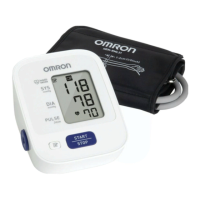
Omron BP7100 - User Manual

Omron BP7100
30 pages
Print Icon
To Next Page IconTo Next Page
Loading...
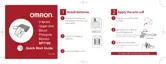
INSTRUCTION MANUAL
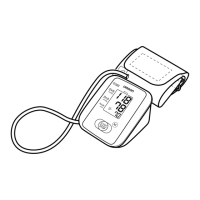
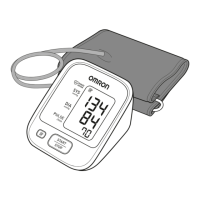
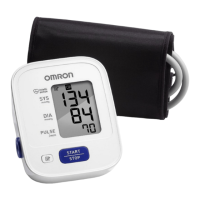
3 series Upper Arm
Blood Pressure Monitor
Model BP7100
®
ENGLISH

Other manuals for Omron BP7100

Questions and Answers

  • J
    John CopelandAug 17, 2025
    Why does my Omron Blood Pressure Monitor show measurement values too high or too low?
    • S
      Steven SandersAug 18, 2025
      Blood pressure varies constantly. Many factors including stress, time of day, and how you wrap the cuff, may affect your blood pressure. Please, review sections 1.2 and 3.3.
  • J
    Julia Potter MDAug 20, 2025
    What to do if my Omron Blood Pressure Monitor has no power and no display appears?
    • N
      nrobertsAug 20, 2025
      Replace all batteries with new ones. Also, check the battery installation for proper placement of the battery polarities. Refer to section 2.1.
  • T
    tharrisAug 22, 2025
    What to do if there is a device error with my Omron BP7100 Blood Pressure Monitor?
    • D
      David AllenAug 22, 2025
      Contact Customer Service.
  • F
    Francisco JonesAug 25, 2025
    What to do if the Omron BP7100 Blood Pressure Monitor detects irregular heartbeats?
    • J
      Joseph AliAug 26, 2025
      Remove the arm cuff, wait 2 - 3 minutes, and then take another measurement, repeating the steps in section 3.3. If this error continues, contact your physician.
  • D
    Darlene RogersAug 27, 2025
    What to do if I move during measurement with Omron BP7100 Blood Pressure Monitor?
    • C
      Christina BraunAug 27, 2025
      Carefully read and repeat the steps in section 3.3.
  • S
    Sarah FieldsAug 30, 2025
    What to do if the Omron BP7100 displays 'E2' and the arm cuff has not been inflated sufficiently?
    • N
      njohnsonAug 30, 2025
      Repeat the measurement, remaining still and not talking. If 'E2' appears repeatedly, inflate the arm cuff manually until it is 30 to 40 mmHg above your previous measurement result. Refer to section 3.3.
  • M
    martinezdeannaSep 1, 2025
    What to do if the Omron BP7100 Blood Pressure Monitor batteries are low?
    • S
      Susan MartinezSep 1, 2025
      You should replace the batteries with new ones ahead of time. Refer to section 2.1.
  • J
    jacksoncraigSep 4, 2025
    What to do if the Omron BP7100 batteries are exhausted?
    • T
      Thomas KnightSep 4, 2025
      You should replace the batteries with new ones at once. Refer to section 2.1.
  • C
    Cody NelsonSep 6, 2025
    What to do if clothing is interfering with the arm cuff of my Omron BP7100?
    • A
      Alfred CardenasSep 6, 2025
      Remove any clothing interfering with the arm cuff. Refer to section 3.1.
  • D
    Danielle CortezSep 9, 2025
    What to do if air is leaking from the arm cuff on my Omron BP7100?
    • A
      andrewvegaSep 9, 2025
      Replace the arm cuff with a new one. Refer to section 5.5.

Summary

Introduction

Important Safety Information

1. Know Your Monitor

1.1 Display symbols

Explains symbols shown on the monitor display during operation.

1.2 Blood Pressure Measurement Tips

Provides guidance for accurate blood pressure readings.

2. Preparation

2.1 Battery Installation

Step-by-step guide for installing batteries in the monitor.

3. Using the Monitor

3.1 Applying the Arm Cuff

Instructions on how to correctly wear and secure the blood pressure cuff.

3.2 How to Sit Correctly

Guidance on proper posture for taking accurate blood pressure measurements.

3.3 Taking a Measurement

Detailed steps for performing a blood pressure measurement.

3.4 Using the Memory Function

How to view and delete stored measurement results from the monitor's memory.

4. Error Messages and Troubleshooting

4.1 Error Messages

Lists common error displays and their causes and solutions.

4.2 Troubleshooting

Provides solutions for common problems encountered with the monitor.

5. Maintenance

5.1 Maintenance

General guidelines for maintaining the monitor and avoiding damage.

5.2 Storage

Instructions on how to properly store the monitor and its components.

5.3 Cleaning

Methods for cleaning the monitor and arm cuff safely.

5.4 Disposal

Guidance on disposing of the monitor and accessories according to regulations.

5.5 Optional Medical Accessories

Information about compatible optional arm cuffs for different arm circumferences.

Guidance and manufacturers declaration - electromagnetic emissions

Guidance and manufacturers declaration - electromagnetic immunity

Omron BP7100 Specifications

General IconGeneral
ModelBP7100
TypeUpper Arm Blood Pressure Monitor
Memory Storage14 Readings
Power Source4 AA Batteries
Measurement MethodOscillometric
Measurement Range (Pressure)0 to 299 mmHg
DisplayLCD
TechnologyIntelliSense
Measurement Range (Pulse)40 to 180 beats/min
WeightApproximately 250g (without batteries)

Related product manuals