EasyManua.ls Logo

Omron BP742 - User Manual

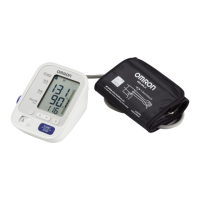
Omron BP742
30 pages
Print Icon
To Next Page IconTo Next Page
Loading...
ESPAÑOL
ENGLISH
5 series
Blood Pressure
Monitor
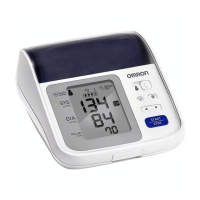
Model BP742
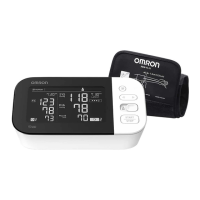
INSTRUCTION MANUAL

Questions and Answers

  • J
    jill02Jul 26, 2025
    Why are the measurement values on my Omron BP742 too high or too low?
    • P
      Perry HamiltonJul 26, 2025
      Blood pressure readings can fluctuate due to various factors like stress, time of day, and even how the cuff is applied. Consult the 'Before Taking a Measurement' and 'Taking a Measurement' sections for guidance on proper technique to ensure accurate readings.
  • T
    Toni BrownAug 3, 2025
    How to fix no power on Omron BP742?
    • A
      Aaron LawsonAug 3, 2025
      If your Omron Blood Pressure Monitor isn't powering on and the display is blank, try replacing all four batteries with new ones. Also, double-check that the batteries are installed correctly, paying close attention to the positive and negative polarities.
  • A
    ashleymccallAug 9, 2025
    Why does my Omron BP742 show high or low measurement values?
    • B
      Benjamin HancockAug 9, 2025
      Fluctuations in blood pressure readings on your Omron Blood Pressure Monitor can be caused by various factors such as stress levels, the time of day, or the way you wrap the cuff. To ensure accurate readings, carefully review the “Before Taking a Measurement” and “Taking a Measurement” sections of the manual.
  • J
    Jessica PenaAug 18, 2025
    What to do if my Omron BP742 displays '1R SRZHU 1R GLVSOD'?
    • S
      Samuel AlexanderAug 18, 2025
      If your Omron Blood Pressure Monitor displays '1R SRZHU 1R GLVSOD\', replace all four batteries with new ones.

Summary

SAFETY INFORMATION

Device Operation Precautions

Essential precautions for operating the blood pressure monitor safely.

BEFORE TAKING A MEASUREMENT

KNOW YOUR UNIT

UNIT DISPLAY

DISPLAY SYMBOLS

BATTERY INSTALLATION

APPLYING THE ARM CUFF

Cuff Application on Left Arm

Detailed instructions for correctly applying the cuff to the left arm.

TAKING A MEASUREMENT

Special Conditions for Measurement

Instructions for high systolic pressure readings and cuff inflation.

USING THE MEMORY FUNCTION

ERROR INDICATORS

TROUBLESHOOTING TIPS

Omron BP742 Specifications

General IconGeneral
TypeAutomatic
Cuff size420 cm
Date imprintingYes
Number of users1 user(s)
Placement supportedUpper arm
Mean arterial pressure-
Battery typeAA
Battery voltage1.5 V
Number of batteries supported4
Display typeLCD
Weight and Dimensions IconWeight and Dimensions
Depth85 mm
Width141 mm
Height123 mm

Related product manuals