EasyManua.ls Logo

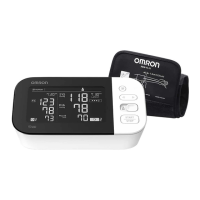
Omron BP710 - User Manual

Omron BP710
24 pages
Print Icon
To Next Page IconTo Next Page
Loading...
ESPAÑOL
ENGLISH
Automatic
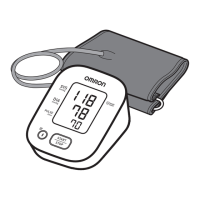
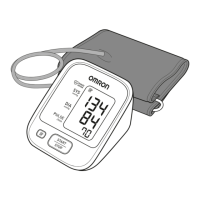
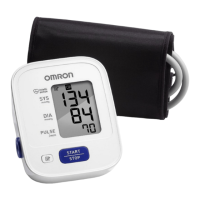
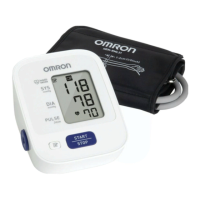
Blood Pressure Monitor
Model BP710
INSTRUCTION MANUAL

Other manuals for Omron BP710

Questions and Answers

  • A
    Angela JonesJul 26, 2025
    Why are the measurement values on my Omron BP710 Blood Pressure Monitor too high or too low?
    • E
      Erica SpencerJul 26, 2025
      Blood pressure readings can vary due to factors like stress, time of day, and cuff placement. Make sure you review the instructions on preparing for and taking a measurement to ensure accuracy.
  • H
    hmichaelAug 11, 2025
    What to do if my Omron Blood Pressure Monitor has no power and no display appears?
    • M
      Madeline PageAug 11, 2025
      If your Omron Blood Pressure Monitor has no power and the display is blank, replace all four batteries with new ones. Also, double-check that the batteries are installed correctly, paying attention to the correct polarity (+ and -).

Summary

Safety Information

Operating the Device Safety

Key safety guidelines and warnings for operating the blood pressure monitor correctly.

General Care and Maintenance Safety

Safety precautions for handling, storing, and maintaining the monitor and its components.

Care and Maintenance

Unit Display

Display Symbols

Battery Installation

Applying the Arm Cuff

Taking a Measurement

Special Conditions

Error Indicators

Troubleshooting Tips

Omron BP710 Specifications

General IconGeneral
TypeAutomatic
Cuff size420 cm
Display typeLCD
Date imprintingYes
Placement supportedUpper arm
Mean arterial pressure-
Battery typeAAA
Battery voltage1.5 V
Number of batteries supported2
Weight and Dimensions IconWeight and Dimensions
Depth64 mm
Width128 mm
Height104 mm

Related product manuals