EasyManua.ls Logo

Omron BP7100CAN - User Manual

Omron BP7100CAN
31 pages
Print Icon
To Next Page IconTo Next Page
Loading...
INSTRUCTION MANUAL
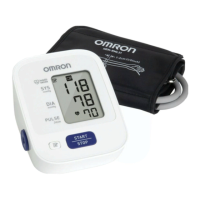
3 Series Upper Arm
Blood Pressure Monitor
Model BP7100CAN
®
ENGLISH

Questions and Answers

  • J
    johnlawsonAug 15, 2025
    How to fix no power on Omron BP7100CAN?
    • E
      elizabetharellanoAug 16, 2025
      If your Omron Blood Pressure Monitor displays no power and nothing appears on the screen, replace all the batteries with new ones. Also, check that the batteries are installed correctly, paying attention to the battery polarities.
  • J
    Jon DunlapAug 18, 2025
    Why does Omron BP7100CAN Blood Pressure Monitor give high or low readings?
    • A
      Aaron ClarkeAug 18, 2025
      If you notice that measurement values appear too high or too low on your Omron Blood Pressure Monitor, remember that blood pressure varies constantly. This can be due to many factors, including stress, the time of day, and how you wrap the cuff. Please review sections 1.2 and 3.3.
  • K
    Kathryn ThompsonAug 21, 2025
    What to do if Omron BP7100CAN detects irregular heartbeats?
    • A
      Andrea LoveAug 21, 2025
      If your Omron Blood Pressure Monitor detects irregular heartbeats, remove the arm cuff. Wait 2 to 3 minutes before taking another measurement, repeating the steps outlined in section 3.3. If the error persists, it is advisable to contact your physician.
  • C
    Cassandra CunninghamAug 25, 2025
    How to resolve clothing interfering with Omron BP7100CAN arm cuff?
    • J
      John AtkinsAug 26, 2025
      To resolve the issue of clothing interfering with the arm cuff of your Omron Blood Pressure Monitor, remove any clothing that is causing interference. Refer to section 3.1 for additional guidance.
  • S
    Stacy NormanAug 28, 2025
    What to do if Omron BP7100CAN Blood Pressure Monitor shows movement and cuff not inflated?
    • E
      elizabethphillipsAug 28, 2025
      If your Omron Blood Pressure Monitor displays an error related to movement during measurement and insufficient arm cuff inflation, repeat the measurement, ensuring you remain still and silent throughout the process. See section 3.3. If “E2” appears repeatedly, manually inflate the cuff to 30-40 mmHg above your previous reading. See section 3.3.
  • M
    Matthew WhiteAug 31, 2025
    What to do if Omron BP7100CAN batteries are depleted?
    • A
      Amber McbrideAug 31, 2025
      If your Omron Blood Pressure Monitor indicates that the batteries are depleted, you should replace them with new ones immediately. Refer to section 2.1 for instructions.
  • M
    Marcus ThompsonSep 2, 2025
    What to do if Omron Blood Pressure Monitor says the batteries are low?
    • A
      Andrea KennedySep 3, 2025
      If your Omron Blood Pressure Monitor indicates that the batteries are low, replace them with new ones as soon as possible. Refer to section 2.1 for instructions.
  • J
    Jean RoweSep 5, 2025
    What to do if air is leaking from Omron BP7100CAN arm cuff?
    • H
      Heather JonesSep 5, 2025
      If air is leaking from the arm cuff of your Omron Blood Pressure Monitor, replace the arm cuff with a new one. Refer to section 5.5 for guidance.
  • C
    Crystal KelleySep 9, 2025
    What to do if the air plug is disconnected from Omron Blood Pressure Monitor?
    • G
      garciastephenSep 9, 2025
      If the air plug is disconnected from your Omron Blood Pressure Monitor, insert the plug securely. Refer to section 3.1 for visual guidance.
  • R
    Richard HernandezSep 12, 2025
    What to do if Omron BP7100CAN arm cuff is too loose?
    • N
      Nicholas WilliamsSep 12, 2025
      If the arm cuff is applied too loosely on your Omron Blood Pressure Monitor, apply it tighter. Refer to section 3.1 for instructions.

Summary

Important Safety Information

Preparation

Using the Monitor

Applying the Arm Cuff

Instructions on how to properly apply the arm cuff to the upper arm for measurement.

Taking a Measurement

Explains the process of starting, conducting, and completing a blood pressure measurement.

Error Messages and Troubleshooting

Error Messages

Lists common error displays, their causes, and the corresponding solutions.

Troubleshooting

Provides solutions for common problems such as no power or inaccurate measurement readings.

Maintenance

Specifications

Omron BP7100CAN Specifications

General IconGeneral
CategoryBlood Pressure Monitor
ModelBP7100CAN
Measurement MethodOscillometric
Cuff Size22-42 cm
Irregular Heartbeat DetectionYes
Hypertension IndicatorYes
Average ReadingYes
WHO Classification IndicatorYes
DisplayLCD
User Profiles1
Power Source4 AA batteries

Related product manuals