EasyManua.ls Logo

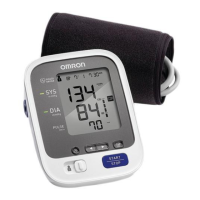
Omron BP760N - User Manual

Omron BP760N
37 pages
Print Icon
To Next Page IconTo Next Page
Loading...
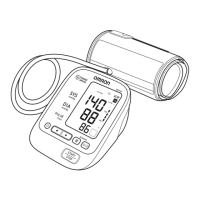
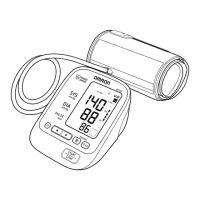
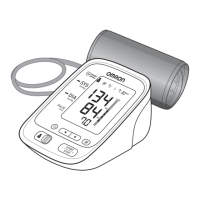
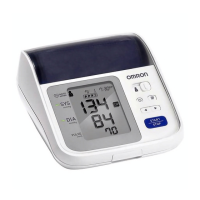
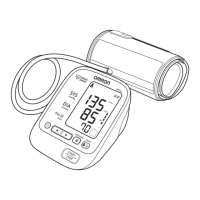
7 series Blood Pressure Monitor
Model BP760N
Instruction Manual
ALL for Healthcare

Questions and Answers

  • J
    Johnny SantosJul 31, 2025
    What to do if E2 appears repeatedly on Omron BP760N Blood Pressure Monitor?
    • D
      Donna PowersJul 31, 2025
      If 'E2' appears repeatedly on your Omron Blood Pressure Monitor, inflate the arm cuff manually until it is 30 to 40 mmHg above your previous measurement result.
  • Y
    yvalenzuelaAug 5, 2025
    What to do if air is leaking from the arm cuff of Omron BP760N?
    • D
      Douglas KennedyAug 5, 2025
      If air is leaking from the arm cuff of your Omron Blood Pressure Monitor, replace the arm cuff with a new one. Refer to section 5.3.
  • E
    Erin HernandezAug 10, 2025
    What to do if irregular heartbeats are detected on Omron BP760N?
    • K
      karendavisAug 10, 2025
      If your Omron Blood Pressure Monitor detects irregular heartbeats, remove the arm cuff, wait 2-3 minutes, and take another measurement, repeating the steps in section 3.3. If the error persists, it is recommended to contact your physician.
  • J
    Joseph MurphyAug 14, 2025
    What to do if air plug disconnected from Omron Blood Pressure Monitor?
    • R
      robertsonelizabethAug 15, 2025
      If the air plug is disconnected from your Omron Blood Pressure Monitor, insert the air plug securely. Refer to section 3.1.
  • B
    bridgesadamAug 20, 2025
    How to fix movement during measurement on Omron BP760N?
    • C
      Colleen WarrenAug 20, 2025
      If there is movement during measurement with your Omron Blood Pressure Monitor, carefully read and repeat the steps in section 3.3.
  • C
    Crystal WilkinsAug 25, 2025
    What to do if the batteries are low on Omron BP760N?
    • M
      Matthew DonovanAug 25, 2025
      If the batteries are low on your Omron Blood Pressure Monitor, replace them with new ones ahead of time. Refer to section 2.1.

Summary

Important Safety Information

Know Your Device

Monitor, Display, and Arm Cuff Components

Identification of the monitor's parts, display elements, and arm cuff components.

Understanding Display Symbols

Explains the meaning of various symbols shown on the device's display.

Pre-Measurement Preparation

Guidelines to follow before taking a blood pressure measurement for accuracy.

Preparation

Battery Installation Guide

Step-by-step instructions for correctly installing batteries in the device.

Setting Date and Time

Procedures for configuring the device's date and time settings.

Using the Device

Applying the Arm Cuff Correctly

Instructions on how to properly fit and apply the arm cuff for measurement.

Correct Sitting Posture for Measurement

Guidance on maintaining the correct body posture for accurate readings.

Performing a Measurement

Detailed steps for performing a blood pressure and pulse measurement.

Using the Memory Function

How to view, use, and delete stored measurement data and averages.

Error Messages and Troubleshooting

Error Messages and Causes

Lists common error displays, their causes, and recommended corrective actions.

General Troubleshooting Steps

Addresses common operational problems and provides solutions.

Maintenance and Storage

Device Maintenance and Cleaning

Guidelines for cleaning, care, and preventing damage to the device.

Device Storage Guidelines

Recommendations for storing the device in suitable environmental conditions.

Optional Accessories

Information on available optional accessories for the device.

Using the Optional AC Adapter

Specifications

FCC Statement

Limited Warranty

Guidance and Manufacturers Declaration

EMC Immunity and Guidance

Technical information and guidance regarding electromagnetic compatibility (EMC).

Omron BP760N Specifications

General IconGeneral
TypeAutomatic
Cuff size23 - 43 cm
Display typeAnalog
Product colorGrey, White
Number of users2 user(s)
Memory registers120
Heart rate monitorYes
Placement supportedUpper arm
Mean arterial pressureNo
Quantity per pack1 pc(s)

Related product manuals