EasyManua.ls Logo

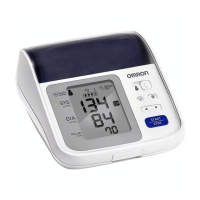
Omron BP761 - User Manual

Omron BP761
40 pages
Print Icon
To Next Page IconTo Next Page
Loading...
i
Monitor
Instruction Manual
C
Engli
s
h
E
español
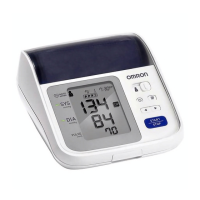
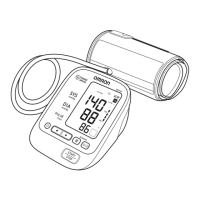
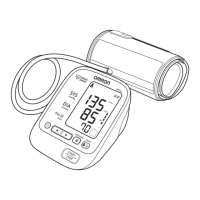
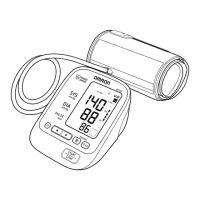
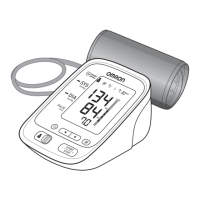
7 series Blood Pressure Monitor
Model BP761
Instruction Manual
English
.
o, Kyoto, 617-0002 JAPAN
est, IL 60045 U.S.A.
e in China/Hecho en China
Español
2298830-6B
El producto incluye:
Monitor
Manual de Instrucciones
Quick S
Guía re
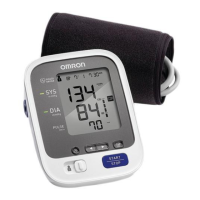
Product includes:
7 series Blood Pressure Monitor
Model BP761
Instruction Manual

Questions and Answers

  • B
    Blake KnappAug 1, 2025
    What to do if my Omron BP761 Blood Pressure Monitor detects irregular heartbeats?
    • R
      Robert WatersAug 1, 2025
      If your Omron Blood Pressure Monitor detects irregular heartbeats, remove the arm cuff, wait 2-3 minutes, and take another measurement, repeating the steps as instructed. If the error persists, it is recommended to contact your physician.
  • D
    daniel48Aug 8, 2025
    What to do if the air plug is disconnected from my Omron Blood Pressure Monitor?
    • D
      Daniel WilliamsAug 8, 2025
      If the air plug is disconnected from your Omron Blood Pressure Monitor, securely insert it back into its place.
  • A
    Anthony HendersonAug 15, 2025
    What to do if I moved during measurement with Omron BP761?
    • J
      joel15Aug 15, 2025
      If you moved during the measurement with your Omron Blood Pressure Monitor, carefully read the instructions and repeat the measurement.
  • L
    laura70Aug 23, 2025
    What to do if cuff has not been inflated sufficiently on Omron Blood Pressure Monitor?
    • M
      Michael RussellAug 23, 2025
      If the arm cuff on your Omron Blood Pressure Monitor has not been inflated sufficiently and “E2” appears repeatedly, inflate the arm cuff manually until it is 30 to 40 mmHg above your previous measurement result.

Summary

Important Safety Information

Know Your Device

Monitor and Display Components

Identification of the physical parts and screen elements of the device.

Display Symbols

Before Taking a Measurement

Preparation

Battery Installation

Instructions for correctly inserting and replacing the batteries in the monitor.

Setting the Date and Time

Using the Device

Applying the Arm Cuff

Detailed steps for correctly fitting the arm cuff on the upper arm for measurement.

Taking a Measurement

Error Messages and Troubleshooting

Error Messages

Table detailing error symbols, their causes, and recommended solutions.

Maintenance and Storage

Specifications

Limited Warranty

Omron BP761 Specifications

General IconGeneral
Model NumberBP761
TypeUpper Arm Blood Pressure Monitor
Measurement MethodOscillometric
Measurement Range (Pressure)0 to 299 mmHg
Cuff SizeStandard
Irregular Heartbeat DetectionYes
Hypertension IndicatorYes
DisplayDigital LCD
Measurement Range (Pulse)40 to 180 beats/min
Cuff Circumference22-32 cm
Power Source4 AA batteries

Related product manuals