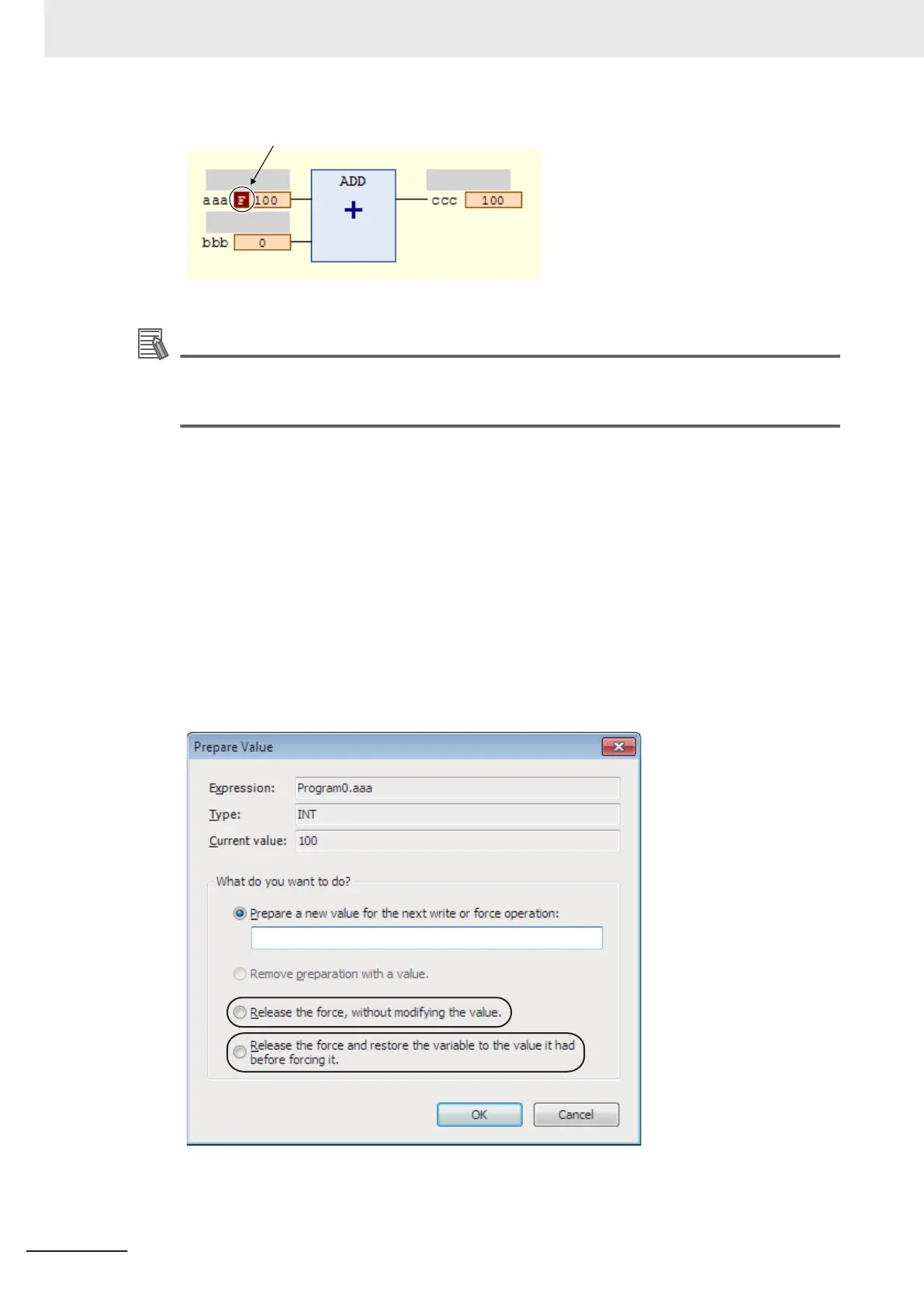
The letter F in dark red is displayed
Additional Information
The number of variables you can force-refresh simultaneously is listed below.
NX-SL3300/NX-SL3500: Up to 19 variables
NX-SL5500/NX-SL5700: Up to 256 variables
l
Procedure to Cancel All Forced Refreshing from the FBD Editor
Use the following procedure to batch-clear forced refreshing.
Select Unforce Values from the Controller Menu.
All forced refreshing is cleared at once.
The letter [F] in dark red of all forced refreshing values are removed. The value will not change.
l
Procedure to Cancel Individual Forced Refreshing from the FBD Editor
Use the following procedure to individually clear forced refreshing.
1 Click the present value of the variable to change.
The following Prepare Value Dialog Box is displayed.
7 Checking Operation and Actual Operation
7 - 38
NX-series Safety Control Unit User's Manual (Z930)



 To Next Page
 Loading...





