EasyManua.ls Logo

on stage KS7365-EJ - User Manual

on stage KS7365-EJ
2 pages
Print Icon
To Next Page IconTo Next Page
Loading...
KS7365-EJ
ASSEMBLY INSTRUCTIONS
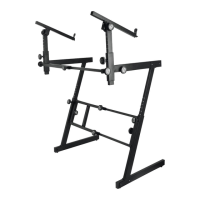
Congratulations on your purchase of the KS7365EJ Pro Heavy-Duty Folding-Z Keyboard
Stand with Second Tier. The model that you purchased was designed with input from
major keyboard performers and keyboard technicians. To fully utilize the strength of
this stand, please read the following assembly instructions carefully. We hope you
enjoy your new purchase!
PREPARATION
Remove the three locked pieces from the box (see photo to the right).
(IMPORTANT TIP: These 3 pieces can be reattached for transport.
Study photo and note their relationship to one another.) Remove
the 2 knobs (E) that are located at the cross bar and set them aside.
Remove the telescoping box beam (B) from the two Folding-Z legs (A)
and set the three pieces aside.
REMOVE REMAINING PARTS FROM THE BOX
AND IDENTIFY ALL THE PARTS:
(A) 2--Folding Z-Leg assemblies
(B) 1--Telescoping box beam
(C) 2--Adjustment knobs with bullet-nose ends
(D) 8--Foam pad strips
(E) 2--Box beam knobs with 1 ¼" threaded bolts
(F) 2--Second tier arm assemblies
(F1) 2--Second tier rotation adjustment knobs
(Factory Installed)
(F2) 2--Second tier rotation adjustment knobs
(Factory Installed)
(G) 1--Support bar for second tier
(H) 2--Locking knobs with 3/8" threaded bolts
Assemble the Folding Z-Leg Assembly
1. Hold one of the Folding Z-Legs (A) upright and rotate the feet until they
lock in the U-shaped bracket. Repeat this procedure to the support arm.
[Tip: To unlock the arms and feet for storage or transport, depress
the chrome button and move the arm in the opposing direction.]
2. Thread one of the adjustment knobs with bullet-nose end (C) into the
welded nut on the lower Folding-Z leg. Pull out the telescoping upper leg
until any of the line-it-up markers lines up with the top edge of the lower
leg opening. Turn the knob clockwise until it locks in place.
3. Repeat this procedure on the other Folding-Z leg.
B
A
C
D
E
F
H
G
OPEN
FOLDED
Only one of each set of
parts may be identified
in the above illustration.
B
A
E
A
C
F1
Question and Answer IconNeed help?

Do you have a question about the on stage KS7365-EJ and is the answer not in the manual?

Summary

Preparation and Part Identification

Identify All Parts

Lists and identifies all components required for stand assembly, including Z-leg assemblies, box beam, and various knobs.

Assemble Folding Z-Leg Assembly

Assemble Box Beam to Folding-Z Legs

Add Second Tier to Keyboard Stand Base

Install Second Tier Support Arms

Attaches telescoping upper arms and adjusts rotation angles for the second tier support.

Attach Support Bar

Positions and secures the support bar onto the second tier support arms.

Apply Foam Padding

Overview

The KS7365-EJ is a Pro Heavy-Duty Folding-Z Keyboard Stand with a Second Tier, designed for keyboard performers and technicians. This stand is engineered for strength and versatility, offering a robust platform for multiple keyboards.

Function Description

The primary function of the KS7365-EJ is to provide stable support for one or two keyboards. The main Z-leg assembly forms the base, supporting the primary keyboard, while the integrated second tier allows for an additional keyboard to be mounted above the first. Its folding design makes it highly portable for transport and storage.

Important Technical Specifications

  • Stand Type: Folding-Z Keyboard Stand with Second Tier.
  • Main Support: Utilizes two Folding-Z Leg assemblies (A) connected by a telescoping box beam (B).
  • Second Tier: Includes two Second Tier Arm Assemblies (F) and a Support Bar (G) for the upper keyboard.
  • Adjustment Mechanisms:
    • Height Adjustment (Main Legs): Achieved via adjustment knobs (C) with bullet-nose ends, allowing the telescoping upper leg to be extended and locked at various line-it-up markers.
    • Width Adjustment (Main Support): The telescoping box beam (B) allows for width adjustment to accommodate different keyboard sizes, secured by box beam knobs (E).
    • Second Tier Arm Extension: The telescoping upper arm of the second tier can be extended and locked using a 2" knob (F2) to align with line-it-up markers.
    • Second Tier Arm Rotation: The second tier arms can be rotated to a 45-90° angle and locked in place using rotation adjustment knobs (F1).
    • Second Tier Attachment: Secured to the main support arm using locking knobs (H) with 3/8" threaded bolts.
  • Knobs:
    • (C) 2--Adjustment knobs with bullet-nose ends.
    • (E) 2--Box beam knobs with 1 1/4" threaded bolts.
    • (F1) 2--Second tier rotation adjustment knobs (Factory Installed).
    • (F2) 2--Second tier rotation adjustment knobs (Factory Installed).
    • (H) 2--Locking knobs with 3/8" threaded bolts.
  • Padding: 8--Foam pad strips (D) are included to protect keyboards and prevent slipping.
  • Construction: Heavy-duty design for durability and stability.

Usage Features

  • Portability: The stand features a folding design for easy transport and storage. The Z-legs fold flat, and the box beam can be detached. The three main pieces (two Z-legs and the box beam) can be reattached for compact transport.
  • Quick Setup/Teardown: The design incorporates features to facilitate quick assembly and disassembly. For instance, the knobs on the box beam and folding-Z legs should face the same direction to streamline the process. The feet and support arms of the Z-legs lock into U-shaped brackets and can be unlocked by depressing a chrome button.
  • Adjustability:
    • Height: The main keyboard height is adjustable, allowing users to customize the playing position.
    • Width: The telescoping box beam allows the stand's width to be adjusted to fit various keyboard lengths, ensuring a snug and secure fit for the primary instrument.
    • Second Tier Angle and Extension: The second tier arms can be extended and rotated to optimize the position and angle of the upper keyboard, catering to different playing styles and instrument sizes.
  • Keyboard Protection: Foam pad strips (D) are applied to the support arms of both the main stand and the second tier to cushion the keyboards, prevent scratches, and enhance stability by minimizing slippage.
  • Secure Attachment: Knobs with threaded bolts are used throughout the assembly to ensure all components are securely fastened, providing a stable platform for expensive instruments.
  • Intuitive Assembly: The manual provides clear, step-by-step instructions with illustrations, making the assembly process straightforward. Line-it-up markers assist in consistent height and extension adjustments.

Maintenance Features

  • Durable Construction: Built with heavy-duty materials, the stand is designed for longevity and to withstand the rigors of frequent use and transport.
  • Replaceable Parts: Knobs and other components are designed to be easily threaded and unthreaded, suggesting that individual parts could be replaced if damaged, extending the life of the stand.
  • Foam Pad Replacement: The foam pad strips are adhesive-backed, implying they can be replaced if they wear out or lose their effectiveness, maintaining the protective and anti-slip properties of the stand.
  • Cleaning: The metal surfaces can be wiped clean to maintain appearance and prevent corrosion.
  • Storage: The folding design not only aids in transport but also allows for compact storage, protecting the stand from damage when not in use. It is recommended to reattach the main pieces for transport to keep them together and prevent loss.
  • Regular Inspection: Users should regularly check that all knobs are tightened and components are securely in place to ensure the stand remains stable and safe for use. The manual's emphasis on tightening knobs suggests this is a routine maintenance check.

on stage KS7365-EJ Specifications

General IconGeneral
Brandon stage
ModelKS7365-EJ
CategoryAccessories For Music Instruments
LanguageEnglish

Related product manuals