EasyManua.ls Logo

Onbon BX-V75 - User Manual

Onbon BX-V75
16 pages
Print Icon
To Next Page IconTo Next Page
Loading...
!
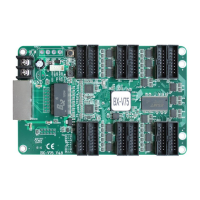
BX-V75 receiving card
LED Control Card
User Manual
Before you use the LED controller, please
read this file first and save it for future.
questions.
Question and Answer IconNeed help?

Do you have a question about the Onbon BX-V75 and is the answer not in the manual?

Summary

Brief Introduction to BX-V75

About Software Usage

Details restrictions on software modification, decompilation, and reverse engineering.

Key Product Characteristics

Highlights features like simple construct, Gigabit mode, high refreshment, and wide compatibility.

Safety Precautions and Guidance

Important Safety Notes

Covers voltage, cable handling, environment, and fire/water precautions for safe operation.

BX-V75 Functionality

Simple Installation Guide

Describes adopting standard interfaces and specifications for easy installation.

Interface Capabilities

Details T75 ports, E signal, scan modes, and data exchange for RGB color output.

Split Mode Options

Explains support for 2, 3, and 4 split modes with varying pixel configurations.

Data Direction Customization

Allows setting data direction to left-to-right, top-to-bottom, or bottom-to-top.

Special-Shaped Screen Support

Supports display data excursion for custom screen shapes up to 511 pixels wide.

Multiple Scan Modes

Supports various scan modes (32, 16, 8, 4) and smart scan for static screens.

Chip Compatibility

Compatible with normal chips and PWM chips for diverse LED module integration.

Achieving Better Display Effects

Utilizes high refreshment technology for enhanced display quality and gray scale.

Clock Adjustment for Performance

Allows clock adjustment from 10.42MHz to 31.25MHz for better module cascade effects.

Blanking Adjustment for Visuals

Adjusts blanking settings to fine-tune virtual light effects on the display.

Maintenance and Updates

Supports parameter read-back and online firmware updates for easy maintenance.

Control Size and Adjustment

Optimizing Control Size

Recommends controlling sizes smaller than 256*256 for optimal display effect clarity.

Scan Mode Parameters

Provides suggested and maximum pixel counts for various scan modes (1/32 to 1/4).

Choosing Display Parameters

Guides selection of display mode, brightness, gray grade, and refresh rate for desired effects.

Refresh Rate and Replacement Clock

Explains how refresh rate and replacement clock impact display size and quality.

Low Gray Level Effects

Discusses choosing low gray effects but advises against it due to potential visual distortions.

BX-V75 Specifications

Screen Index Parameters

Details minimum size, control size, cascade quantity, gray grade, and refresh rate.

Detailed Technical Data

Provides input voltage, power dissipation, temperature range, and physical dimensions.

Interface and Physical Layout

Interface Photo Overview

Visual representation of the receiving card's interface ports and components.

Interface Pin Definitions

Defines the function and pin assignments for various interface connectors like T75 and JK1.

Physical Dimensions Diagram

Illustrates the exact physical dimensions of the BX-V75 receiving card.

Frequently Asked Questions (FAQ)

Improving Shoot Effect

Recommends sending card mode for better shoot effect and discusses environmental impact.

Refresh Rate for Environment

Explains how indoor vs. outdoor brightness affects shutter speed and required refresh rates.

Contact Information

Company Headquarters

Provides address, phone, fax, and website for Shanghai ONBON Technology Co.,ltd.

Sales and Development Contacts

Lists contact details for sales and second development departments, including email.

Summary

Brief Introduction to BX-V75

About Software Usage

Details restrictions on software modification, decompilation, and reverse engineering.

Key Product Characteristics

Highlights features like simple construct, Gigabit mode, high refreshment, and wide compatibility.

Safety Precautions and Guidance

Important Safety Notes

Covers voltage, cable handling, environment, and fire/water precautions for safe operation.

BX-V75 Functionality

Simple Installation Guide

Describes adopting standard interfaces and specifications for easy installation.

Interface Capabilities

Details T75 ports, E signal, scan modes, and data exchange for RGB color output.

Split Mode Options

Explains support for 2, 3, and 4 split modes with varying pixel configurations.

Data Direction Customization

Allows setting data direction to left-to-right, top-to-bottom, or bottom-to-top.

Special-Shaped Screen Support

Supports display data excursion for custom screen shapes up to 511 pixels wide.

Multiple Scan Modes

Supports various scan modes (32, 16, 8, 4) and smart scan for static screens.

Chip Compatibility

Compatible with normal chips and PWM chips for diverse LED module integration.

Achieving Better Display Effects

Utilizes high refreshment technology for enhanced display quality and gray scale.

Clock Adjustment for Performance

Allows clock adjustment from 10.42MHz to 31.25MHz for better module cascade effects.

Blanking Adjustment for Visuals

Adjusts blanking settings to fine-tune virtual light effects on the display.

Maintenance and Updates

Supports parameter read-back and online firmware updates for easy maintenance.

Control Size and Adjustment

Optimizing Control Size

Recommends controlling sizes smaller than 256*256 for optimal display effect clarity.

Scan Mode Parameters

Provides suggested and maximum pixel counts for various scan modes (1/32 to 1/4).

Choosing Display Parameters

Guides selection of display mode, brightness, gray grade, and refresh rate for desired effects.

Refresh Rate and Replacement Clock

Explains how refresh rate and replacement clock impact display size and quality.

Low Gray Level Effects

Discusses choosing low gray effects but advises against it due to potential visual distortions.

BX-V75 Specifications

Screen Index Parameters

Details minimum size, control size, cascade quantity, gray grade, and refresh rate.

Detailed Technical Data

Provides input voltage, power dissipation, temperature range, and physical dimensions.

Interface and Physical Layout

Interface Photo Overview

Visual representation of the receiving card's interface ports and components.

Interface Pin Definitions

Defines the function and pin assignments for various interface connectors like T75 and JK1.

Physical Dimensions Diagram

Illustrates the exact physical dimensions of the BX-V75 receiving card.

Frequently Asked Questions (FAQ)

Improving Shoot Effect

Recommends sending card mode for better shoot effect and discusses environmental impact.

Refresh Rate for Environment

Explains how indoor vs. outdoor brightness affects shutter speed and required refresh rates.

Contact Information

Company Headquarters

Provides address, phone, fax, and website for Shanghai ONBON Technology Co.,ltd.

Sales and Development Contacts

Lists contact details for sales and second development departments, including email.

Onbon BX-V75 Specifications

General IconGeneral
BrandOnbon
ModelBX-V75
CategoryController
LanguageEnglish

Related product manuals