Power On
Press and hold the On/Off button① to turn the headphones on. The LED light will flash between
blue and red when the headphones are active.
Power Off
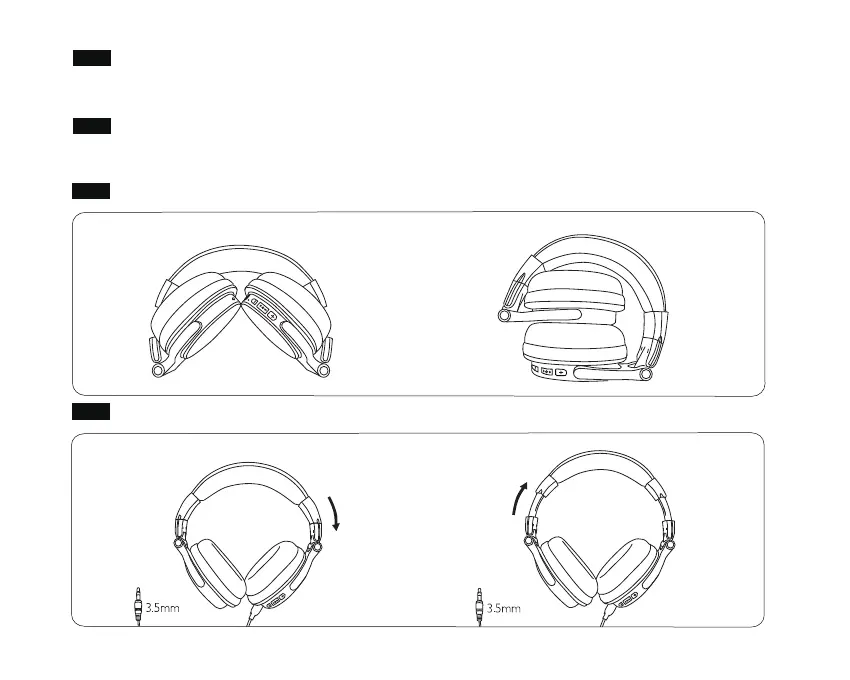
How to Fold the Headphones
How to Adjust the Headband
Press and hold the On/Off button① to turn the headphones off. The LED indicator turns off,
indicating that the headphones are off.


 To Next Page