Troubleshooting
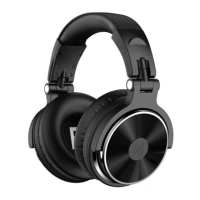
These headphones are passive noise isolating, not active noise cancellation (ANC), it can't cancel
the noise completely but it won't drain the battery and damage the sound.
If you cannot connect the headphones to your device, please try the followings:
1. Ensure that the headphones are charged, switched on, paired with and connected to your
kkdevice.
2. Check the headphones are within 10 meters (30 feet) of your device and there are no
kkobstructions (such as walls or other electronic devices) between the headphones and the
kkdevices.
3. If you receive an intermittent signal, please ensure the headphones are fully charged before
kkcontinuing use.
4. If you don’t use the headphones for longer than 10 minutes whilst no connected to a device,
kkthey will automatically power off to conserve power.
We hope you’ve got everything you need. If anything else, just feel free to contact
Telephone: 00852 6940 3848
, Email: info@oneaudio.shop. Besides, 24/7 customer service is also
available on Facebook, Twitter, YouTube or the other SNS. Thanks for your support!
Other Legal Rights
This limited warranty gives you specific legal rights, and you also may have other rights that vary from
state to state or country to country. Some places do not allow limitations on implied warranties or
the exclusion or limitation of incidental or consequential damages, so the above limitations or
exclusions may not apply to you.


 To Next Page