
 Need help?
Do you have a question about the One for All URC-9910 and is the answer not in the manual?
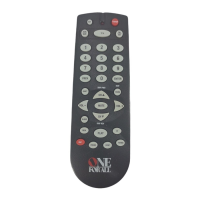
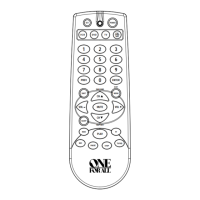
Explains the function of each key on the remote control.
Instructions for programming the remote to control a TV/VCR combo unit.
Step-by-step guide to program a learning key on the remote.
Procedure to remove a learned function from a key.
How to lock volume controls for a device to all modes.
How to unlock volume controls for a device in specific modes.
Example of programming a macro to access a favorite channel.
Example of programming a macro for power and channel selection.
Procedure to remove a programmed macro.
How to reset keymoved functions back to original settings.
How to use the Home Theater mode after programming.
How to use the Commercial Skip feature after programming.
Steps to install and position the IR/RF Command Center.
Procedure for connecting the IR signal extension cord.
Tips to improve signal reception for the Command Center.
Explains common error messages displayed by the remote.
 General
| Device Type | Universal Remote Control |
|---|---|
| Brand | One for All |
| Model | URC-9910 |
| Number of Devices Supported | 10 |
| Connectivity | Infrared (IR) |
| Batteries | 2 x AAA |
| Learning Capability | Yes |
| SimpleSet | Yes |
| Macro Function | Yes |
| Backlight | No |
| Supported Devices | TV, DVD, Blu-ray, Audio |
| Programming Method | Learning |
| Dimensions | 220 x 50 x 25 mm |



 To Next Page