7. When you learned all the functions you require, press and hold the MAGIC key until the LED blinks twice and turns off.
HINTS
If the LED shows one long blink at step 5, the function was not learned correctly, please try again from step 3.
If you find one or more keys don’t work properly after set up, you can re-enter the learning mode at any time by repeating the procedure
from step 1.
TO DELETE A LEARNED FUNCTION, THE PROCEDURE IS:
1. Hold down MAGIC until the LED blinks twice.
2. Press 976 – the LED will blink twice
3. Press the key to delete twice – the LED will blink twice.
Repeat the above procedure for each key you want to delete.
THE NETTV FEATURE
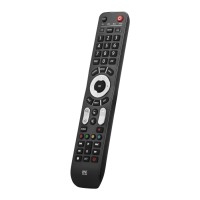
The Evolve features a “NETTV” key for viewing digital TV, streamed over the internet. If your original remote control already had a key for this
– for example, many newer TVs have a Netflix key – then this key will perform exactly the same as the key on your original
remote. However, if you did not have a key like this, but still had the ability to watch a streaming service, you can use this key as a shortcut by
programming a macro on it. Most AV devices that are connected to the internet, such as Smart TVs or streaming Set-Top Boxes have one or
more applications they can run to access TV viewing via the internet.
THE NETTV FEATURE
Examples of these would be Netflix, YouTube, Amazon Prime, BBC iPlayer, or similar.
To program the macro, you first need to know the device you use to access the service, and then the sequence of keys you need to press to
always bring up the service you prefer, For example, some Panasonic TVs will start Netflix by pressing the Apps key, then Menu Down Twice,
and finally the OK key.
Once you have determined the sequence for your device, follow these steps:
1. Sit in front of your device with It switched on (not on standby)
2. Hold down the NETTV key until the LED blinks twice and stays lit
3. Now perform the sequence of keys exactly as would normally. The remote will operate your device and the macro is recorded in real-
time – so if it normally takes a few seconds for your device to react don’t worry.
4. Once you have finished the sequence – and the Streaming Service has started on your device -hold down the NETTV key until the LED
blinks twice and goes out. The macro is now stored.
Tips
Make sure the Evolve Is operating the device in question before programming
f you find the Macro doesn’t work as expected, you can just repeat the same sequence to reprogram
When programming, wait for your device to respond first, the remote will remember the timing
English – PRODUCT DISPOSAL (EUROPEAN DIRECTIVE 2012/19/EU)
The crossed-out wheeled bin symbol on this product ensures that this product is manufactured using high-quality components
that can be recycled and reused according to European Directive 2012/19/EU. Please do not dispose of this product with your normal
household waste, refer to local regulations for the proper collection or disposal of electrical and electronic products. This will help this will help
in preventing negative effects on the environment and/or human health.
BATTERY DISPOSAL (EUROPEAN DIRECTIVE 2006/66/EC)Please do not dispose of your batteries with your normal household waste,
refer to local regulations for the proper collection or disposal. This will help to prevent potential negative effects on the environment and/or
human health.
GUARANTEE TERMS AND CONDITIONS UNIVERSAL ELECTRONICS warrants to the original purchaser that this
product will be free from defects in materials and workmanship under normal and correct use for a period of two (2) years from the date of
original purchase. This product will be repaired or if necessary, replaced free of charge if it has been proven to be defective within the two(2)
year warranty period. The forwarding costs are on the account of the owner; the costs of returning the product are on the account of




 To Next Page