EasyManua.ls Logo

One Hour Comfort Sentry OH-522NP - User Manual

One Hour Comfort Sentry OH-522NP
8 pages
Print Icon
To Next Page IconTo Next Page
Loading...
PART NO. 37-7638B
Replaces 37-7638A
1705
OH-522NP (Non-Programmable)
Installation and Operating Instructions
Universal Thermostat
Battery Powered or Hardwired with Common
Thermostat Applications
Maximum
Stages
Heat/ Cool
Conventional Gas, Oil, Electric
(mV and 24V), Heat only, Cool only or
Heat/Cool Systems
2/2
Heat Pump (Air Source or Geothermal)
with Aux. Heat
2/1
Thermostat Installation
2-4
Wiring
2
Installer Menu
3-4
Test Equipment
4
Using the Thermostat
5-7
Thermostat Overview
5
User Menu
6
Thermostat Operation
6
Troubleshooting
7-8
Homeowner Help Line
8
INDEX
MERCURY NOTICE: This product does not contain
mercury. However, this product may replace a product
that contains mercury. Mercury and products containing
mercury must not be discarded in household trash.
Refer to www.thermostat-recycle.org for information
on disposing of products containing mercury.
Electrical Rating:
Battery Power ..................................... mV to 30 VAC, NEC Class II, 50/60 Hz
Input-Hardwire .................................... 20 to 30 VAC, NEC Class II, 50/60 Hz
Terminal Load .......................................... 1.5 A per terminal, 2.5A maximum all terminals combined
Setpoint Range ........................................ 45° to 99° F (to 37° C)
Rated Dierentials (@ 6°F/ Hr): Fast Med Slow
Heat (Conventional Gas / Oil / Elect) ..... 0.5°F 0.75°F 1.9°F
Cool (Central Air) ................................. 0.9°F 1.2°F 1.7°F
Heat Pump (Heat and Cool) ................ 0.9°F 1.2°F 1.7°F
Heat Pump Aux. .................................. 0.5°F 0.75°F 1.9°F
Operating Ambient .................................. 32°F to +105°F (0° to +41°C)
Display Temperature Range ....................... 32°F to +99°F (0 to 37°C)
Operating Humidity ................................. 90% non-condensing maximum
Shipping Temperature Range ................... -20°F to + 150°F (-29° to +65°C)
Thermostat Dimensions ........................... 3-3/4” H x 6” W x 1-1/8” D
SPECIFICATIONS
OH-522NP (non programmable)
Instructions d’installation et d’utilisation
Thermostat universel
Alimentation par piles ou câblée avec l commun
Applications du thermostat
Nombre
maximum
d’étages
chauage/
climatisation
Systèmes au gaz classique , au mazout,
à l’électricité (mV et 24 V), chauage
seulement, climatisation seulement ou
chauage et climatisation
2/2
Thermopompe (source d’air ou
géothermique) avec chauage auxiliaire
2/1
Installation du thermostat
2-4
Câblage
2
Menu de l’installateur
3-4
Mise à l’essai de l’équipement
4
Utilisation du thermostat
5-7
Aperçu du thermostat
5
Menu de l’utilisateur
6
Fonctionnement du thermostat
6
Horaire du thermostat
7
Dépannage
7-8
Ligne d’assistance pour les propriétaires
8
INDEX
AVIS RELATIF AU MERCURE : Ce produit ne contient pas de
mercure. Il peut toutefois remplacer un produit qui en contient.
Le mercure et les produits contenant du mercure ne doivent pas
être jetés dans les ordures ménagères. Consultez le site
www.thermostat-recycle.org pour connaître les endroits où
vous pouvez envoyer le produit contenant du mercure.
Paramètres électriques :
Batterie ................................................................. mV à 30 V c.a., NEC classe II, 50/60 Hz
Câblé ..................................................................... 20 à 30 V c.a., NEC classe II, 50/60 Hz
Charge à la borne ........................................................ 1,5 A par borne, 2,5 A maximum pour toutes les bornes combinées
Plage de réglage ......................................................... 45 à 99 °F (7 à 37 °C)
Diérentiel nominal (@ 6 °F/h) : Rapide Moyen Lent
Chauage (gaz classique/mazout/électricité) ......... 0,5 °F 0,75 °F 1,9 °F
Climatisation (centrale) ......................................... 0,9 °F 1,2 °F 1,7 °F
Thermopompe (climatisation et chauage) .......... 0,9 °F 1,2 °F 1,7 °F
Thermopompe, chauage auxiliaire ...................... 0,5 °F 0,75 °F 1,9 °F
Température ambiante de fonctionnement ................ 32 °F à +105 °F (0 à +41 °C)
Plage de températures achées ................................... 32 °F à +99 °F (0 à 37 °C)
Humidité de fonctionnement ...................................... 90 % max. sans condensation
Plage de températures d’expédition ........................... -20 °F à +150 °F (-29 à +65 °C)
Dimensions du thermostat ......................................... 3-3/4 po H x 6 po L x 1-1/8 po P
SPÉCIFICATIONS
Optional Accessory: Wall
Cover-Up Plate F61-2663,
6 3/4” W x 4 1/2” H
Accessoire en opon :
plaque murale F61-2663,
6 3/4 po L x 4 1/2 po H
N
O
DE PIÈCE 37-7638A
Remplace 37-7638A
1705
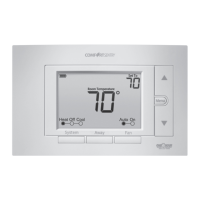
Programming
made Simple
See page 5

Questions and Answers

  • T
    Tyler HarrisAug 3, 2025
    How to troubleshoot no heat, cool, or fan on my One Hour Comfort Sentry OH-522NP Thermostat?
    • S
      Samuel ThomasAug 3, 2025
      If your One Hour Thermostat isn't producing heat, cool air, or running the fan, here's what to check: * A blown fuse or tripped circuit breaker could be the culprit. Replace the fuse or reset the breaker. * Ensure the furnace power switch is turned to the ON position. * Make sure the furnace blower compartment door panel is correctly in place to engage the safety interlock or door switch. * Loose connections to the thermostat or system can cause this issue. Tighten all connections.
  • J
    Joseph LawsonAug 7, 2025
    Why does the heat, cool, or fan run constantly on my One Hour Thermostat?
    • K
      Kenneth BradleyAug 7, 2025
      If your One Hour Thermostat's heat, cool, or fan runs constantly, it might be due to a short in the wiring, thermostat, or the system itself. Check each wire connection to make sure they are not shorted or touching other wires. Try resetting the thermostat. If the problem continues, contact your HVAC service person.
  • K
    Kenneth StanleyAug 11, 2025
    How to fix no heat on One Hour Thermostat?
    • T
      Taylor CampbellAug 11, 2025
      If your One Hour Thermostat is not producing heat, make sure: * The system is set to 'Heat'. * The thermostat and system wires are securely attached. If these steps don't resolve the issue, set the system to 'Heat' and raise the setpoint above room temperature. Within five minutes, the thermostat should make a soft click and 'Heat On' should appear on the display, indicating it's working. If it doesn't click, try resetting it. If it still doesn't click after resetting, contact your heating and cooling service person or place of purchase for a replacement. If the thermostat clicks, contact the furnace manufacturer or a service person to verify the heating system is operating correctly.
  • N
    Nathaniel CampbellAug 16, 2025
    What to do if my One Hour Thermostat is not cooling?
    • J
      Jeremy ThomasAug 16, 2025
      If your One Hour Thermostat is not cooling, ensure that: * The system is set to 'Cool'. * The thermostat and system wires are securely attached. If these steps don't resolve the issue, set the system to 'Cool' and lower the setpoint below room temperature. The same diagnostic procedures apply as with the 'No Heat' condition. There may be up to a five minute delay before the thermostat clicks in Cooling if the compressor lock-out option is selected in the installer menu.
  • T
    Tiffany RosalesAug 20, 2025
    Why does my One Hour Comfort Sentry OH-522NP cycle too fast or slow?
    • A
      acostachristopherAug 20, 2025
      The cycling rate of your One Hour Thermostat can be influenced by its location and the size of your heating system. Digital thermostats offer precise control and cycle faster than older mechanical models, turning on and off more frequently for shorter periods. To increase the cycle time, select 'SLO' for slow cycle in the Installer menu. If an acceptable cycle rate is still not achieved, contact your HVAC service person.
  • S
    Shawn SheaAug 28, 2025
    How to calibrate the temperature on my One Hour Thermostat?
    • K
      Kathy SimpsonAug 29, 2025
      If your One Hour Thermostat display and a separate thermometer show different temperatures, the thermostat display may need adjustment. You can adjust the display by +/-5° using User Menu item 02.
  • J
    John DunnNov 23, 2025
    What does the 'Call for Service' icon mean on my One Hour Thermostat?
    • S
      Sandra ParksNov 23, 2025
      If the “Call for Service” icon appears on your One Hour Thermostat, it could indicate several issues: * The heating system is unable to heat the space to within 10 degrees of the setpoint within 2 hours: Refer to the corrective actions for “No Heat”. * The cooling system is unable to cool the space to within 10 degrees of the setpoint within 2 hours: Refer to the corrective actions for “No Cool”. * If “--” is displayed for the Room Temperature, a replacement thermostat is needed. * If none of the buttons operate on the thermostat: Ensure keypad lockout is not turned on. If it’s OFF, try a reset. * If “Call for Service” is flashing: Contact a service person to verify the outdoor equipment is operating correctly, as the compressor self-diagnostic is detecting an issue with the out...

Summary

Product Overview and Specifications

Index of Manual Sections

Lists the sections and corresponding page numbers within the manual.

Technical Specifications

Details electrical ratings, performance parameters, and physical dimensions.

Mercury Disposal Advisory

Provides important information regarding mercury and its proper disposal.

Installation: Wiring and Safety

Terminal Designations and Functions

Explains the purpose of each terminal connection on the thermostat.

Installation Safety Precautions

Outlines essential safety measures to follow during thermostat installation.

Installer Menu Configuration

Installer Menu Settings

Describes the configurable options available in the installer menu for system setup.

Jumper Wire and Battery Power

Details the use of the RC/RH jumper and battery backup for power continuity.

Advanced Configuration and System Checks

Continued Installer Menu Options

Further details on installer settings to customize system behavior.

Equipment Testing Procedures

Step-by-step guide to verify the proper operation of heating, cooling, and fan systems.

Using the Thermostat: Basics

Thermostat Controls and Display

Identifies and explains the function of all thermostat buttons and screen elements.

Basic Operation: Away and Lockout

Covers setting temporary energy-saving temperatures and locking the keypad.

User Settings and Operation

User Menu Functionality

Details settings accessible to the user for display preferences and auto-changeover.

Advanced Operation Features

Explains the Away temperature setting and keypad lockout feature.

Troubleshooting Guide

Symptom-Based Troubleshooting

Provides a comprehensive table of common issues, causes, and corrective actions.

Further Troubleshooting and Support

Troubleshooting Continued

Addresses advanced issues like 'Call for Service' and performance diagnostics.

Thermostat Reset Procedures

Instructions for resetting the thermostat to its default factory settings.

Customer Support Information

Contact details for obtaining assistance from the homeowner help line.

One Hour Comfort Sentry OH-522NP Specifications

General IconGeneral
BrandOne Hour
ModelComfort Sentry OH-522NP
CategoryThermostat
LanguageEnglish

Related product manuals