7
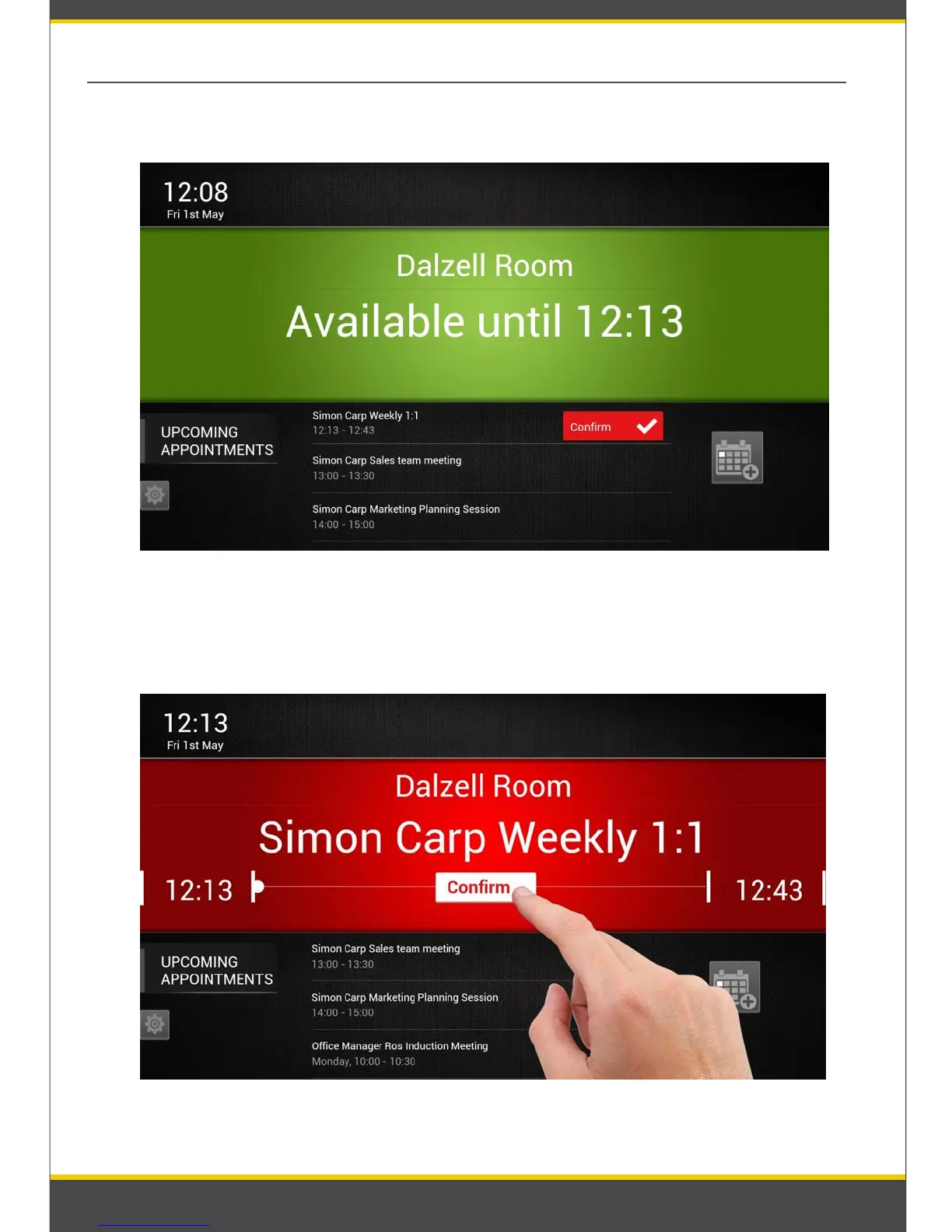
❷ If meeting starts before ‘Confirm’ has been pressed, status turns to red and the
confirm button remains visible and flashing for a further 10 minutes.
03. Confirm the appointment
❶ User may be asked to Confirm the appointment before it starts (Refer: Picture 9)
Picture 9: Confirm the meeting ‘Booked by Reserva’
Picture 10: Confirm the appointment


 To Next Page