Instructions
Playing lullabies
Press and hold the Menu/Music button for at least 3 seconds to turn on
the music player and play lullabies through the baby unit (camera); press and
hold again to turn it off.
Talking to baby
Press and hold the Push To Talk button on the receiver unit to talk to
your baby through the camera unit’s speaker. The ‘microphone’ symbol will
be displayed in the bottom left corner of the LCD screen when the Push To
Talk function is active.
Adjusting the volume
When in video playing mode, press the Volume –/Down button to
decrease the volume or the Volume +/Up button to increase volume.
The display will show the current volume for 5 seconds.
Night vision
The baby unit has 8 high-intensity infrared LEDs for picking up clear images
in the dark.
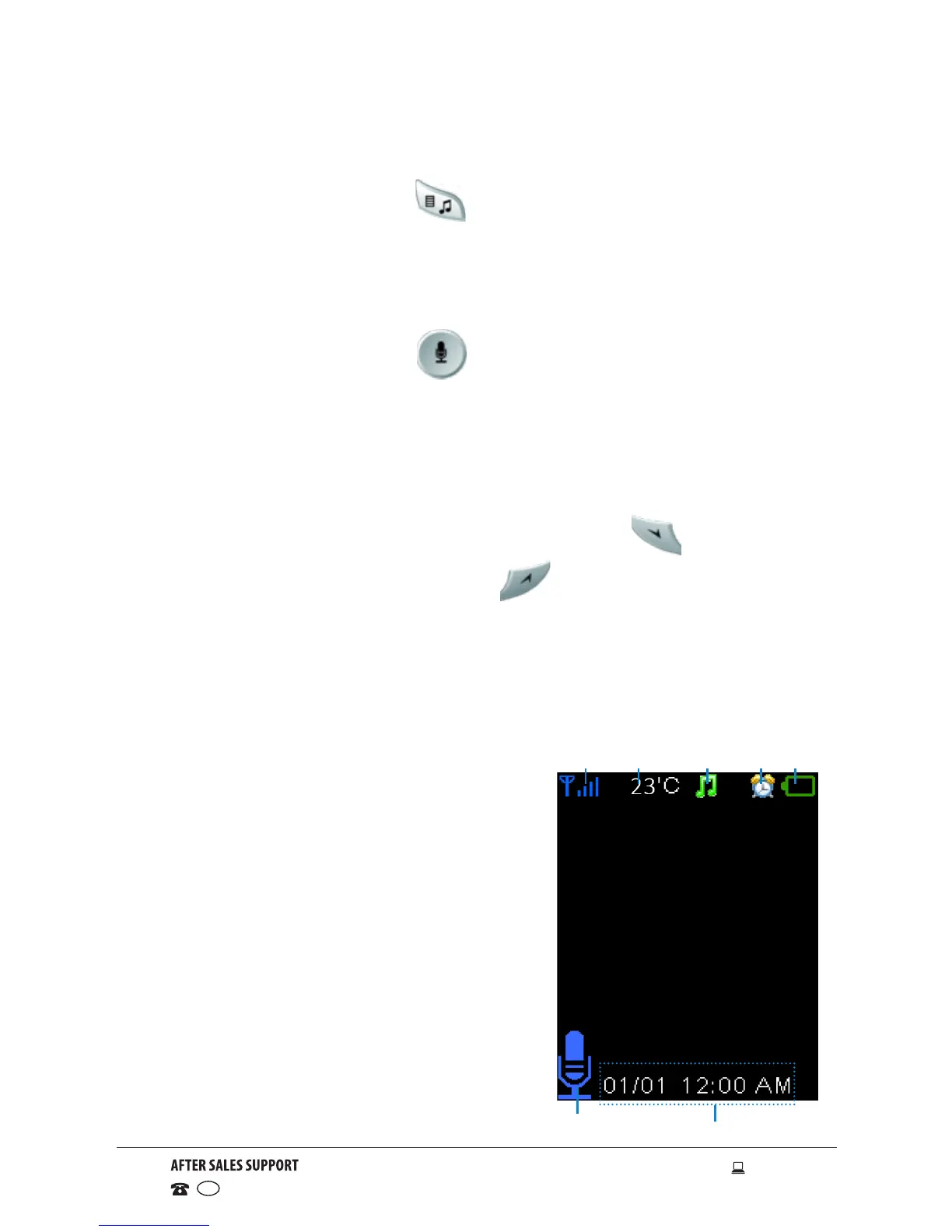
LCD screen icons
1 Signal strength indicator
2 Temperature in the baby’s room
3 Lullaby is playing
4 Alarm is activated
5 Battery power indicator
6 Push To Talk function is activated
7 Date and time (DD/MM HH:MM AM/PM)
7
6
21 3 4 5



 To Next Page