Instructions (Cont.)
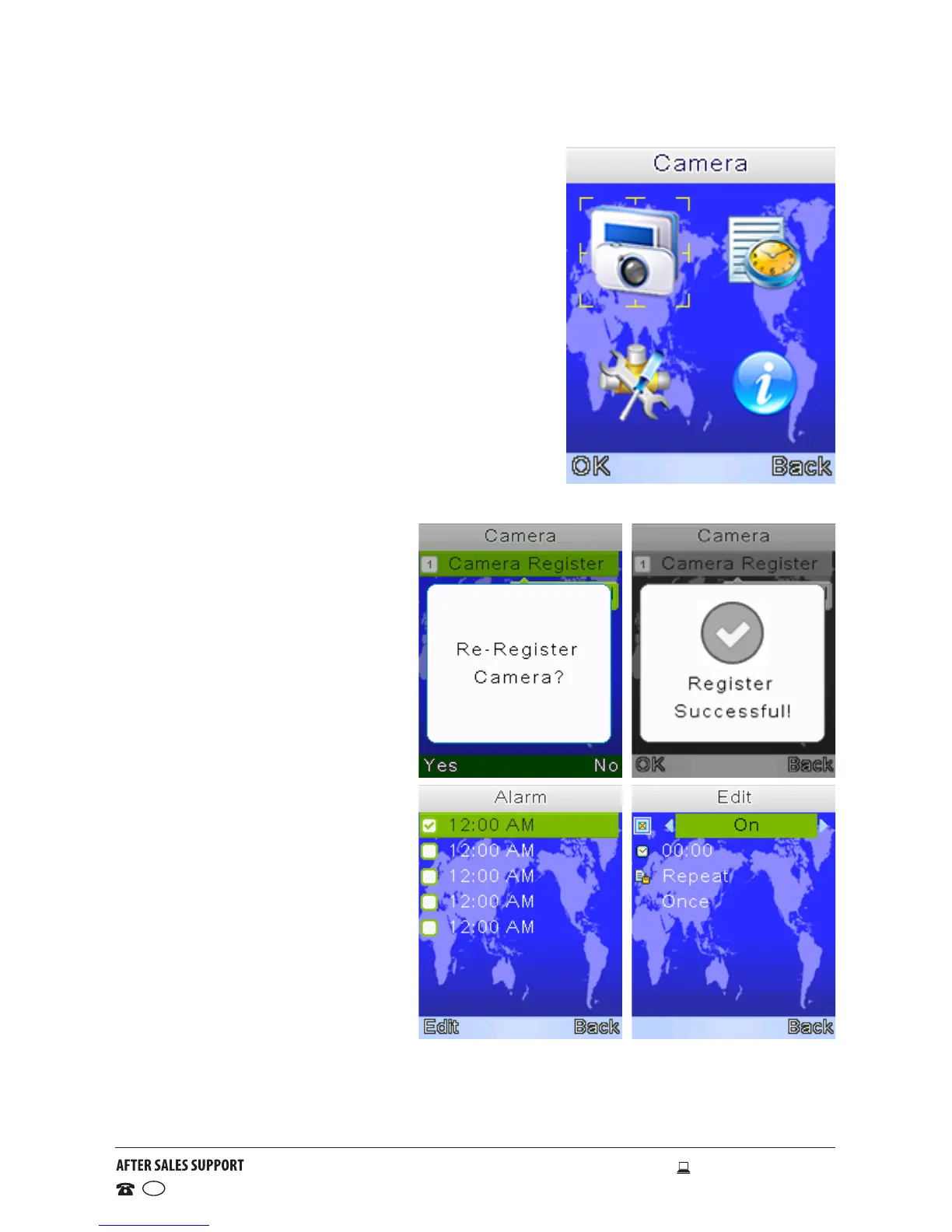
Menu options
• Press the Menu button to enter the main
menu; it contains 4 items: Camera, Alarm,
Settings and Systems Info.
• Press the Up/Down button to move the
cursor to select an item; press Menu again
to enter the submenu you selected.
• Press the Return button to go back to the
monitoring screen.
Camera re-registration
• Press the Menu button to start the re-
registration process.
• Press the Return button to cancel the
operation; press Menu to begin re-registering.
• Press the Pair button on
the back of the camera unit
within 10 seconds to register
the camera.
Alarm
• Press the Menu button to
edit an alarm.
• Press the Push To Talk
button to turn on/off the
alarm.
• Press the Down button to
edit the alarm time.
• Press the Up button to
change the hour and minute,
press the Push To Talk button
to switch between hour and
minutes.
• Press the Down and then the
Menu button to change the
repeat option.
• Press the Up/Down button to select the repeat option and press Menu to
confirm.
• Press the Return button to save the alarm.



 To Next Page