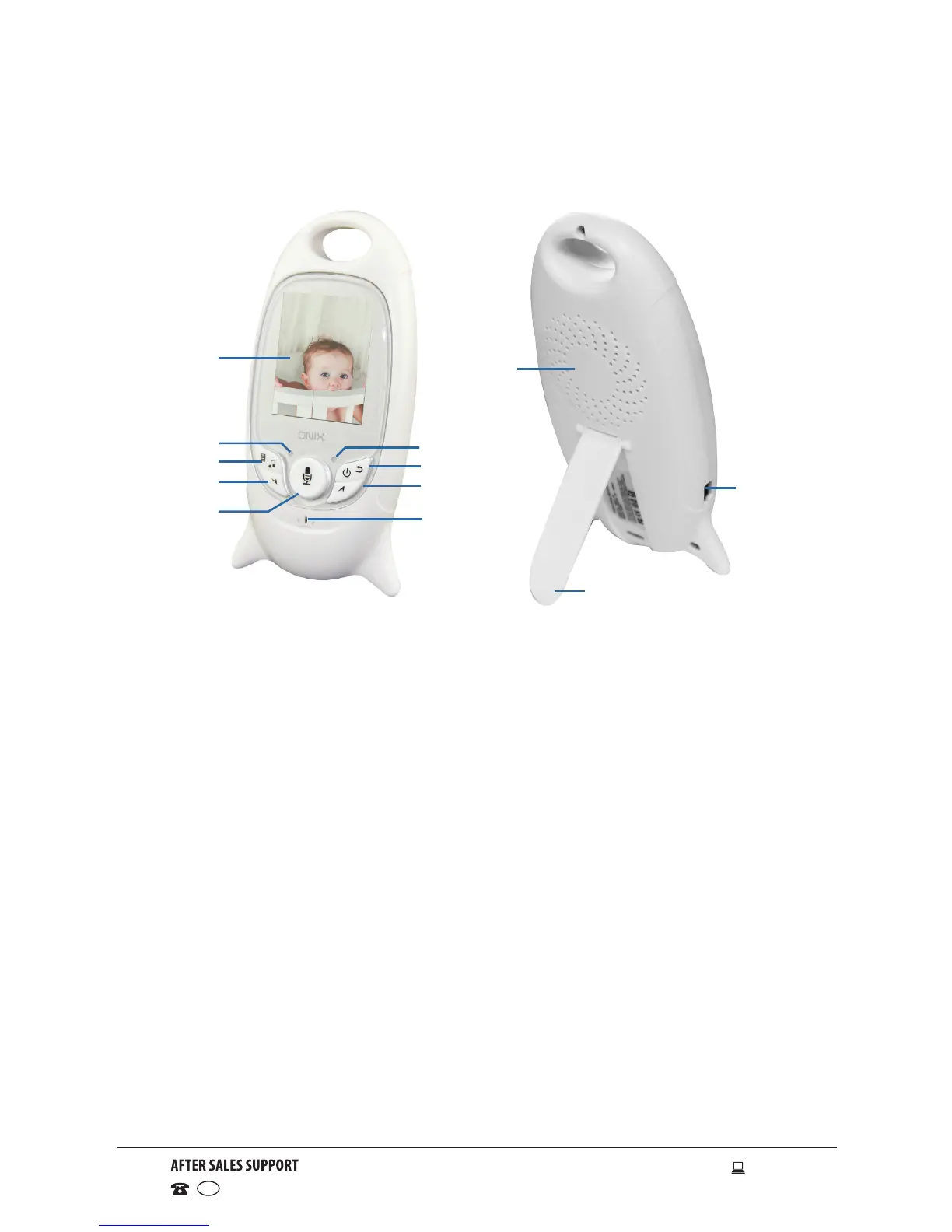
Product Overview
1 LCD screen - displays the video image and menu screen operations
2 Signal reception indicator LED - illuminates blue when receiving images
from the camera
3 Power indicator LED - illuminates red when the receiver unit is powered on
4 Menu button - press to access the menu options
Music button - press and hold to start lullaby music player
5 Power button - press and hold to turn the receiver unit on or off
Return button - press to go back to the previous page when navigating
menu options
6 Volume – button - press to decrease the volume
Down button - press to navigate down on the menu screen
7 Volume + button - press to increase the volume
Up button - press to navigate up on the menu screen
8 Push To Talk button- press and hold the ‘push to talk’ button to talk
back to baby
9 Microphone
10 Speaker
11 Mini USB power adaptor socket - insert the adaptor cord for charging
12 Stand - fold out to stand up the unit
Receiver (Parent) Unit
1
10
11
12
2
4
6
8
9
7
5
3



 To Next Page