5
4. If you do not intend to use the amplifier for a long time, please unplug the AC power cable.
Input switching
Volume adjustment
Output protection
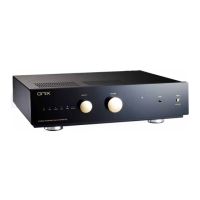
Turn the SELECT knob on the panel or press the INPUT / keys on the remote control to switch to
the desired audio input. The input indicator on the panel will be illuminated accordingly.
Use the VOLUME control on the front panel of the amplifier to adjust volume, counterclockwise for
volume down and clockwise for volume up. Alternatively use VOLUME +/- keys on remote control.
Note: Before turning on the amplifier, check that the volume control is set to a low level in order not to
damage the speakers.
If the amplifier output is overloaded, a relay in the protection circuit will shut off immediately.
Meanwhile all indicators on the front panel will be on and the volume knob will be dimmed. In such
circumstances the amplifier power must be turned off. Wait for 5 minutes before turning on the amplifier
again.
USB setting
Bluetooth Input
1. Switch the source to the BT .“ ”
2. The RA-125 will automatically enter the pairing mode (the BT indicator is flashing).
3. Open the Bluetooth settings on mobile phone or tablet. Select the ONIX RA-125(21) from the list
of available devices.
“ ”
4. After two devices are connected, the BT indicator light will stay on.You can now play music over
Bluetooth connection.
1. Connect the USB cable from PC to the rear panel of the unit.
3. Install the driver software into the PC from the“USB driver disc”.
4. Setup the“ SOUND” option on the PC, set the“ Speaker XMOS USB Audio” as the default
device.
2. Turn on the unit and choose the USB source by turn the SELECT knob on the front panel or press
the INPUT / keys on the remote control.


 To Next Page