EasyManua.ls Logo

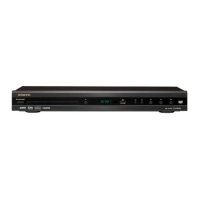
Onkyo DV DV-SP405 - User Manual

Onkyo DV DV-SP405
64 pages
Print Icon
To Next Page IconTo Next Page
Loading...
E
n
DVD Player
DV-SP405
Instruction Manual
Thank you for purchasing an Onkyo DVD
Player. Read this manual carefully before using
your new DVD Player. A good understanding of
its features and operation will allow you to
achieve optimum performance and enjoyment.
Keep this manual for future reference.
Contents
Overview .............................................. 2
Connections ......................................18
Getting Started and Setting up ........25
Basic Playback ..................................27
Playback Techniques........................31
Detailed Settings...............................42
Miscellaneous Information...............52

Table of Contents

Questions and Answers

  • C
    christophermcculloughSep 9, 2025
    Why don't chapters play in order on my Onkyo DV DV-SP405?
    • M
      Michael MartinezSep 10, 2025
      If chapters or tracks aren’t playing in the correct order on your Onkyo DVD Player, it's likely that you are using repeat playback, program playback, or random playback. Select normal playback to resolve this issue.
  • J
    joe73Aug 22, 2025
    How to fix Onkyo DV DV-SP405 DVD Player if it won't turn on?
    • Z
      zachary93Aug 22, 2025
      If your Onkyo DVD Player isn't turning on, first ensure the power cord is securely connected to a working wall outlet. If it's still not working, the issue might be external interference affecting the player's digital circuitry. Try turning the player off, waiting five seconds, and then turning it back on. If that doesn't work, disconnect the power cord from the wall outlet, wait five seconds, reconnect it, and try turning it on again.
  • J
    John CopelandAug 25, 2025
    What to do if Onkyo DVD Player remote isn't working?
    • J
      Jacqueline AdamsAug 25, 2025
      If the buttons on your Onkyo DVD Player remote aren't working, start by checking the batteries. Ensure that there are batteries in the remote, that they aren't flat, and that they are installed correctly. Also, make sure you're pointing the remote at the DVD Player's remote sensor and that you're not too far away (the remote has a range of approximately 5 meters). A strong light source might be interfering with the sensor, so ensure the DVD Player isn't in direct sunlight or under inverter-type fluorescent lights. If the DVD Player is in a cabinet with colored glass doors, try opening the doors or using a cabinet without colored glass.
  • K
    Kenneth RogersAug 26, 2025
    Why is there no picture on my Onkyo DV DV-SP405 DVD Player?
    • M
      morganwilsonAug 26, 2025
      If you're not getting a picture from your Onkyo DVD Player, the first thing to check is that the correct input source is selected on your TV. Make sure your TV is set to the input to which the DVD Player is connected. Also, verify that the video cable is properly connected; check the connection and correct it if necessary.
  • R
    renee90Aug 27, 2025
    Why won't my Onkyo DV DV-SP405 start playback?
    • M
      Michael JamesAug 27, 2025
      If your Onkyo DVD Player won't start playback, there are several potential reasons. First, ensure that a disc is loaded correctly, with the correct side up and centered in the disc tray. The disc might be incompatible, so use only compatible discs. If the disc uses parental lock, turn off the “Parental Lock” function. Also, if the DVD-Video disc is intended for use in another region and the region number on the disc does not match the region number on the DV-SP405, the disc can’t be played. Finally, the disc might be dirty, so remove the disc and clean it.
  • M
    mhallAug 29, 2025
    How do I fix an Onkyo DV DV-SP405 disc tray that won't close?
    • T
      Thomas JacobsAug 29, 2025
      If the disc tray on your Onkyo DVD Player won't close properly, first make sure the disc is centered in the disc tray. If it is, the disc might be dirty; remove the disc and clean it.
  • J
    johngonzalezSep 18, 2025
    Why can't I view JPEG files on my Onkyo DV DV-SP405?
    • S
      sarah95Sep 18, 2025
      If you can't view JPEG files on your Onkyo DVD Player, it's possible that JPEG files without a “.jpg” or “.JPG” filename extension are not recognized. Use the correct filename extension. Also, only Baseline JPEG files are supported; Progressive JPEG files are not. Use Baseline JPEG files.
  • J
    Johnny PageSep 12, 2025
    Why can't I play some MP3 files on my Onkyo DVD Player?
    • P
      Paul GibsonSep 12, 2025
      If some MP3 files don’t play on your Onkyo DVD Player, it might be because MP3 files without a “.mp3” or “.MP3” filename extension are not recognized. Use the correct filename extension. Also, the DVD Player doesn’t fully support multisession discs, so only files in the first session can be played.
  • W
    William GarciaSep 8, 2025
    What to do if buttons on Onkyo DV DV-SP405 and remote controller don't work?
    • K
      Kristy HoganSep 8, 2025
      If the buttons on your Onkyo DVD Player and remote controller aren't working, it could be due to power supply voltage fluctuations or other anomalies like static electricity interfering with normal operation. Try turning off the DVD Player, waiting five seconds, then turning it on again. If that doesn’t resolve the issue, disconnect the power cord from the wall outlet, wait five seconds, reconnect it, then try again.
  • K
    Kristen JacksonSep 5, 2025
    Why doesn't my Onkyo DVD Player save settings?
    • J
      Jennifer HendersonSep 5, 2025
      If your Onkyo DVD Player isn't saving settings, it could be due to a power failure or the power cord being disconnected. Any settings will be lost in these cases. Before disconnecting the power cord, set the DVD Player to Standby by pressing the [STANDBY/ON] button, and wait until “OFF” has disappeared from the display. Also, keep in mind that new settings made in the Setup screen menus while a disc is playing are ineffective until the disc is stopped and restarted: Press [STOP] button, then start playback again.

Summary

Important Safety Instructions

Safety Instructions

Crucial safety guidelines for operating the device.

Precautions

Before Using the DV-SP405

Front & Rear Panels (Continued)

Connecting the DV-SP405

Connection Basics and TV Setup

General connection advice, cable types, and connecting to a TV.

Connecting the DV-SP405 (Continued)

HDMI and AV Receiver Connections

Details for connecting via HDMI and to an AV receiver.

Connecting the Power;Turning on the DV-SP405

Power Connection and Operation

Procedure for connecting power and turning the unit on/off.

Getting Started

Playing discs

Basic Playback Controls

Essential buttons for disc playback operations.

USB playback (Not North American model)

Audio Settings and Video Adjust menus

Initial Settings menu

Troubleshooting

Player, HDMI, and USB Troubleshooting

Solutions for common issues with the player and its connections.

Onkyo DV DV-SP405 Specifications

General IconGeneral
TypeDVD Player
Progressive ScanYes
Surround SoundDolby Digital, DTS
Output Video Resolution480p, 720p, 1080i
HDMI OutputYes
Media TypeCD
Audio D/A Converter24-bit/192 kHz
OutputsHDMI, Component Video, Composite Video, Optical Digital, Coaxial Digital

Related product manuals