EasyManua.ls Logo

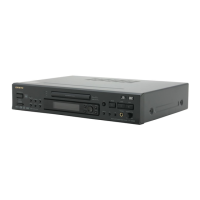
Onkyo DV-SP500 - User Manual

Onkyo DV-SP500
60 pages
Print Icon
To Next Page IconTo Next Page
Loading...
DVD Player
DV-SP500
Instruction Manual
Thank you for purchasing the ONKYO DVD Player.
Please read this manual thoroughly before making
connections and plugging in the unit.
Following the instructions in this manual will enable
you to obtain optimum performance and listening
enjoyment from your new DVD Player.
Please retain this manual for future reference.
Contents
Getting Started
Basic Playback
Advanced Playback
Others
Before Using Your DVD Player 2
Function Setup

Table of Contents

Other manuals for Onkyo DV-SP500

Questions and Answers

  • K
    Kelly SimmonsAug 14, 2025
    What to do if the picture from my Onkyo DV-SP500 DVD Player doesn’t appear on the TV screen?
    • M
      Martha MoralesAug 14, 2025
      If the picture from your Onkyo DVD Player isn’t showing on the TV screen, ensure the TV is set to the correct input for the DVD Player. Also, double-check all the connections to the DVD Player to make sure they are secure.
  • S
    sergio00Aug 17, 2025
    Why is there no sound coming from my Onkyo DVD Player?
    • T
      Timothy TaylorAug 17, 2025
      If your Onkyo DVD Player isn't producing any sound, there could be several reasons: * If you are using the digital output, check that the [Digital Out] setting is set to [On]. * Ensure that the volume level of your TV or amplifier is turned up and not set to the minimum. * If the DVD or CD is recorded in DTS audio, connect the digital output on the player to the digital input on a receiver or amplifier with a built-in DTS decoder. * If the Setup screen Audio menu [96 kHz PCM Out] setting is set to [96 kHz], either connect using the analog outputs, or set [96kHz PCM Out] in the Audio menu to [96kHz 3 48 kHz]. * Make sure that the pause mode is not engaged by pressing 3 or 8 to exit the pause mode. * Verify that you've selected the correct sound signal conversion method.
  • T
    timothyphillipsAug 21, 2025
    What to do if my Onkyo DV-SP500 does not start playback?
    • A
      Amy YoderAug 21, 2025
      If your Onkyo DVD Player isn't starting playback, here are a few things to check: * Make sure a playable disc is properly inserted with the playback side down, and that “DVD,” “VCD,” or “CD” is lit in the DVD Player’s display. * Ensure the disc is placed within the proper guide on the disc tray. * If the disc is dirty, eject it and clean it. * If the parental lock function is activated, deactivate it or change the parental lock level.
  • M
    Melissa WoodsAug 25, 2025
    Why do the buttons on my Onkyo DV-SP500 DVD Player operate but the buttons on the remote controller do not operate?
    • J
      Jason WebbAug 25, 2025
      If the buttons on your Onkyo DVD Player operate but the remote controller buttons do not, try these steps: * Ensure that you have inserted new batteries in the remote controller, replacing them if necessary. * Make sure you are pointing the remote controller at the remote sensor of the DVD Player and are within 5 meters of the unit.
  • C
    Calvin HickmanAug 27, 2025
    How to fix an Onkyo DVD Player that doesn’t switch on?
    • L
      Lydia CunninghamAug 27, 2025
      If your Onkyo DVD player doesn't switch on, make sure the mains lead is properly connected and the main power is turned on. If it still doesn't work, try switching the main power off and on again. If that doesn't help, disconnect the mains lead and then reconnect it.
  • J
    jennifer64Aug 31, 2025
    What to do if the disc tray comes back out automatically on my Onkyo DV-SP500 DVD Player?
    • B
      baxterjosephAug 31, 2025
      If the disc tray of your Onkyo DVD Player comes back out automatically, make sure the disc is placed properly on the disc tray using the disc tray guide. The disc might also be dirty or warped. Also, if the region number on the disc does not match the number on the player, the disc cannot be used.
  • D
    Dwayne TaylorSep 3, 2025
    Why is the screen stretched or aspect does not change on my Onkyo DV-SP500 DVD Player?
    • T
      thompsonemilySep 3, 2025
      If the screen appears stretched or the aspect ratio doesn't change on your Onkyo DVD Player, adjust the aspect setting in the [TV Screen] setting in the Setup screen Video 1 menu to the screen type most appropriate to your TV or monitor. If you're using an S-Video cord, switching the output from [S2] to [S1] might help.
  • C
    Charles ThompsonSep 6, 2025
    Why is brightness unstable or noise visible on the playback picture of my Onkyo DV-SP500?
    • L
      Leah PetersonSep 6, 2025
      If the brightness is unstable or noise is visible on the playback picture of your Onkyo DVD Player, it may be due to copy protection being activated. Try connecting the DVD Player directly to the TV, avoiding connections through a VCR.
  • C
    Chris WoodSep 10, 2025
    Why do some settings in the Setup Menu not appear on my Onkyo DV-SP500 DVD Player?
    • R
      ricemarySep 10, 2025
      If some settings in the Setup Menu of your Onkyo DVD Player are not appearing, it might be because the [Setup Menu Mode] is set to [Basic]. Change the [Setup Menu Mode] to [Expert] to reveal all settings.

Summary

Before Using Your DVD Player

Important Safeguards

Essential safety instructions and warnings for operating the DVD player.

Precautions

General warnings and precautions for safe and proper use of the player.

Notes on Discs

Guidelines for handling, cleaning, and storing discs for optimal playback.

Getting Started

Features and Supplied Accessories

Details on the player's features and the included accessories in the package.

Preparing the Remote Controller

Instructions on inserting batteries and using the remote controller for the DVD player.

Index to Parts and Controls

Identification of front panel and rear panel controls and their functions with page references.

Connecting the DVD Player

Guides for connecting the DVD player to a TV, including component, audio/video, and S-video connections.

Connecting to an Amplifier

Instructions for connecting the DVD player to an amplifier for enhanced audio output.

Connecting Power and Turning On

Steps to connect the power cord and turn on the DVD player for the first time.

Setting Up the Player

Initial setup process using the on-screen Setup Navigator for audio, video, and language settings.

Basic Playback

Playing Media Discs

Basic steps for loading a disc and starting playback of DVDs, VCDs, CDs, and MP3s.

Navigating Playback Functions

How to skip chapters/tracks and perform fast forward/reverse scanning during playback.

Advanced Playback

Still Frame and Slow Play

How to view images in still frame, slow motion, or frame-by-frame during playback.

Locating Content on Disc

Methods for searching titles, chapters, tracks, or specific time points on discs.

Repeat Play Options

Options for repeating entire titles, chapters, tracks, or specific segments of playback.

Random Playback Mode

How to play titles, chapters, or tracks in a random order for varied listening or viewing.

Programming Playback Order

Creating custom playback sequences for DVDs, CDs, and MP3s.

Selecting Camera Angle

How to select different camera angles on DVDs that support multi-angle viewing.

Managing Audio and Subtitle Languages

Changing audio tracks and subtitle languages for a more personalized viewing experience.

Last Memory Function

Resuming playback from the last stopped point, even after removing the disc.

Condition Memory for DVDs

Storing and recalling custom settings for frequently watched DVDs.

Viewing Disc Information

Displaying information about the current disc, including titles, chapters, tracks, and bitstream rates.

Function Setup

Adjusting Audio and Video Settings

General guide to navigating setup menus for audio and video configurations.

Setting Video Options

Configuring video output, screen saver, and display settings for optimal picture quality.

Adjusting Video Quality

Customizing picture settings like fine focus, contrast, sharpness, and color.

Setting Language Options

Configuring OSD, audio, subtitle languages, and auto language features.

Setting Parental Lock and Country Code

Managing parental control levels, passwords, and regional codes for disc playback.

Others

Remote Control Pre-programming

Instructions for programming the remote to control other brands of TVs.

Troubleshooting Guide

Solutions for common problems, symptoms, causes, and remedies for DVD player issues.

Product Specifications

Technical details and operational parameters of the DVD player, including power, dimensions, and outputs.

Onkyo DV-SP500 Specifications

General IconGeneral
TypeDVD player
Disc Capacity1
Progressive ScanYes
Video OutputComponent, Composite, S-Video
Remote ControlYes
Disc TypesDVD, CD, CD-R, CD-RW, DVD-R, DVD-RW
Playback FormatsMP3, JPEG
Audio D/A Converter24-bit/192kHz
Video D/A Converter10-bit/54MHz
Video DAC10-bit/54MHz
Audio DAC24-bit
Output Resolution480p
Audio OutputCoaxial, Optical

Related product manuals