EasyManua.ls Logo

Onkyo PR-SC5530 - User Manual

Onkyo PR-SC5530
146 pages
Print Icon
To Next Page IconTo Next Page
Loading...
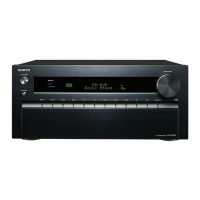
PR-SC5530
AV CONTROLLER
Basic Manual
Advanced Manual found here
http://www.onkyo.com/manual /prsc55 30 /adv/en.html
E
n

Table of Contents

Questions and Answers

  • T
    tracirussoAug 9, 2025
    Why is there no sound coming from my Onkyo Media Player?
    • M
      michelle38Aug 9, 2025
      If your Onkyo Media Player isn't producing any sound or the sound is very quiet, ensure that you've selected the correct input. Also, verify that muting is not enabled. Keep in mind that not all listening modes utilize every speaker.
  • N
    nicholashardyAug 13, 2025
    What to do if there is no picture on my Onkyo Media Player?
    • J
      Jeremy BergerAug 13, 2025
      If you're not getting a picture on your Onkyo Media Player, it could be due to several reasons. Make sure the correct input selector button is selected. Note that video isn't displayed in Pure Audio listening mode. To display video while the unit is in standby, enable the HDMI Through function. If the TV image is blurry, keep the TV antenna cable separate from the unit's cables. If you're using a player that supports HDCP2.2, connect it to the HDMI IN3 jack and connect the TV to the HDMI OUT MAIN jack.
  • M
    Meredith MoralesAug 19, 2025
    How to fix HDMI control on Onkyo Media Player?
    • J
      joseph25Aug 19, 2025
      If HDMI control isn't working correctly on your Onkyo Media Player, make sure the CEC link function is turned on. Also, you need to enable the HDMI linked system setting on your TV.
  • V
    Vanessa WilliamsAug 23, 2025
    Why is my Onkyo Media Player remote not working?
    • B
      Brent RodriguezAug 25, 2025
      If your Onkyo Media Player's remote controller isn't working, be sure to press RECEIVER first before using the remote.
  • M
    mezasteveAug 28, 2025
    Why does my Onkyo Media Player turn off by itself?
    • H
      hallmarissaAug 28, 2025
      If the Onkyo Media Player turns off unexpectedly, it might be because the Auto Standby feature is enabled and has been activated, causing the unit to enter standby mode automatically.
  • B
    Brandon JohnsSep 3, 2025
    What to do if there is no sound in Multi-Zone on Onkyo Media Player?
    • T
      Tracy BishopSep 3, 2025
      If there's no sound when using the Multi-Zone function on your Onkyo Media Player, connect CD players or similar devices without HDMI output jacks to the analog audio input jacks. Multi-zone output is not possible with only digital optical or coaxial cable connections. In case of analog connections, you may need to adjust the analog audio output settings on the player.

Summary

ONKYO PR-SC5530 AV CONTROLLER

Basic Manual

Provides initial setup and basic operation guidance for the AV controller.

Before Start

How to Use the Remote Controller

Provides instructions on installing batteries and operating the remote controller.

Step 1: Connections

1 Connecting the TV and Players

Details how to connect the TV and various audio/video playback devices using HDMI.

Connecting Components without HDMI

Guides users on connecting devices that lack HDMI ports using available analog and digital connections.

2 Connecting Speakers

Provides instructions and diagrams for connecting various speaker configurations, including Dolby Atmos.

Connecting a Subwoofer with Built-in Power Amplifier

Explains how to connect subwoofers with internal amplifiers via RCA or XLR.

Step 2: Setting Up

2 Making the Initial Setup with the Setup Wizard

Guides through the automated setup wizard for initial configuration.

1 st Step: AccuEQ Room Calibration

Details the first phase of setup: automatic room and speaker calibration.

2. After Placing the Microphone at the Measurement Position...

Continues the setup process after microphone placement.

4 th Step: Network Connection

Covers connecting the unit to a network for internet services.

Exiting the Setup Wizard

Instructions on how to finish and exit the initial setup wizard.

Step 3: Playing Back

1 Playing the Player and TV

Guides on playing content from connected players and the TV.

Listening Modes

Explains the various selectable listening modes and their suitability for different content types.

4 Using the Home Menu

Accesses advanced setup, Internet radio, and DLNA services via the HOME menu.

5 Using Quick Setup Menu

Provides quick access to frequently used settings like input selection and volume.

6 Using the Multi-Zone Function

Explains how to enjoy audio and video in separate rooms simultaneously.

c. Connecting an Integrated Amplifier in a Separate Room

Connecting an amplifier to PRE/LINE OUT ZONE 2/3 jacks for separate room audio.

Troubleshooting

The AV Controller Turns Off Unexpectedly.

Troubleshooting steps for the unit shutting off automatically.

There’s No Sound, or It’s Very Quiet.

Steps to resolve issues with no or low audio output.

There’s No Picture.

Troubleshooting steps for when no video is displayed.

HDMI Control Does Not Function Correctly.

Steps to resolve issues with HDMI control or CEC link functionality.

The Remote Controller Does Not Work.

Troubleshooting tips for a non-functional remote controller.

There Is No Sound When Multi-Zone Function Is Used.

Resolving sound issues specifically when the multi-zone function is active.

Cannot Access to Network.

Steps to troubleshoot problems accessing the network or internet services.

Bluetooth

Troubleshooting common Bluetooth connection and playback problems.

Resetting the Unit

Instructions for resetting the unit to its factory default settings.

How to Reset:

Details the specific button presses required to reset the unit.

How to Reset the Remote Controller:

Steps to reset the remote controller to its default state.

Specifications

Amplifier Section

Technical specifications related to the unit's amplifier performance and capabilities.

Video Section

Technical specifications related to the unit's video processing and output capabilities.

Precautions

Onkyo PR-SC5530 Specifications

General IconGeneral
TypeAV Receiver
CategoryMedia Player
Audio Channels11.2
HDMI Inputs8
HDMI Outputs2
4K SupportYes
Dolby AtmosYes
DTS:XYes
THX CertifiedYes
Network CapabilityYes
Network StreamingYes
Wi-FiYes
BluetoothYes
USBYes
Frequency Response5Hz-100kHz
InputsHDMI
OutputsHDMI
Dimensions435 x 198.5 x 463.5 mm
Weight22 kg

Related product manuals