EasyManua.ls Logo

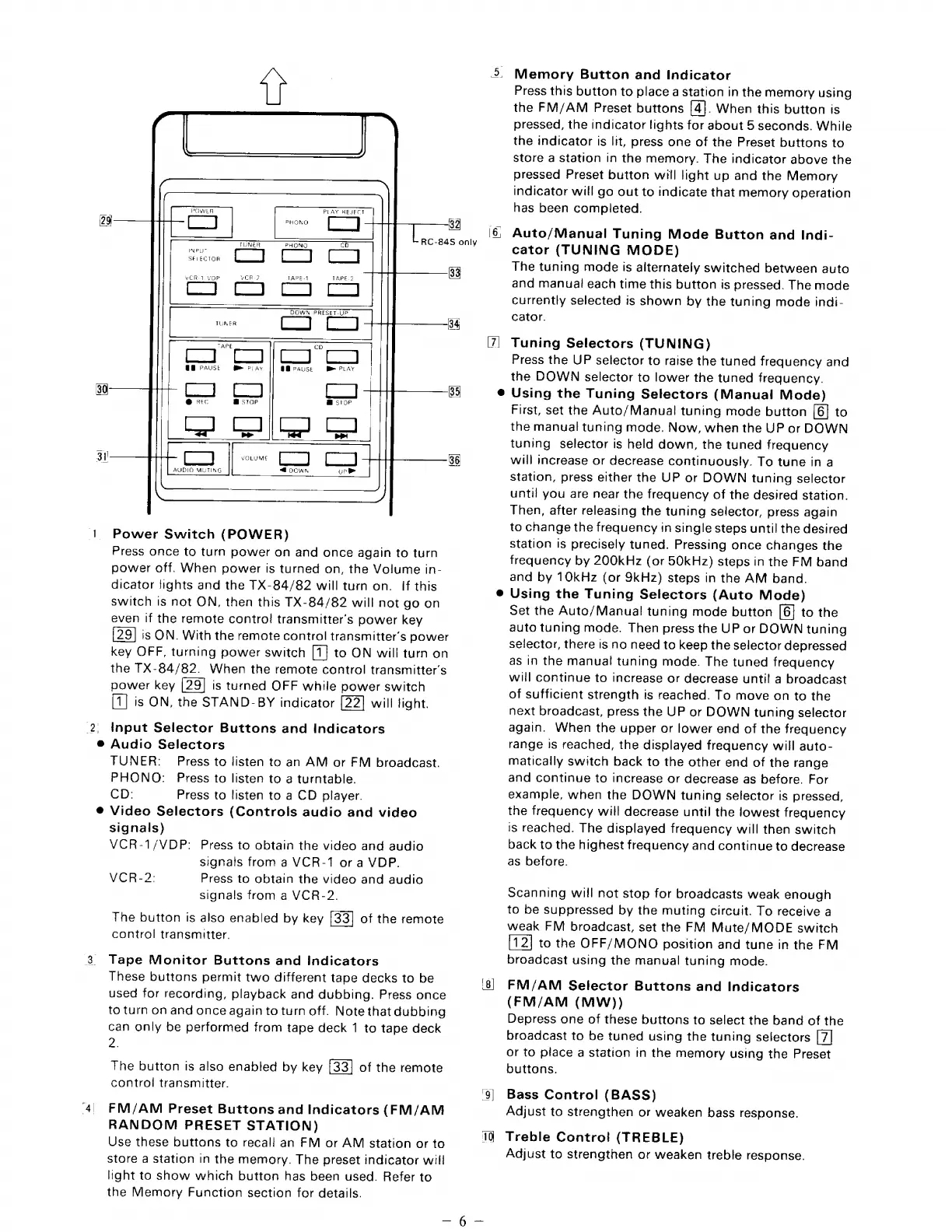
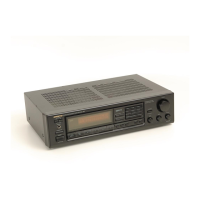
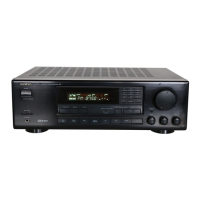
Onkyo TX-84 - 1 Power Switch (POWER); 2 Input Selector Buttons and Indicators; 3 Tape Monitor Buttons and Indicators; 4 FM;AM Preset Buttons and Indicators (FM;AM RANDOM PRESET STATION)

Onkyo TX-84
14 pages
Print Icon
To Next Page IconTo Next Page
To Previous Page IconTo Previous Page
Loading...
1
POWER
PLAY
REJECT
TUNER
PHONO
Co
|
INPUT
SELECTOR
Â¥VCR-1
VOP
VCR?
TAPE-1
TAPE?
DOWN
PRESET-UP
we
CE]
94
TAPE
@B
Pause
Mm
Fay
a)
@
fec
OB
Pause
Be
PLAY
@
stop
Power
Switch
(POWER)
Press
once
to
turn
power
on
and
once
again
to
turn
power
off.
When
power
is
turned
on,
the
Volume
in-
dicator
lights
and
the
TX-84/82
will
turn
on.
If
this
switch
is
not
ON,
then
this
TX-84/82
will
not
go
on
even
if
the
remote
contro!
transmitter’s
power
key
is
ON.
With
the
remote
control
transmitter’s
power
key
OFF,
turning
power
switch
[1]
to
ON
will
turn
on
the
TX-84/82.
When
the
remote
control
transmitter’s
power
key
is
turned
OFF
while
power
switch
is
ON,
the
STAND-BY
indicator
will
light.
input
Selector
Buttons
and
Indicators
Audio
Selectors
TUNER:
Press
to
listen
to
an
AM
or
FM
broadcast.
PHONO:
Press
to
listen
to
a
turntable.
CD:
Press
to
listen
to
a
CD
player.
Video
Selectors
(Controls
audio
and
video
signals)
VCR-1/VDP:
Press
to
obtain
the
video
and
audio
signals
from
a
VCR-1
or
a
VDP.
Press
to
obtain
the
video
and
audio
signals
from
a
VCR-2.
The
button
is
also
enabled
by
key
of
the
remote
control
transmitter.
VCR-2:
Tape
Monitor
Buttons
and
Indicators
These
buttons
permit
two
different
tape
decks
to
be
used
for
recording,
playback
and
dubbing.
Press
once
to
turn
on
and
once
again
to
turn
off.
Note
that
dubbing
can
only
be
performed
from
tape
deck
1
to
tape
deck
2.
The
button
is
also
enabled
by
key
of
the
remote
control
transmitter.
FM/AM
Preset
Buttons
and
Indicators
(FM/AM
RANDOM
PRESET
STATION)
Use
these
buttons
to
recall
an
FM
or
AM
station
or
to
store
a
station
in
the
memory.
The
preset
indicator
will
light
to
show
which
button
has
been
used.
Refer
to
the
Memory
Function
section
for
details.
3)
Memory
Button
and
Indicator
Press
this
button
to
place
a
station
in
the
memory
using
the
FM/AM
Preset
buttons
[4].
When
this
button
is
pressed,
the
indicator
tights
for
about
5
seconds.
While
the
indicator
is
lit,
press
one
of
the
Preset
buttons
to
store
a
station
in
the
memory.
The
indicator
above
the
pressed
Preset
button
will
light
up
and
the
Memory
indicator
will
go
out
to
indicate
that
memory
operation
has
been
completed.
Auto/Manual
Tuning
Mode
Button
and
Indi-
cator
(TUNING
MODE)
The
tuning
mode
is
alternately
switched
between
auto
and
manual
each
time
this
button
is
pressed.
The
mode
currently
selected
is
shown
by
the
tuning
mode
indi-
cator.
Tuning
Selectors
(TUNING)
Press
the
UP
selector
to
raise
the
tuned
frequency
and
the
DOWN
selector
to
lower
the
tuned
frequency.
Using
the
Tuning
Selectors
(Manual
Mode)
First,
set
the
Auto/Manual
tuning
mode
button
[6]
to
the
manual
tuning
made.
Now,
when
the
UP
or
DOWN
tuning
selector
is
held
down,
the
tuned
frequency
will
increase
or
decrease
continuously.
To
tune
in
a
station,
press
either
the
UP
or
DOWN
tuning
selector
until
you
are
near
the
frequency
of
the
desired
station.
Then,
after
releasing
the
tuning
selector,
press
again
to
change
the
frequency
in
single
steps
until
the
desired
station
is
precisely
tuned.
Pressing
once
changes
the
frequency
by
200kHz
(or
50kHz)
steps
in
the
FM
band
and
by
10kHz
(or
9kHz)
steps
in
the
AM
band.
Using
the
Tuning
Selectors
(Auto
Mode)
Set
the
Auto/Manual
tuning
mode
button
[6]
to
the
auto
tuning
mode.
Then
press
the
UP
or
DOWN
tuning
selector,
there
is
no
need
to
keep
the
selector
depressed
as
in
the
manual
tuning
mode.
The
tuned
frequency
will
continue
to
increase
or
decrease
until
a
broadcast
of
sufficient
strength
is
reached.
To
move
on
to
the
next
broadcast,
press
the
UP
or
DOWN
tuning
selector
again.
When
the
upper
or
tower
end
of
the
frequency
range
is
reached,
the
displayed
frequency
will
auto-
matically
switch
back
to
the
other
end
of
the
range
and
continue
to
increase
or
decrease
as
before.
For
example,
when
the
DOWN
tuning
selector
is
pressed,
the
frequency
will
decrease
until
the
lowest
frequency
is
reached.
The
displayed
frequency
will
then
switch
back
to
the
highest
frequency
and
continue
to
decrease
as
before.
Scanning
will
not
stop
for
broadcasts
weak
enough
to
be
suppressed
by
the
muting
circuit.
To
receive
a
weak
FM
broadcast,
set
the
FM
Mute/MODE
switch
to
the
OFF/MONO
position
and
tune
in
the
FM
broadcast
using
the
manual
tuning
mode.
FM/AM
Selector
Buttons
and
Indicators
(FM/AM
(MW))
Depress
one
of
these
buttons
to
select
the
band
of
the
broadcast
to
be
tuned
using
the
tuning
selectors
or
to
place
a
station
in
the
memory
using
the
Preset
buttons.
Bass
Control
(BASS)
Adjust
to
strengthen
or
weaken
bass
response.
Treble
Contro!
(TREBLE)
Adjust
to
strengthen
or
weaken
treble
response.

Related product manuals