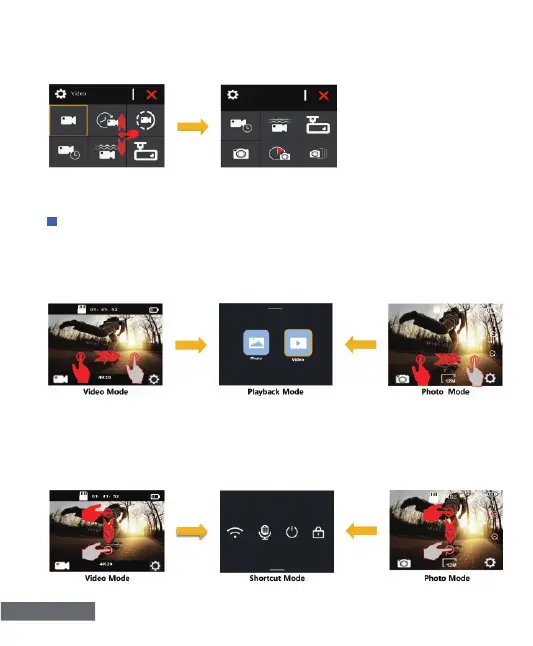
To turn page, please swipe up or down on the screen as shown
below:
To exit, tap “X” icon.
English-4
1)Verify the camera is in Video Mode or Photo Mode, quickly swipe
right on the touch screen to enter Playback Mode, as shown below:
To exit Playback Mode, quickly swipe down on the screen.
2)Verify the camera is in Video Mode or Photo Mode,quickly swipe
down on the touch screen to switch to the Shortcut Mode, as shown
below:
To exit Shortcut Mode, quickly swipe up on the screen.
QUICK OPERATION GUIDE


 To Next Page