VIDEO SETTING
Verify the camera is in Video Mode or Photo Mode, tap the setting
icon on the bottom right corner of the screen, then swipe up or down
to cycle through the various option and tap the desired option,or
press Up Button or Down Button to cycle through the various option
and press Shutter Button to select the desired option.
English-5
CUSTOMIZING YOUR CAMERA
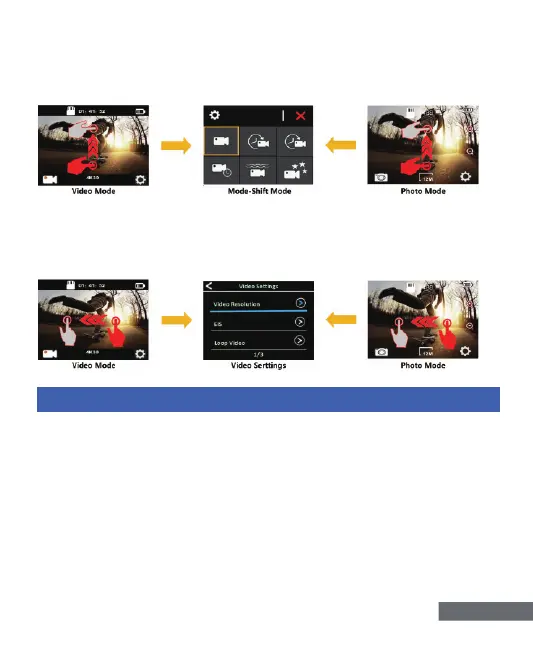
3)Verify the camera is in Video Mode or Photo Mode,Quickly swipe
up on the screen to switch to the Mode Shift Mode, as shown below:
to exit, tap the icon “X”on the top right corner of the screen
4)Verify the camera is in Video Mode or Photo Mode: Swipe left
quickly on the touch screen to switch fast to the Video Settings or
Photo Settings, as shown below:


 To Next Page