• If you want to use TL Duration, please turn on Time Lapse Photo
interval first.
• If use Burst Photo function, Time Lapse Photo,TL Duration and
Long Exposure will not be available automatically.
Note:
• Snorkeling mode provides color correction while capturing footage
in blue water or clear freshwater at depths of 5 to 33ft (1.5 to 10m)
• Snow mode can suppress overexposure in high-brightness environ-
ments such as snow field or beach.
• If the battery is removed from the camera for an extended period of
time, the date and time will be reset automatically.
• Software version is the main information of firmware upgrade, trouble-
shooting and after-sales. If necessary, please provide the software
version information to our after-sales team so that we can serve you in
time.
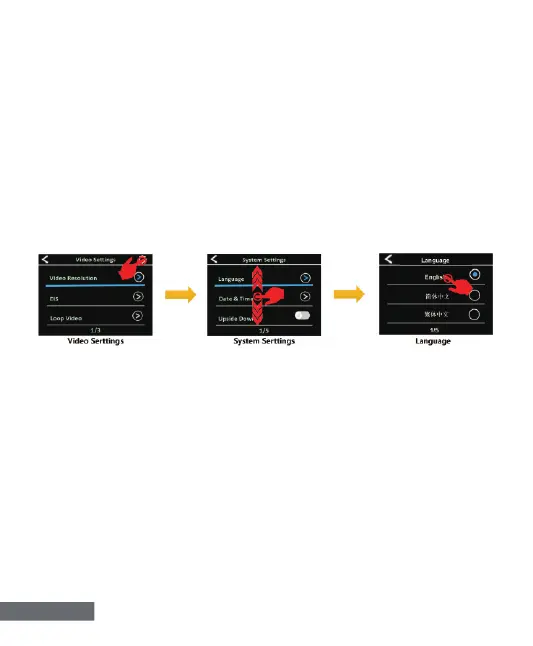
SYSTEM SETTING
Verify the camera is in Video Settings or Photo Settings, tap the
setting icon on the upper right corner of the screen to System
Setting, then swipe up or down to cycle through the various option
and tap the desired option,or use Up Button or Down Button to cycle
through the various option and press Shutter Button to select the
desired option.
English-8


 To Next Page