12
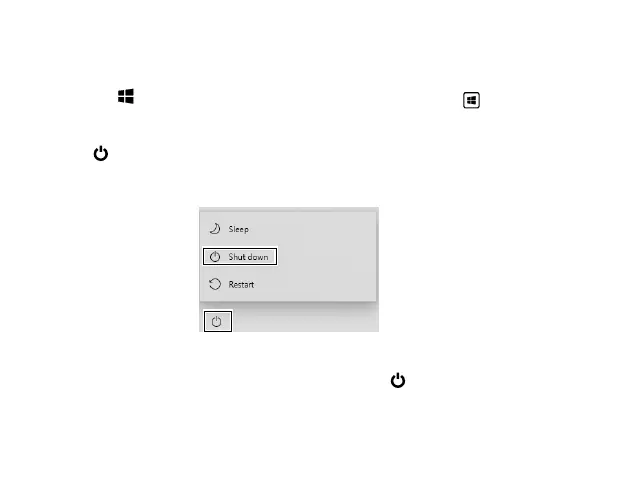
1. a: In PC mode:
Tap the
icon in the lower-left corner of the screen or click Start key on the
keyboard to go to the Start menu.
b: In Tablet mode:
2. Tap
Power icon in the lower-left corner of the screen
, it will display 3 options
(Sleep, Shut down and Restart).
3.
Select Shut down to power the Laptop o.
Turning o your Laptop
NOTE
• Save all data before turning your Laptop o.
•
If your
Laptop
is unresponsive, press and hold the
Power button until the"Slide
to shut down your PC" message appears, then slide it to the bottom edge of the
display and the
Laptop
will be powered o.
• Press & hold the Power button for 10 seconds to force SHUT DOWN the unit.



 To Next Page