16
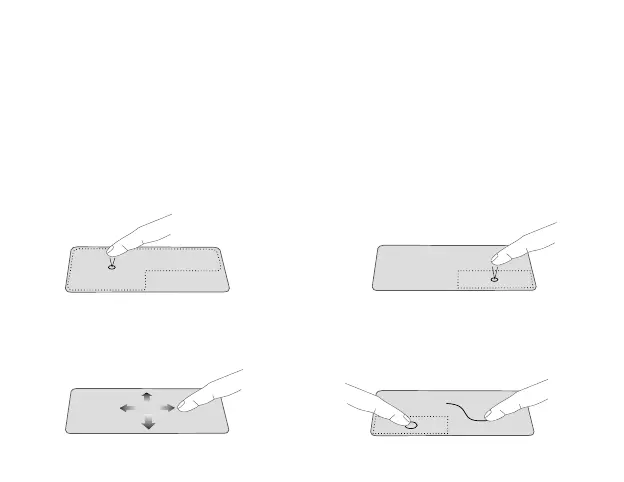
Use the Trackpad to move the cursor or select an item. The left and right buttons
of the Trackpad act the same as the left and right buttons of a mouse.
Slide your finger on the Trackpad to
move the cursor.
Moving
Using the Trackpad
• In the Start menu, click an app to
launch it.
• On the File Explorer desktop, double
click an application to launch it.
Left-click Right-click
• In the Start menu, click an app to
select it and launch the Setting bar.
• On the File Explorer desktop, click an
application to open the right-click
menu.
Press and hold the left button. Select an
item using your other finger then drag
and drop it to a new position.
Dragging and dropping



 To Next Page