8
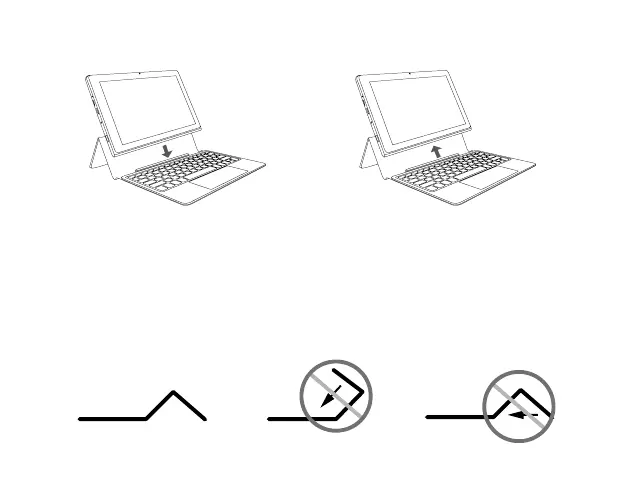
The keyboard connects to the Laptop via the Connector. When the connection is
successful:
• If the unit is in PC mode, it will automatically adjust its settings to use the keyboard.
• If the unit is in Tablet mode, the message box "Do you want to exit tablet mode?"
will display on the bottom of the screen. Choose "Yes" or "No" to proceed.
Notes for the folio keyboard
Laptop docking / undocking
DO NOT force
forward
DO NOT force
backward



 To Next Page