4
Short press Button to stop the video recording. Then the Blue Indicator
will illuminate. If there is no activity for 1 minute, the unit will power off and
retain some charge.
If without the Micro SD Card, the unit will be automatically powered on. The
Blue and Red Indicator will illuminate. Then the Blue Indicator will turn off.
The Red Indicator will keep blinking. When finished charging, the Red
Indicator will stop blinking and illuminate.
3.
Before first time use, charge it approximately 30 minutes until the unit is fully
charged.
NOTES:
If there is no activity for 1 minute, the unit will power off automatically.
When the battery runs out, the Blue Indicator will blink five times then turn off.
The unit will power off.
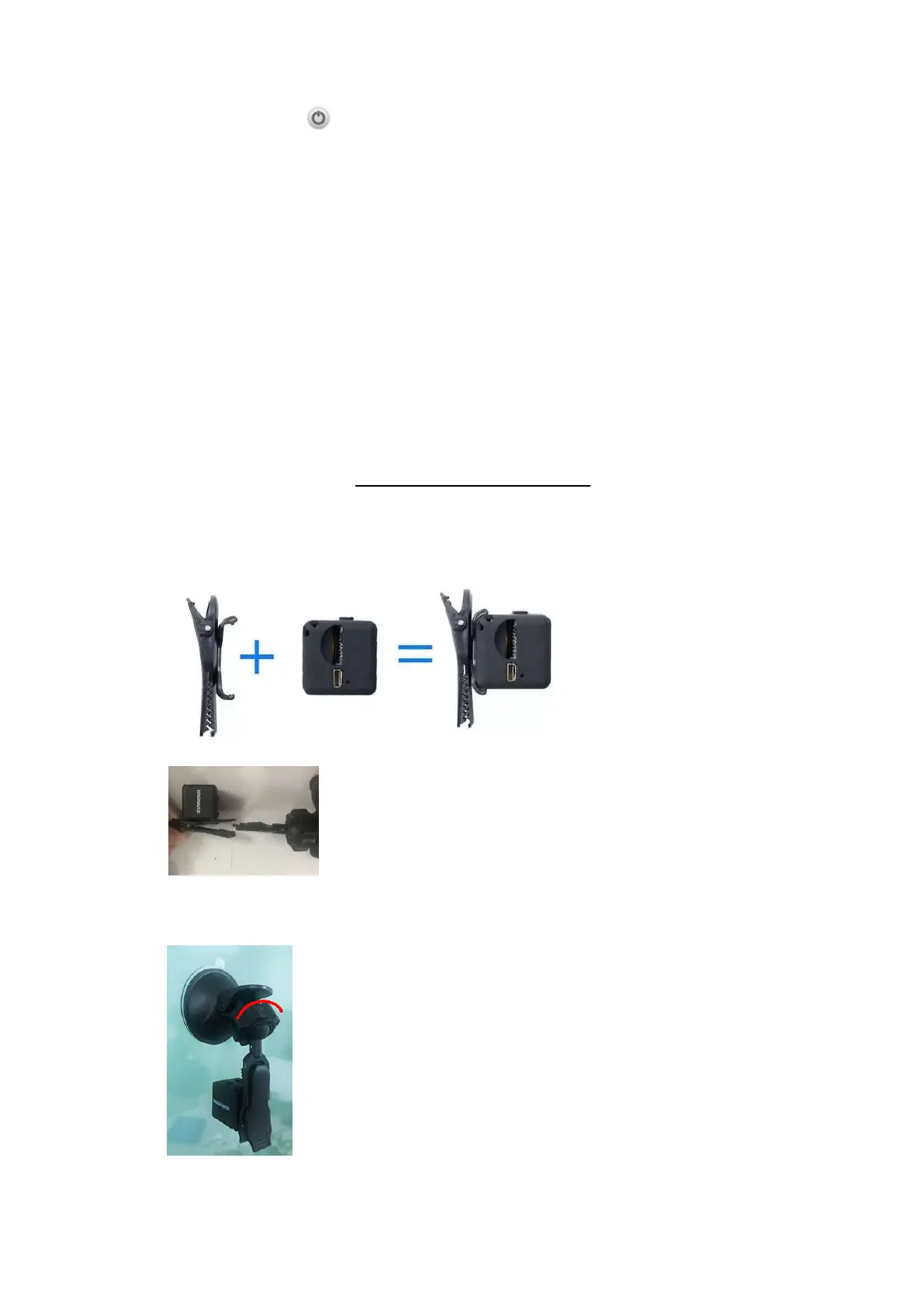
SUCTION CUP MOUNTING
To use the unit as a Car Dash Cam, mount the supplied Suction Cup in your car as
illustrated below:
1.
Install the Camera Clip to the unit as illustrated below:
2. Install the Camera Clip to the Suction Cup as illustrated below:
3.
Push the Suction Cup on your windshield (or any smooth surface) then press
the Knob on the Suction Cup to lock it as illustrated below:
December 31, 2019_V1



 To Next Page