3
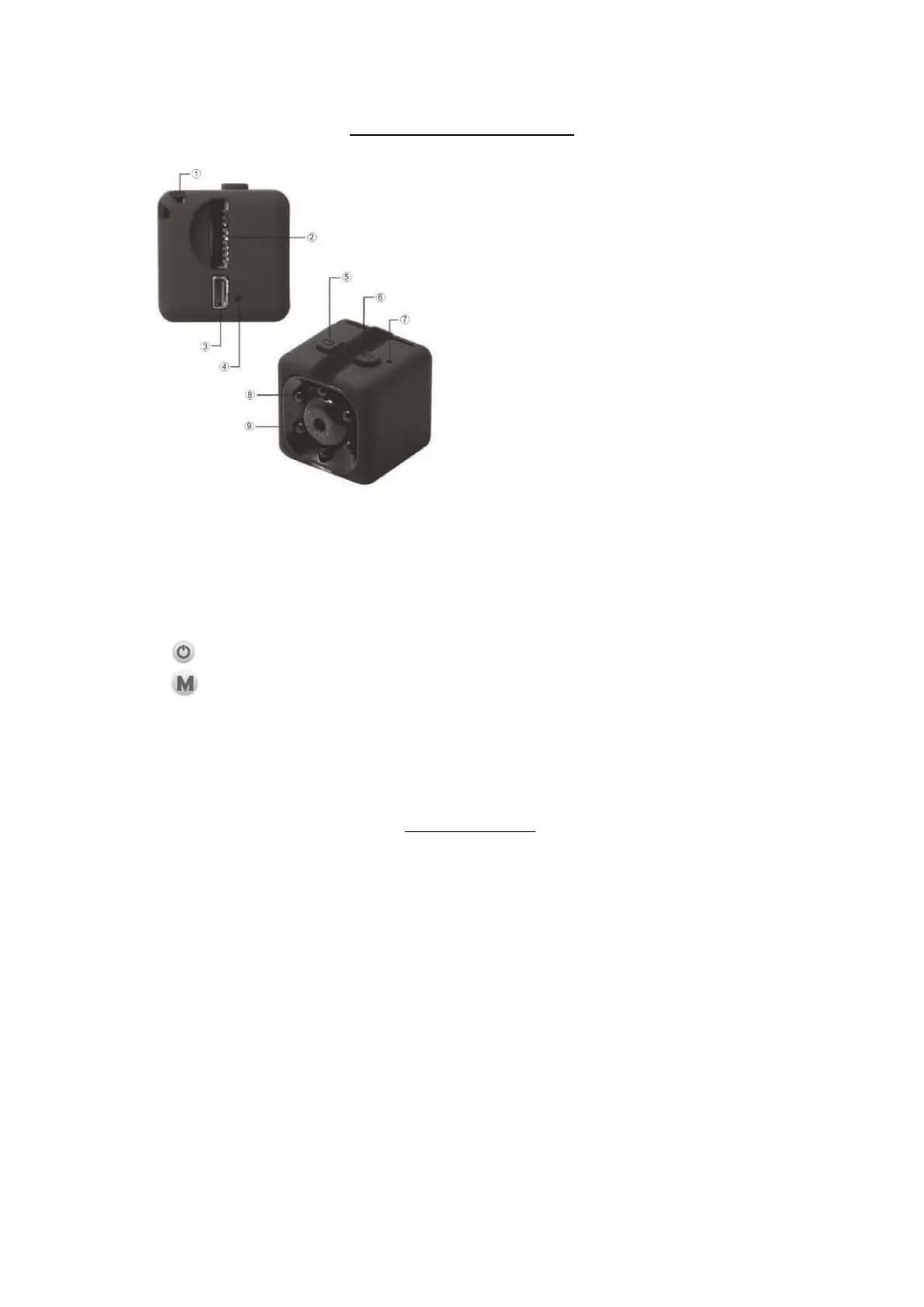
LOCATIONS OF CONTROLS
1. Sling Position
2. Micro SD Card Slot
3. Mini USB Port
4. Reset Button
5. Power Button
6. Button
7. Indicator
8. Infrared LED
9. Lens
PREPARATION
BATTERY OPERATION:
The unit has a built-in 3.7V Li-ion rechargeable battery. This battery allows
approximately 35 minutes for video recording.
To charge the built-in battery:
Via Personal Computer or USB Charger
1.
Connect the Mini USB Plug from the supplied USB Connection Cable to the Mini
USB Port on the unit.
2. Connect the full size USB Plug on the cable to the USB Port on any Personal
Computer or USB Charger (not included). Then:
If the Micro SD Card is inserted to the unit, the unit will be automatically
powered on and enter to record mode.The Blue and Red Indicator will
illuminate. Then the Red Indicator will turn off. The Blue Indicator will blink.
December 31, 2019_V1



 To Next Page