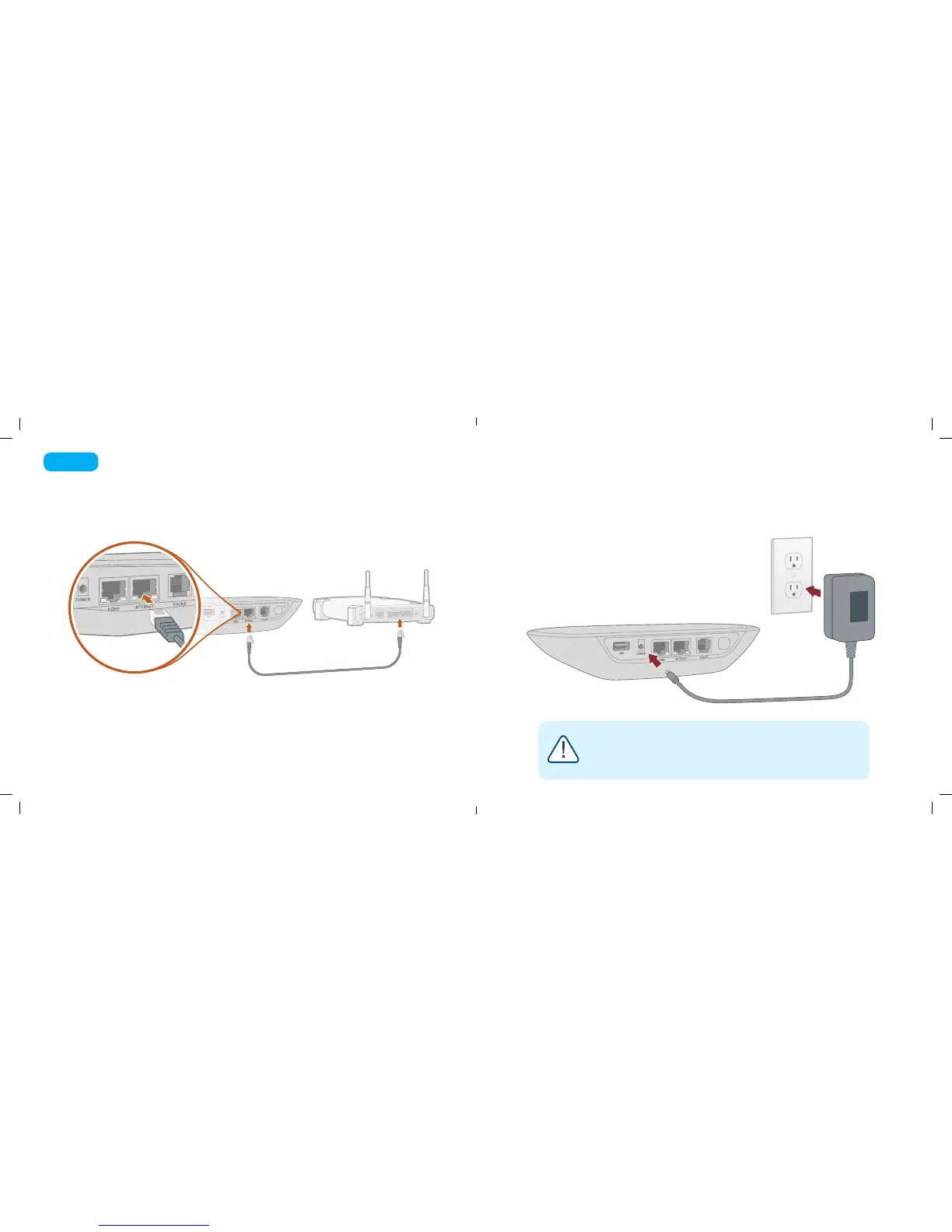
Use the provided Ethernet cable to connect the INTERNET port of the
Base Station to an open Ethernet port on your router.
Plug the provided AC adapter into the POWER port on the back of the Base Station. It is normal for
the lights on the Base Station to blink for a couple of minutes while it boots up. The Ooma logo will
light up blue once the device is ready to be used.
Connect Base Station to Your Router and Power It On
Step 3
6 7
If your Base Station needs a software upgrade, the Ooma logo will blink purple while
it is downloading the newest version. This may take 5-10 minutes.
Do not unplug the Base Station while it is upgrading. It will automatically reboot
after the upgrade is done.
Power
Outlet
Ooma-HomeSecQSG-700-0198-100-Oct2018-R4.indd 7-8 10/9/18 2:28 PM


 To Next Page