6
installing the ooma hub
3
Choose the example below that best matches your situation:
If you’re not sure whether you have DSL or Cable, ask yourself this: Who do I pay for High-Speed Internet Service?
If you pay your phone company, you have DSL.
If you pay your cable television provider, you have CABLE.
Skip this step if you are using ooma without a landline AND will not use an ooma Scout device. SKIP TO PAGE 7
See the GETTING STARTED and CONNECTING THE OOMA HUB TO YOUR PHONE SYSTEM section of the User Guide if
you are not sure which version you have (landline or non-landline) or if you need help selecting among the choices below.
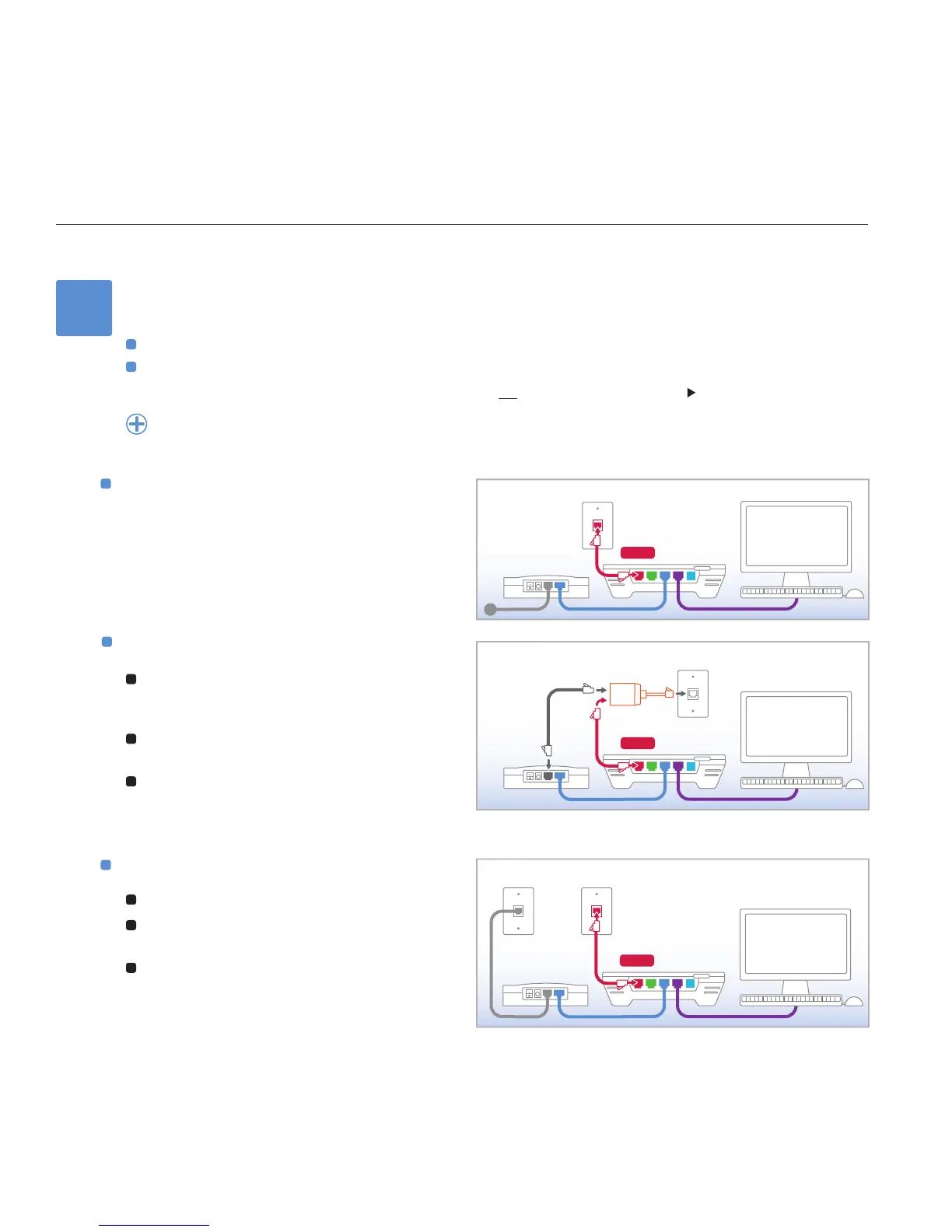
Cable or ber-optic internet
Use the long phone cable provided and connect the
port labeled WALL on the ooma Hub to the phone jack
in the wall.
DSL & phone on the same line
1
Plug the ooma splitter provided directly into the
phone jack in the wall. UNPLUG and REMOVE any
existing DSL lters or splitters.
2
Connect your DSL modem to one port of the ooma
splitter using the original DSL modem phone cable.
3
Use the long phone cable provided and connect the
port labeled WALL on the ooma Hub to the other
port of the ooma splitter.
DSL & phone on separate lines
1
Leave your DSL modem connected as is.
2
UNPLUG and REMOVE any existing DSL lters or
splitters on your phone line (not your DSL line).
3
Use the long phone cable provided and connect the
port labeled WALL on the ooma Hub to the phone
jack in the wall (not your DSL jack).



 To Next Page