5
installing the ooma hub
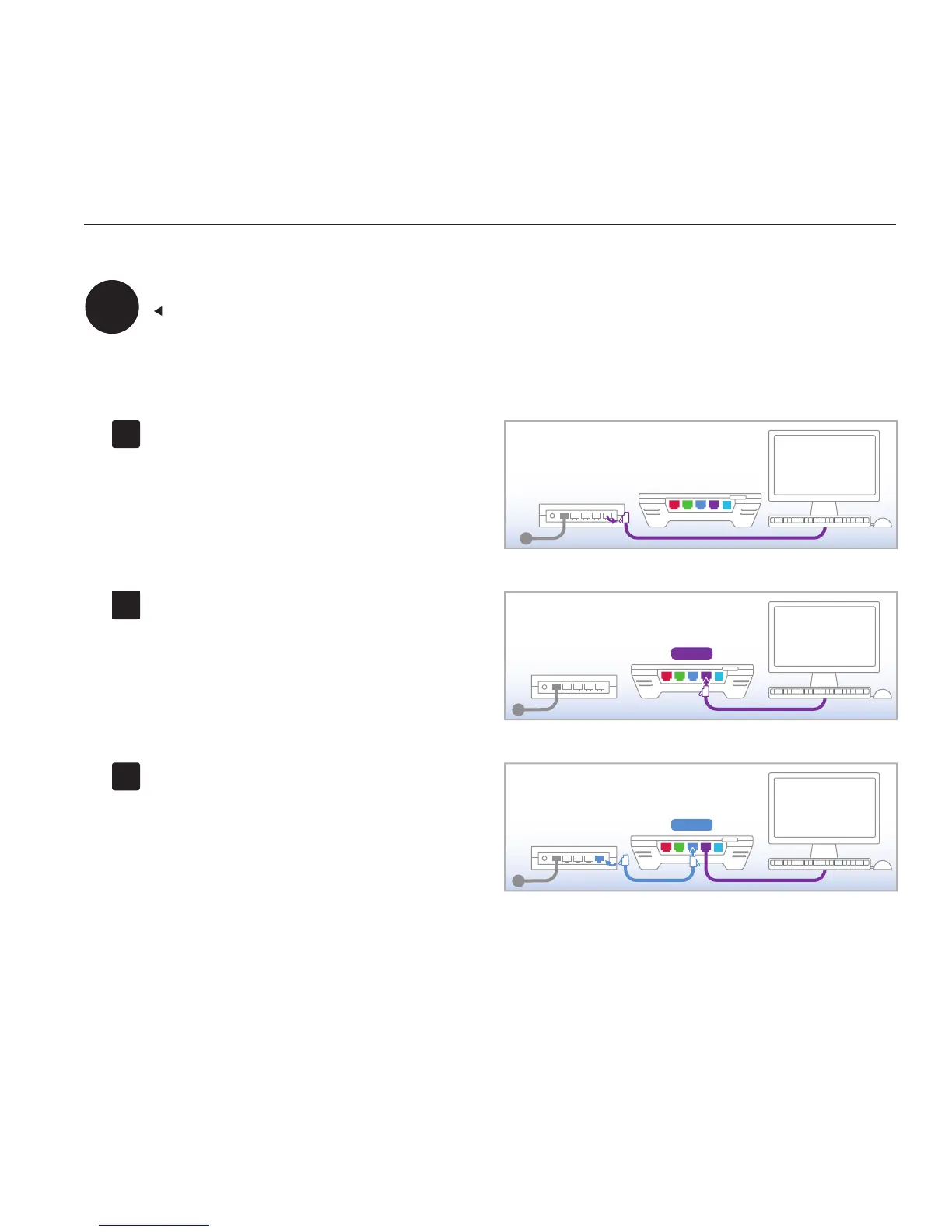
Disconnect the existing cable
Unplug the existing ethernet cable from your router.
This is the cable that connects the router to a
computer.
Reconnect to the ooma Hub
Plug the existing ethernet cable into the port labeled
HOME on the ooma Hub.
Connect to the router
Use the ethernet cable provided and connect the
port labeled MODEM on the ooma Hub to an open
ethernet port on the router.
Integrated router (with built-in modem)
CONTINUED FROM PAGE 2
If your computers connect wirelessly to your router or you have an advanced networking conguration and do not want to
connect devices behind the ooma Hub, skip to step C3.



 To Next Page