EasyManua.ls Logo

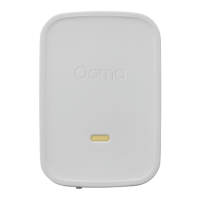
ooma Siren - User Manual

ooma Siren
13 pages
Print Icon
To Next Page IconTo Next Page
Loading...
Quick Start Guide
700-0179-100
Ooma-Siren-QSG_EN_FR 2018-Feb-14-R3.indd 1 2/20/18 5:31 PM
Question and Answer IconNeed help?

Do you have a question about the ooma Siren and is the answer not in the manual?

Summary

System Requirements

Installation and Setup

Step 1: Install the App

Guide to downloading and installing the Ooma Home Security mobile app and initial login.

Step 2: Plug In Your Siren

Instructions for connecting the Ooma Siren device to a power outlet.

Alarm and Status Light Indicators

Safety Information

General Safety Precautions

Provides essential safety guidelines for using the Ooma Siren and related equipment.

Electrical Safety Guidelines

Covers warnings related to electrical storms, outlets, and cord safety.

Device Handling and Environmental Precautions

Advises on proper device placement, cleaning, and avoiding hazardous conditions.

Ooma Home Security System

Summary

System Requirements

Installation and Setup

Step 1: Install the App

Guide to downloading and installing the Ooma Home Security mobile app and initial login.

Step 2: Plug In Your Siren

Instructions for connecting the Ooma Siren device to a power outlet.

Alarm and Status Light Indicators

Safety Information

General Safety Precautions

Provides essential safety guidelines for using the Ooma Siren and related equipment.

Electrical Safety Guidelines

Covers warnings related to electrical storms, outlets, and cord safety.

Device Handling and Environmental Precautions

Advises on proper device placement, cleaning, and avoiding hazardous conditions.

Ooma Home Security System

ooma Siren Specifications

General IconGeneral
TypeSiren
CompatibilityOoma Telo
Volume105 dB
ConnectivityWireless
RangeUp to 300 feet
ColorWhite
Power SourceAC power
Wireless ProtocolDECT

Related product manuals