EasyManua.ls Logo

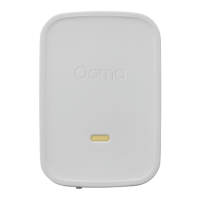
ooma Smart Security Siren - User Manual

ooma Smart Security Siren
14 pages
Print Icon
To Next Page IconTo Next Page
Loading...
Siren
Quick Start Guide
For warranty, safety, and other legal information, visit ooma.com/legal
This device complies with part 15 of the FCC rules. Operation is subject to the follwing two conditions: (1) This device
may not casue harmful interference, and (2) Thsi device must accept any interference received, including interference
that may cause undesired operation.
© 2019 Ooma, Inc. All rights reserved. Patent Pending. Ooma, Ooma Home, Ooma Siren, Ooma Home Security, and the
Ooma logo are trademarks or service marks of Ooma, Inc.
Other company and product names mentioned herein are trademarks of their respective companies. Mention of third-
party products is for informational purposes only and constitutes neither an endorsement nor a recommendation. Ooma
assumes no responsibility with regard to the performance or use of these products. P/N: 700-0179-200
Here is where you can look for help:
Knowledge base: support.ooma.com/home/home-security
Community Forum: forums.ooma.com
Live Customer Care. Speak with a support specialist at 1-877-629-1284
Have a Question or Need Assistance?
Question and Answer IconNeed help?

Do you have a question about the ooma Smart Security Siren and is the answer not in the manual?

Summary

Requirements

Key Features

Details the key physical components of the Ooma Siren device.

Install the App

Guide for downloading and setting up the Ooma Smart Security mobile application.

Siren Setup and Indicators

Plug in your Siren

Connects the Ooma Siren to a power outlet for operation.

Pair your Siren

Connects the Siren device to your Ooma Home Security system via the app.

Alarm and Status Light Indicator Reference

Explains the meaning of different light patterns on the Siren.

System Modes and Safety

Arming System Status

Describes audible and visual indicators for arming grace periods.

Alarm Conditions

Explains indicators and actions for triggered alarms and grace periods.

General Safety Information

Provides crucial safety precautions for using the Ooma Siren device.

System Capabilities

Full Home Protection

Overview of do-it-yourself home security with remote call capabilities.

Summary

Requirements

Key Features

Details the key physical components of the Ooma Siren device.

Install the App

Guide for downloading and setting up the Ooma Smart Security mobile application.

Siren Setup and Indicators

Plug in your Siren

Connects the Ooma Siren to a power outlet for operation.

Pair your Siren

Connects the Siren device to your Ooma Home Security system via the app.

Alarm and Status Light Indicator Reference

Explains the meaning of different light patterns on the Siren.

System Modes and Safety

Arming System Status

Describes audible and visual indicators for arming grace periods.

Alarm Conditions

Explains indicators and actions for triggered alarms and grace periods.

General Safety Information

Provides crucial safety precautions for using the Ooma Siren device.

System Capabilities

Full Home Protection

Overview of do-it-yourself home security with remote call capabilities.

ooma Smart Security Siren Specifications

General IconGeneral
TypeSiren
ConnectivityWireless
Sound Level105 dB
ColorWhite
Power SourceBattery
CompatibilityOoma Smart Security
Weight0.5 lbs
Wireless TechnologyDECT

Related product manuals