65
Requirements
To use your Ooma Siren with your Ooma Home Security
system you need an iOS or Android device and an Ooma
Telo base station.
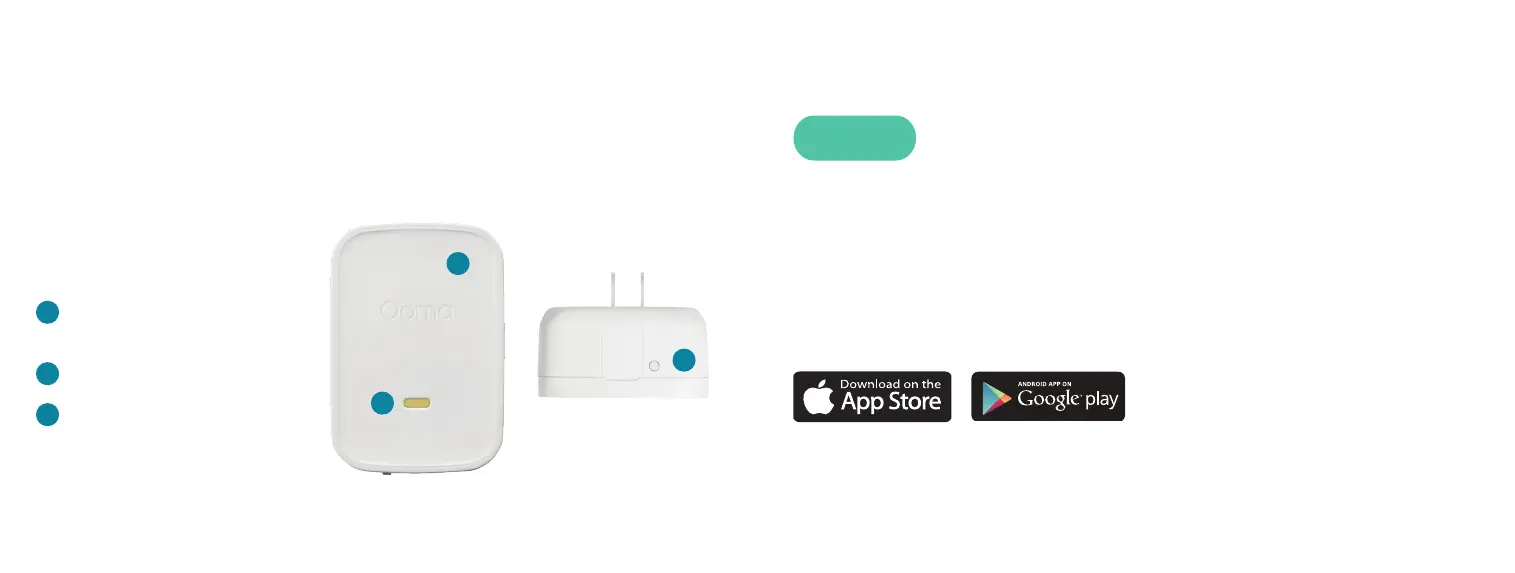
Status indicator light
(hidden)
Speaker port
Pairing button
A
B
C
Download and install the “Ooma Smart Security” on your
iOS or Android device. When the app is installed, log in
using your Ooma phone number and My Ooma password.
If you forgot your password, reset it at: my.ooma.com
Complete the initial setup in the app.
Install the App
STEP 1
Key Features
A
B
C


 To Next Page