Connect Your Phone
STEP 3
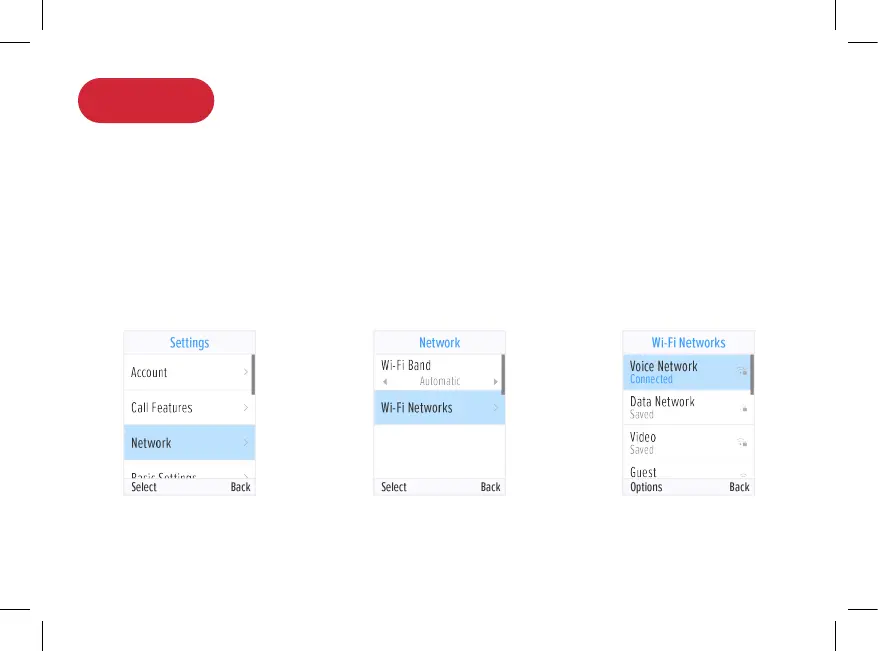
Once the phone is fully charged, press Settings > Network > Wi-Fi Networks.
A list of Wi-FI networks will be displayed.
Select the Wi-Fi network to connect to, enter the Wi-Fi password, then press
Connect. When entering the password, press the # key to change input modes.
For detailed instructions, please visit support.ooma.com/ooma-phone-wi-fi
Once you see your extension name displayed on the screen, your phone is
ready to make and receive calls!
5



 To Next Page