Navigation 41
Starting, cancelling, resuming
route guidance
To start route guidance, enter or
select a destination address 3 35.
Depending on the situation, route
guidance may start automatically, or
you may have to follow some
instructions on the screen.
To cancel route guidance, select
MENU in the navigation main menu
and then select STOP NAVIGATION.
To resume a cancelled route
guidance, select MENU in the
navigation main menu and then
select RESUME GUIDANCE.
Turn list
The next turning manoeuvre is
displayed on the left side of the
screen.
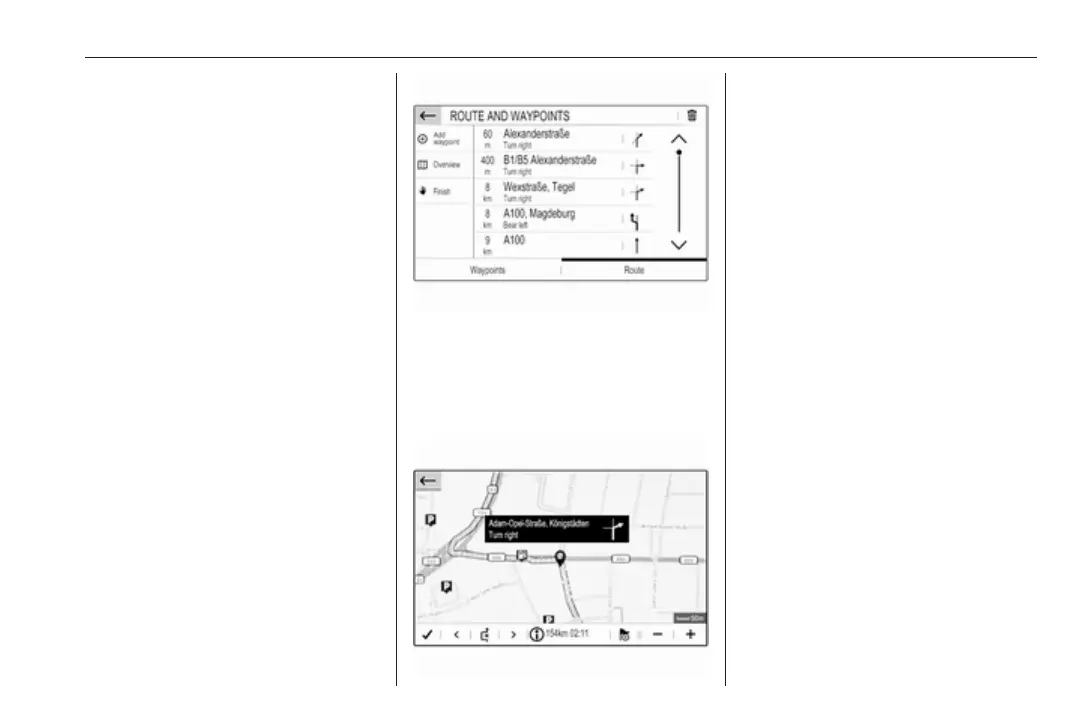
To display a list of all upcoming turns
on the active route, select MENU in
the navigation main menu, select
Route / Waypoints and then select the
Route tab.
To display a turning manoeuvre on
the map, touch the turn arrow icon
next to the desired list entry. The map
jumps to the respective location on
the map.
To display the previous or next
turning manoeuvre on the map, touch
< or >.
To avoid the route section currently
displayed on the map, touch þ.
If desired, further route sections may
be selected to be avoided.
Confirm your selection(s).



 To Next Page