66 Basic operation
Press f or g to adjust the desired
value.
Press OK to confirm the set value.
The cursor then switches to the value
of the next setting. To switch to the
value of another setting, press Y, Z,
f or g. If the values of all settings are
set, select OK on the display and
press OK.
Adjusting a setting
Select the desired setting and press
OK.
Press f or g until the setting is
adjusted as desired.
Select OK on the display and press
OK to confirm the setting.
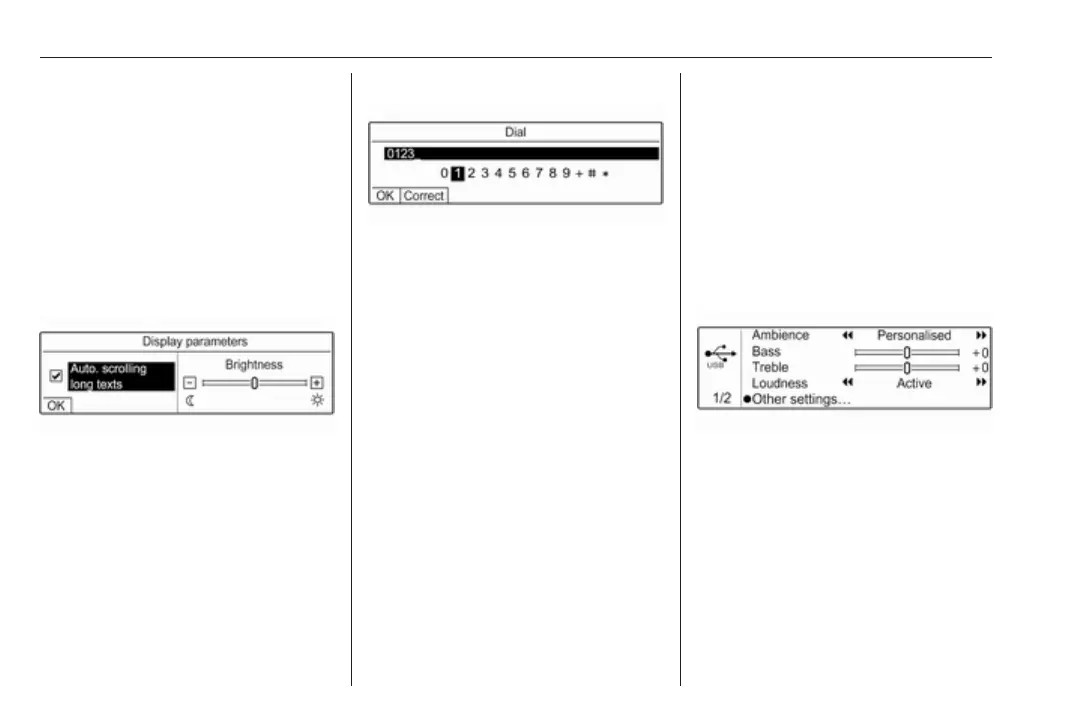
Entering a character sequence
To enter character sequences, e.g.
telephone numbers:
Press f or g to select the desired
character.
Press OK to confirm the selected
character.
The last character in the character
sequence can be deleted by selecting
Correct on the display and pressing
OK.
To change the position of the cursor
in the character sequence already
entered, select the character
sequence and press f or g to move
the cursor to the desired position.
To confirm the character sequence,
press Z to select OK on the display
and then press OK.
Tone and volume settings
In the tone and volume settings
menu, the tone characteristics and
volume settings can be adjusted.
The settings on page 1 can be set
individually for each audio source.
The settings on page 2 are set for all
audio sources.
Press G to open the tone and volume
settings menu.
Press G again to display the second
tone and volume settings page.
Alternatively, select Other settings….
Sound adjustment
To change the sound of the
Infotainment system, select a tone
style or adjust the tone characteristics
manually.



 To Next Page