84 Instruments and controls
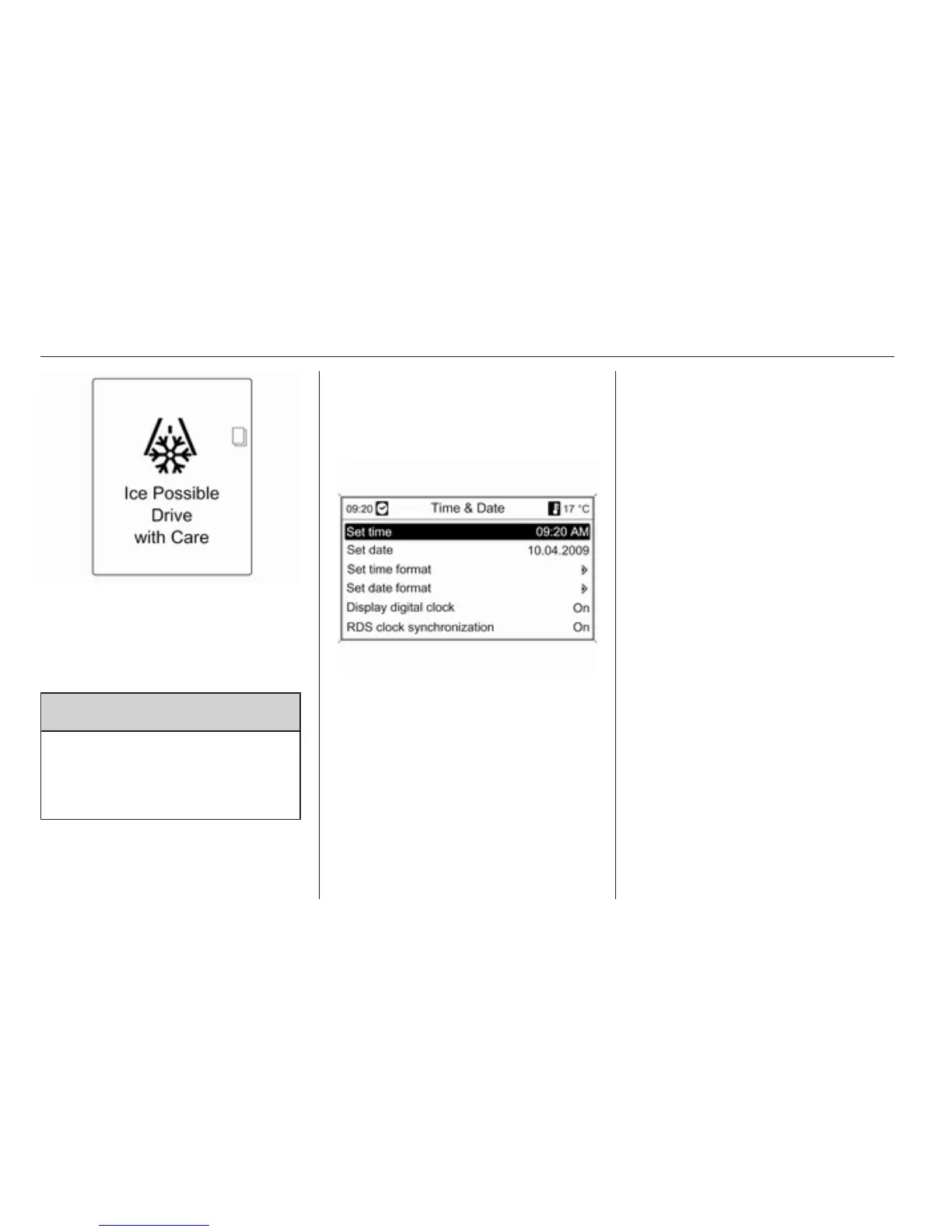
If outside temperature drops to 3 °C,
a warning message is displayed in the
Driver Information Centre with
Uplevel-Display or Uplevel-Combi-
Display.
9 Warning
The road surface may already be
icy even though the display
indicates a few degrees above
0 °C.
Clock
Date and time are shown in the
Info-Display.
Set date and time
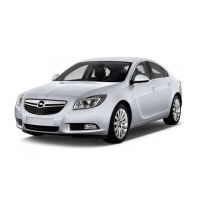
Press the CONFIG button. The menu
Settings is displayed.
Select Time & Date.
Selectable setting options:
■ Set time: Changes the time shown
on the display.
■ Set date: Changes the date shown
on the display.
■ Set time format: Changes
indication of hours between 12
hours and 24 hours.
■ Set date format: Changes
indication of date between MM/DD/
YYYY and DD.MM.YYYY.
■ Display digital clock: Switches on/
off indication of time on the display.
■ RDS clock synchronization: The
RDS signal of most VHF
transmitters automatically sets the
time. RDS time synchronisation
can take a few minutes. Some
transmitters do not send a correct
time signal. In such cases, it is
recommended to switch off
automatic time synchronisation.
Vehicle personalisation 3 112.





 To Next Page