EasyManua.ls Logo

OpenMesh OM5P-AC - Page 34

OpenMesh OM5P-AC
97 pages
To Next Page IconTo Next Page
To Previous Page IconTo Previous Page
Loading...
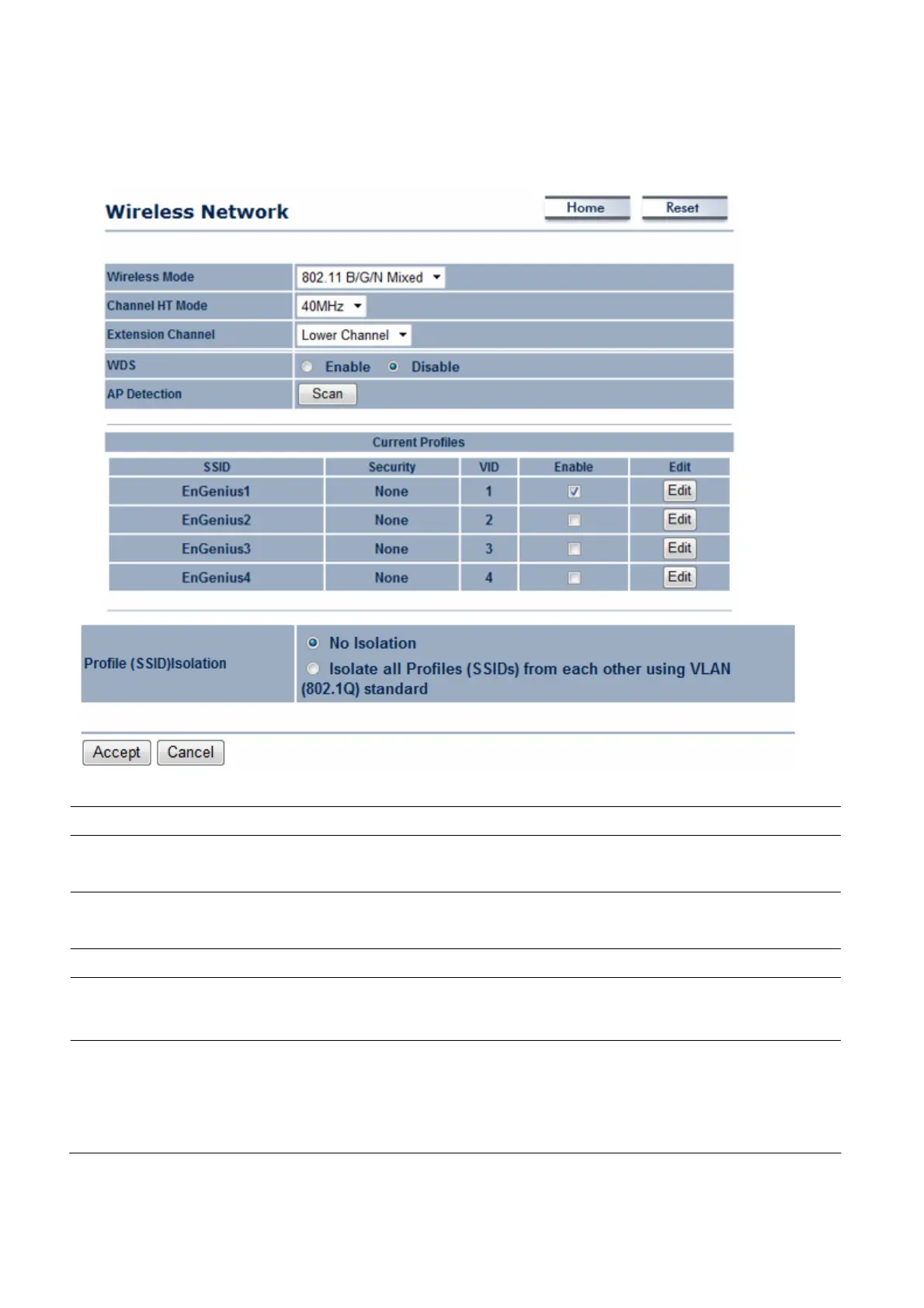
Wireless
Mode
Wireless
mode supports
802.11a/b/g/n/ac
mixed
m
ode
s
.
C
h
a
nn
e
l
HT Mode
The
default channel bandwidth is 40
M
Hz
.
The
larger the
c
ha
nne
l
,
the better the transmission quality and speed.
Extension
C
h
a
nn
e
l
Se
l
e
c
t
upper or lower
c
ha
nne
l
.
Your
selection may affect the
Aut
o
channel
f
unc
t
i
on
.
A
u
t
o
Check
this option to enable auto-channel selection.
AP
D
e
t
e
c
t
i
on
AP
Detection can
s
e
l
e
c
t
the best channel to
use
by scanning
nearby
areas
for
Access
P
oi
nt
s
.
C
u
rr
e
n
t
Profile
Configure up to four different
SSIDs.
If many client
devices
will be
accessing
the
ne
t
w
or
k
,
you can arrange the
devices
into
S
SI
D
gr
ou
ps
.
Click Ed
i
t
to configure the profile and check whether
y
o
u
want to enable extra
SS
I
D
.

Table of Contents