Need Help?
Call our experienced technical support
877-678-3343
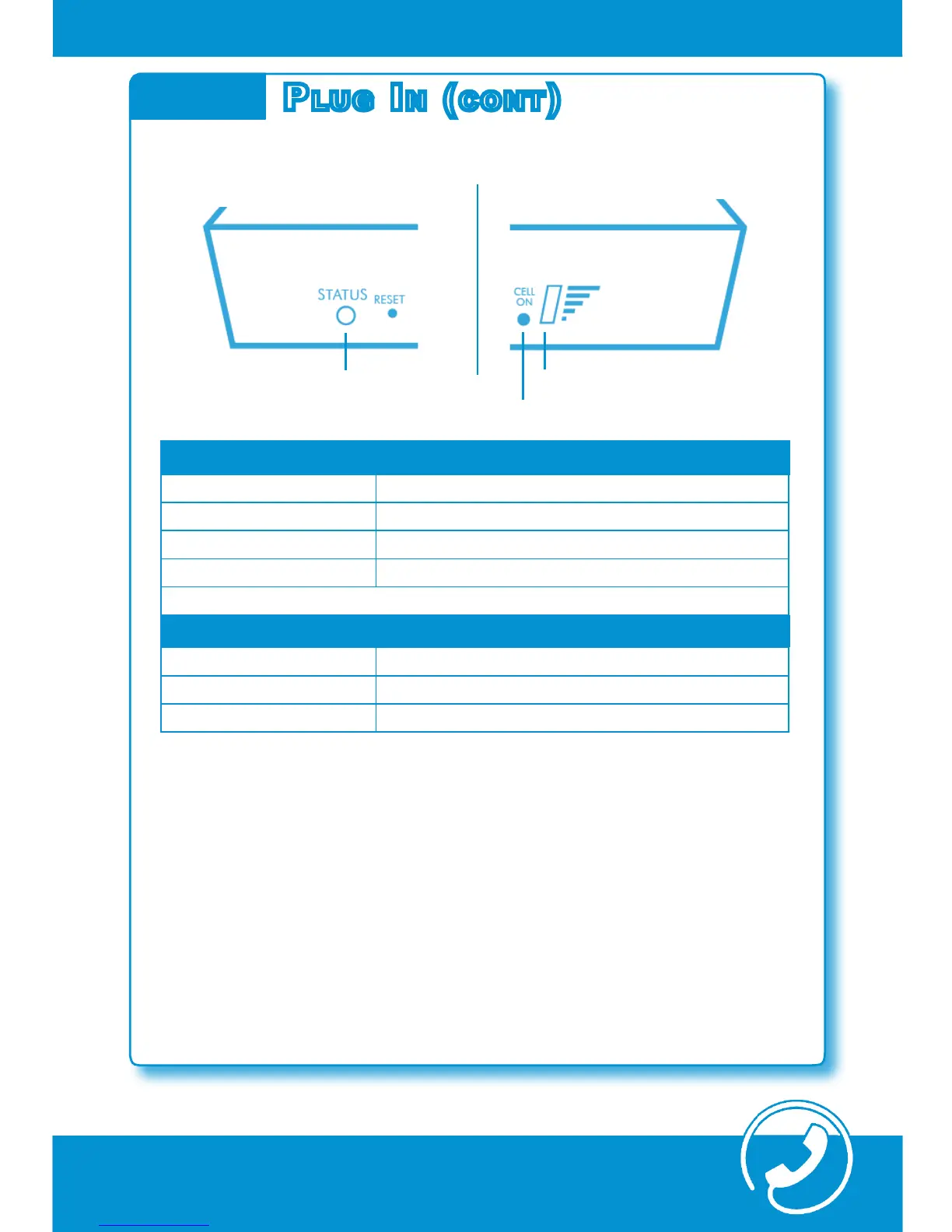
Status Light
Cell On Light
Signal Lights
Need Help?
Call our experienced technical support
877-678-3343
sTeP 2: Plug iN The oPT coNNecT ModeM (coNT) | 7
C. Verify Status Lights
Step 2
Plug iN (coNT)
Status Lights
GREEN Flashing Status is good. Ready for transactions.*
ORANGE Flashing Processing boot-up sequence.
ORANGE Constant Call OptConnect Technical Support 877-678-3343
RED Constant Call OptConnect Technical Support 877-678-3343
Cell On and Signal Lights
GREEN Constant Status is good. Ready for transactions.*
GREEN Flashing Connecting with carrier or Transmitting data.
RED Constant Call OptConnect Technical Support 877-678-3343
The Cell On and Signal Lights will ash green throughout commu-
nication with the host and the carrier during transactions. This is
normal behavior.
Once the Cell On and Signal Lights are solid*, your Wireless Modem
is ready for ATM transactions. Proceed with ATM Programming.
For security and compliance, secure the wireless modem inside the
ATM cabinet or vault.
*Initial connection with the carrier may take as much as 2 minutes.



 To Next Page