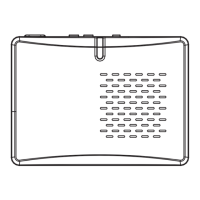
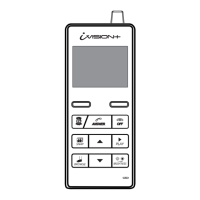
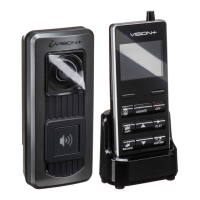
The provided manual outlines the procedure for manually updating the firmware of an IVPC-DS device, which appears to be a component of a larger system, possibly involving an IVPC-MS or smartphone. The device itself is a compact, rectangular unit with a removable front cover, a lock screw, and a power on/off button. It utilizes a microSD card for firmware updates and likely for data storage or other functions.
Function Description:
The primary function described in the manual is the firmware update process for the IVPC-DS. This suggests the IVPC-DS is a device that operates with embedded software, and regular updates are necessary for performance improvements, bug fixes, or new features. The update process is initiated by inserting a microSD card containing the firmware files and then powering on the device, indicating an automatic update mechanism. The device also features an LED indicator to show the status of the firmware update (solid blue for in progress, solid white for complete). Given its interaction with an IVPC-MS or smartphone, the IVPC-DS likely serves as a sensor, camera, or data collection unit that pairs with a master device for control, data transmission, or further processing. The mention of "pairing" suggests a wireless communication capability, possibly Bluetooth or Wi-Fi.
Important Technical Specifications:
While explicit technical specifications like dimensions, weight, or battery capacity are not provided, several key details can be inferred:
- Storage: The device uses a microSD card for firmware updates and potentially for data storage. It is compatible with UHS-1 microSD cards ranging from 4 GB to 32 GB. This indicates a moderate storage requirement for its operational data or firmware.
- Power: The IVPC-DS is battery-powered, as indicated by the caution about low battery levels affecting updates and the need to charge the battery. It has a physical power on/off button.
- Connectivity: The device is designed to be "paired" with an IVPC-MS or smartphone, implying wireless communication capabilities. The manual specifies that the device should not be in "white/blue pairing mode" during the update, suggesting a distinct pairing mode that differs from its operational state.
- Firmware Files: The firmware update requires specific files with
.bin and .txt extensions (e.g., file0.txt, file1.bin, mau.bin). The sizes of these files range from 1 KB to 397 KB, indicating the firmware is relatively compact.
Usage Features:
The manual details the steps for preparing the device for a firmware update, which provides insight into its usage:
- Disassembly for Maintenance/Update: The device requires partial disassembly to access the microSD card slot. This involves:
- Loosening a lock screw.
- Sliding the main unit off a mounting plate.
- Removing a front cover by first removing a rubber bushing and then prying and lifting the cover.
- Opening a rubber flap to access the microSD card.
- Firmware Update Process: The update is largely automated once the microSD card with the correct files is inserted and the device is powered on.
- Status Indicators: An LED light provides clear visual feedback on the firmware update status:
- Solid blue: Firmware Update in progress.
- Solid white: Firmware Update complete.
- Mounting: The mention of a "mounting plate" suggests the IVPC-DS is designed to be securely attached to a surface or another component, indicating a fixed or semi-fixed installation rather than a purely handheld device.
Maintenance Features:
The manual primarily focuses on firmware maintenance, but also touches upon physical access for component replacement/insertion:
- MicroSD Card Access: The design allows for user access to the microSD card for updates or potentially for data transfer/replacement. This requires a specific sequence of disassembly steps.
- Firmware Update: The ability to update firmware is a key maintenance feature, allowing the device to stay current with the latest software improvements and security patches.
- Battery Management: Users are advised to ensure the battery level is sufficient before attempting an update, implying that the battery is user-manageable (e.g., rechargeable) and its status is important for reliable operation.
- Caution against Power Interruption: A critical maintenance caution is to avoid turning off the power during an update, as this could render the device inoperable, highlighting the sensitivity of the firmware update process.
- Pairing Requirement: For proper operation and potentially for certain maintenance tasks, the IVPC-DS must be paired with an IVPC-MS or smartphone, indicating a system-level maintenance approach.
In summary, the IVPC-DS is a battery-powered, compact electronic device, likely a sensor or data collection unit, designed to be paired with a master device (IVPC-MS or smartphone). It features a user-accessible microSD card slot for firmware updates, which are initiated automatically upon power-on. Its design involves a mounting plate and a removable cover, suggesting a robust yet serviceable construction. The device communicates its update status via an LED indicator and requires careful handling during firmware updates to prevent damage.

 Need help?
 General

 To Next Page