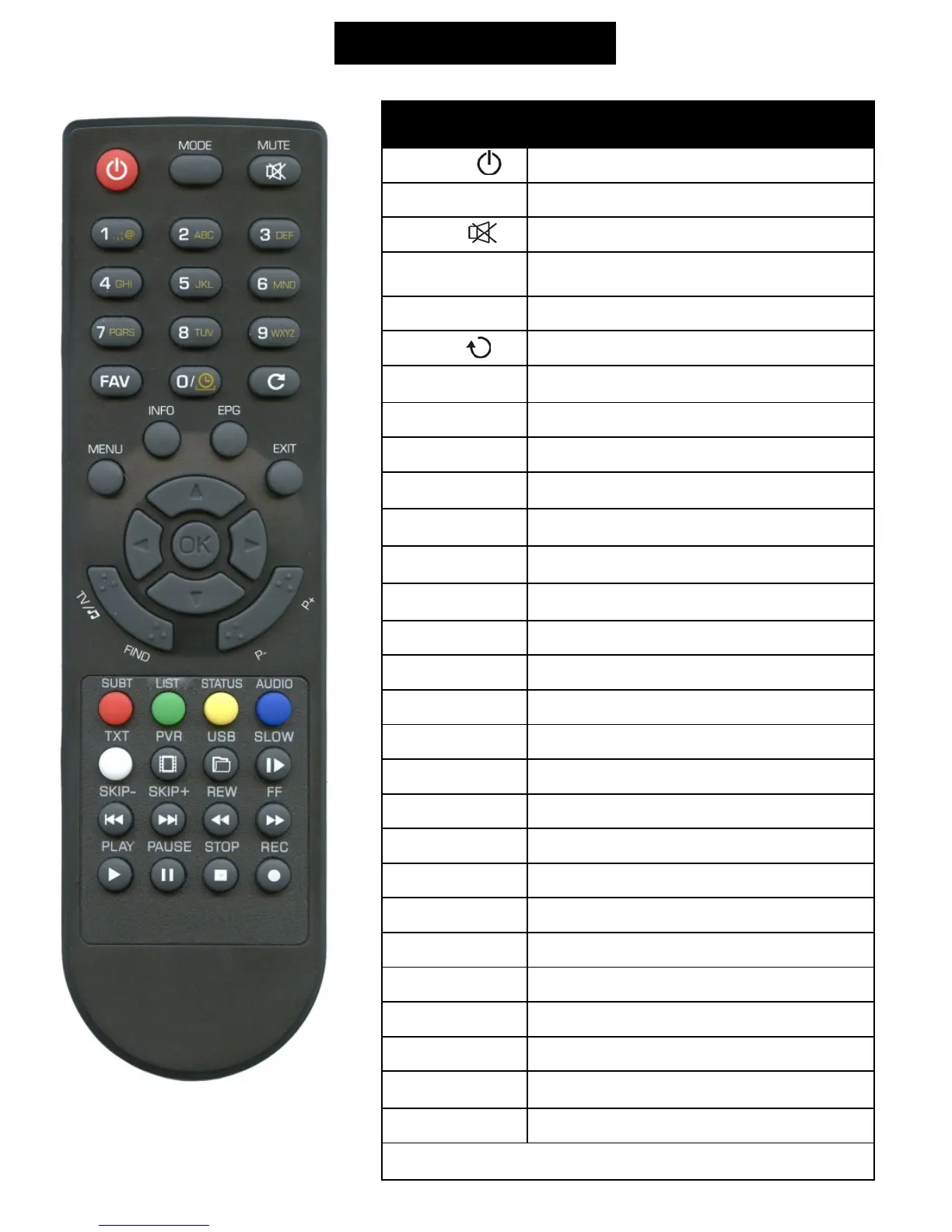
Remote controller
Button Function
Switch receiver on from standby mode.
MODE
Switch display mode of receiver.
Enable or disable the audio.
Select channel.
FAV
Display favourite channel list.
LAST -
Switch to the previous channel.
MENU
Display the Main Menu on the screen, or return to
the previous menu.
INFO
Display information bar of current service.
EPG
Display the Electronic Program Guide on screen.
EXIT
Cancel the user selection and return to the viewing
mode from a menu.
Change channel or move cursor up or down in the
menu.
Adjust volume level or move cursor left or right in
the menu.
Display channel list on screen. Select an item in
menu.
TV/R
Switch receiver between TV and Radio mode.
FIND
Enables to find channel from channel list.
P+/P-
Moves cursor by pages
SUB-T
Subtitle setup.
LIST
Optional function
STATUS
Optional function
AUDIO
Audio channels setup.
TXT
Show teletext information of the current channel.
PVR
Run player of recorded files.
USB
Run player of multimedia files.
PLAY/PAUSE
Enable TMS function, starts / stops playing video.
SKIP- / SKIP+
Play previous / next item.
STOP
Stop playing recorded video.
REW / FF
Rewind / fast forward during timeshift / playing
recorded video.
REC
Record actual channel to USB drive.
RED, YELLOW, BLACK, GREEN, BLUE, WHITE
Colour buttons. (according function descriptions on screen)



 To Next Page