EasyManua.ls Logo

Optilife AU981 - User Manual

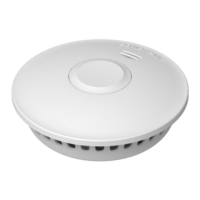
Optilife AU981
4 pages
Print Icon
To Next Page IconTo Next Page
Loading...
Version: D
- 1 -
Optilife Smoke Alarm User Manual
Model number: AU981
Thank you for purchasing the Optilife AU981
interconnectable smoke alarm. Please take a few minutes to
read this user manual thoroughly to familiarise yourself with
its operation.
Product Specifications:
Power: built-in DC3V(CR17450) Lithium battery (battery
not replaceable)
Operation current :<70mA
Alarm volume :>85dB(A) at 3 meters.
Smoke sensitivity: 0.09-0.15dB/m
Interconnection: up to 40 devices
Activated smoke alarm sound pattern: ISO 8201
BI 0.5s - pause 0.5s – BI 0.5s – pause 0.5s – BI 0.5s –
pause 1.5s, with the red LED flash, pattern is
repeated.
Wireless activated (supporting alarms) sound pattern:
Bi - Bi - pause 1s, repeat this pattern
Description:
The AU981 unit is a photoelectric smoke alarm device.
Photoelectric technology is more sensitive at detecting slow
smoldering fires.
Installation Suggestions:
It is suggested that an AU981 smoke alarm unit be installed
in every room and hallway of the house (excluding bathroom
and kitchen). Ensure that all occupants are aware of the alarm
tones to respond accurately if alerted.
For rooms greater that 9 meters in length an AU981 alarm
should be installed at each end of the room.
Important Safety Information:
1: Each AU981 smoke alarm unit should be tested monthly by
pressing the button.
2: Alarm can be silenced by ventilating room if activated by a
non-threatening source.
3: The AU981 smoke alarm is designed to detect smoke or
combustion particles in the air, it is not designed to sense
heat, flame or gas. This smoke alarm is designed to give
audible warning of a developing fire. This smoke alarm is
not warranted to protect lives or property from fire. Smoke
alarms are not a substitute for insurance.
4: AU981 should be replaced approximately every 10 years.
Do Not Install Smoke Alarms:
1: Near appliances or areas where normal combustion
can regularly occur (kitchens, fire places & hot water units).
2: In areas with high humidity eg. bathrooms or near
dishwashers or washing machines, install at least 3 metres
away from these areas.
3: Near air returns, or heating and cooling vents. Install at least
1 metre away from these areas. The air may blow smoke
away from the detector, affecting detection.
4: In rooms where temperatures may fall below 0 or rise
above 40 or in humidity higher than 93%. These
conditions will reduce battery life or cause a fault in the
alarm.
5: In extremely dusty, dirty, or insect infested areas, particles
could interfere with the smoke alarm operation.
6: In an area where people regularly smoke.
Activating Battery
To activate AU981 smoke alarm install mounting plate to the
ceiling, then turn unit clockwise to click into place.
DO NOT use an open flame to test your alarm, this could
damage the alarm and void your warranty.
Testing Alarms
To test the alarms, press firmly on the test button on one of the
alarms in the suite for 3 seconds until it lets out a siren sound,
then release. Wait approx. 3 seconds for the supporting alarms
in the in the network to sound for 10 chirps, and the red LEDs
of the supporting alarms will flash rapidly. (The light on the
test initiating alarm will not flash or sound) The red LED’s will
continue
to flash for 5 minutes, if you wish to stop them flashing prior
to the 5 minutes, simply push the test button on each unit.
Question and Answer IconNeed help?

Do you have a question about the Optilife AU981 and is the answer not in the manual?

Summary

Important Safety Information

Monthly Testing Requirement

Smoke alarm unit should be tested monthly by pressing the button.

Silencing Activated Alarms

Alarm can be silenced by ventilating room if activated by a non-threatening source.

Alarm Design and Limitations

Detects smoke/combustion particles, not heat/flame/gas. Not a substitute for insurance.

Scheduled Replacement

AU981 smoke alarm should be replaced approximately every 10 years.

Installation and Operation

Installation Suggestions

Install in every room/hallway, consider room length for placement.

Prohibited Installation Areas

Avoid areas with combustion, high humidity, vents, extreme temperatures, dust, or smoke.

Activating the Unit

Install mounting plate to ceiling, then turn unit clockwise to click into place.

Testing Smoke Alarms

Press test button for 3 seconds until siren sounds; supporting alarms chirp.

Technical Specifications

Product Details

Model, power supply, battery life, operation temperature/humidity, current, volume.

Sound Patterns

Details activated smoke alarm and radio link sound patterns.

Wireless Functionality

Frequency, distance, setup, and learning modes for wireless interconnection.

Troubleshooting and Maintenance

Alarm Silence Mode

Procedure to pause alarm for 10 minutes when activated by a non-emergency.

Common Problems and Solutions

Addresses issues like no sound, low battery chirp, and false alarms.

Cleaning Procedures

Use vacuum cleaner with soft brush to remove dust, dirt, and debris from the unit.

Battery Replacement Warning

Sealed battery is not replaceable; unit must be replaced when battery is low.

Advanced Configuration and Installation

Clearing Interconnection Codes

Steps to cancel networking by holding test button and powering on the alarm.

Radio Link Test Procedure

Ensures successful learning of all products in a network.

Wall and Ceiling Installation

Guidelines for optimal placement to detect smoke, heat, and flames effectively.

Warranty Information

Warranty Coverage

3-year warranty against defects in material and workmanship under normal use.

Exclusions and Limitations

Warranty does not cover damage from accident, misuse, abuse, or lack of care.

Contact Information

Details for Optilife Australia Pty Ltd for warranty inquiries.

Overview

The Optilife AU981 is a photoelectric smoke alarm designed to detect smoke or combustion particles in the air, providing an audible warning of a developing fire. This device is particularly sensitive to slow smoldering fires. It is an interconnectable smoke alarm, meaning multiple units can be linked together to provide comprehensive coverage.

Function Description

The primary function of the AU981 is to detect smoke and alert occupants to potential fire hazards. When smoke is detected, the alarm will sound an ISO 8201 pattern: BI 0.5s - pause 0.5s – BI 0.5s – pause 0.5s – BI 0.5s – pause 1.5s, accompanied by a red LED flash. If multiple interconnected alarms are activated, supporting alarms will sound a "Bi - Bi - pause 1s" pattern.

The device features a "Silence Mode" which can be activated if the alarm is triggered by a non-emergency situation (e.g., cooking smoke). Pressing the test button once will pause the alarm for approximately 10 minutes, with the red LED continuing to flash every 8 seconds to indicate it is in Silence Mode. The alarm will automatically reset after 10 minutes if the combustion particles have cleared. If particles are still present, the alarm will reactivate, and the test button must be pressed again to re-enter Silence Mode. When an activated alarm is silenced, all interconnected alarms will also silence.

The AU981 also includes a low battery indicator. When the battery is low, the alarm will "chirp" approximately every 40 seconds, and the red LED will flash once at the same time. This will occur for a minimum of thirty days, indicating that the unit needs to be replaced.

Usage Features

To activate the AU981 smoke alarm, install the mounting plate to the ceiling, then turn the unit clockwise until it clicks into place. It is crucial to set up the wireless function before installing the smoke alarm units.

Testing Alarms:

Alarms should be tested monthly. To test, press firmly on the test button of one alarm in the network for 3 seconds until it emits a siren sound, then release. After approximately 3 seconds, supporting alarms in the network will sound for 10 chirps, and their red LEDs will flash rapidly. The red LEDs will continue to flash for 5 minutes; to stop them sooner, simply push the test button on each unit.

Wireless Interconnection:

The AU981 supports interconnection with up to 40 devices.

  • Setting up Wireless Code: Ensure the device is in normal standby mode. Press the button 3 times within 2 seconds. The red LED (no network yet) or green LED (networking) will illuminate, then the blue LED will illuminate for 30 seconds, indicating the detector has entered "send wireless code mode." If successfully paired with another detector in "learning mode," the green NET LED will light for 3 seconds, then re-enter "send wireless code mode." If no pairing occurs for 30 continuous seconds or if the button is pressed 3 times within 2 seconds again, the detector will return to standby status.
  • Learning Mode: Before operation, the unit must be in normal working mode. Press the button 3 times within 2 seconds. The unit will first enter "Learning mode," and the red NET LED (no networking yet) or green NET LED (already networking) will light for a while. If the color of the NET LED matches another detector in "send wireless code mode" (Green LED on 5s), it indicates a successful radio link pairing. The green LED will turn off after 3 seconds.
  • Clearing Interconnection Code: To cancel networking, push and hold the test button, then power on the alarm. The red LED will illuminate. Keep pressing the test button until the LED turns off. Press the test button again; the LED will illuminate and start flashing. When the LED stops flashing, the code has been successfully cleared, and the device returns to its initial state.
  • Radio Link Test: To ensure all products have successfully learned, select one device, press and hold the button for about 2 seconds until it enters "test alarm mode," then release. The device will automatically send "radio link test" information. After a short delay, all other devices will enter "radio link test" status for 5 minutes (red LED flashes twice every second, no audible signal). If not, it indicates a device network learning failure or that the distance between connected devices is too large. In "radio link test" status, pressing the button will immediately return the device to normal standby mode. Before installation, it is recommended to place the product in each installed room and select the device in the farthest room for this test to ensure successful entry into "radio link test" status.

Installation Suggestions:

It is recommended to install an AU981 smoke alarm unit in every room and hallway of the house, excluding bathrooms and kitchens. All occupants should be aware of the alarm tones. For rooms longer than 9 meters, an alarm should be installed at each end. When installing, ensure the unit is safely secured to the ceiling using supplied plugs and screws. If the ceiling is slanting, the smoke alarm unit should be installed 50cm away from the highest ceiling point in the room. Smoke, heat, and flames typically spread horizontally after rising to the ceiling, so installing the unit in the middle of the ceiling is ideal. If not possible, ensure it is at least 30cm in from the corner. If installing on a wall, it should be between 10cm and 30cm below the ceiling. For rooms or halls longer than 9 meters, consider installing 2-3 units for full coverage.

Important Safety Information:

  • Do not use an open flame to test the alarm, as this could damage it and void the warranty.
  • The AU981 is designed to detect smoke or combustion particles, not heat, flame, or gas. It provides an audible warning of a developing fire but is not warranted to protect lives or property from fire and is not a substitute for insurance.
  • The AU981 should be replaced approximately every 10 years.

Do Not Install Smoke Alarms In:

  • Areas near appliances or where normal combustion regularly occurs (kitchens, fireplaces, hot water units).
  • Areas with high humidity (e.g., bathrooms, near dishwashers or washing machines); install at least 3 meters away.
  • Near air returns or heating and cooling vents; install at least 1 meter away, as air currents can affect smoke detection.
  • Rooms where temperatures may fall below 0°C or rise above 40°C, or where humidity is higher than 93%, as these conditions reduce battery life or cause faults.
  • Extremely dusty, dirty, or insect-infested areas, as particles can interfere with operation.
  • Areas where people regularly smoke.

Maintenance Features

The alarm requires periodic cleaning to remove dust, dirt, and debris. Use a vacuum cleaner with a soft brush to vacuum all sides and covers of the device.

Troubleshooting:

  • Device does not sound when tested: Ensure the alarm is properly fitted on the bracket and turned clockwise for power. Clean the smoke alarm device. If the issue persists, contact the supplier.
  • Alarm "chirps" with red LED flashing once every 40 seconds: The battery is low, and the smoke alarm unit must be replaced.
  • Chirp occurs every 40 seconds (alarm goes into fault mode): Clean the smoke alarm device. If the problem persists after cleaning, contact the supplier.
  • Alarm sounds unwantedly or when residents are cooking, taking showers, etc.: Press the test button to put the alarm in silence mode. Clean the smoke alarm device. If the issue persists, move the smoke alarm device to a new location and press the test button.
  • Alarm sound is distorted and different from its original sound, and starts and stops: Clean the smoke alarm device. If the fault continues, contact the supplier.

Repair:

Do not attempt to repair the smoke alarm, as this will affect the warranty. Contact your supplier for any repair needs.

Warranty Information:

The company warrants to the original consumer that each new smoke alarm will be free from defects in material and workmanship under normal use and service for a period of 3 years from the date of purchase. This warranty does not cover damage resulting from accident, misuse, abuse, or lack of reasonable care. The company is not liable for incidental or consequential damages. For warranty issues, contact Optilife Safety.

Optilife AU981 Specifications

General IconGeneral
Sensor TypePhotoelectric
Alarm Sound Level85 dB at 3 meters
Hush FeatureYes
Test/Silence ButtonYes
Operating Humidity10% to 90% RH non-condensing